Chapter 7 Troubleshooting
PAGE 7-11
●Method for Confirming Using Command Prompt Functions (Windows 7)
Procedure 1. Connect the Unit and the PC with the PC communication cable.
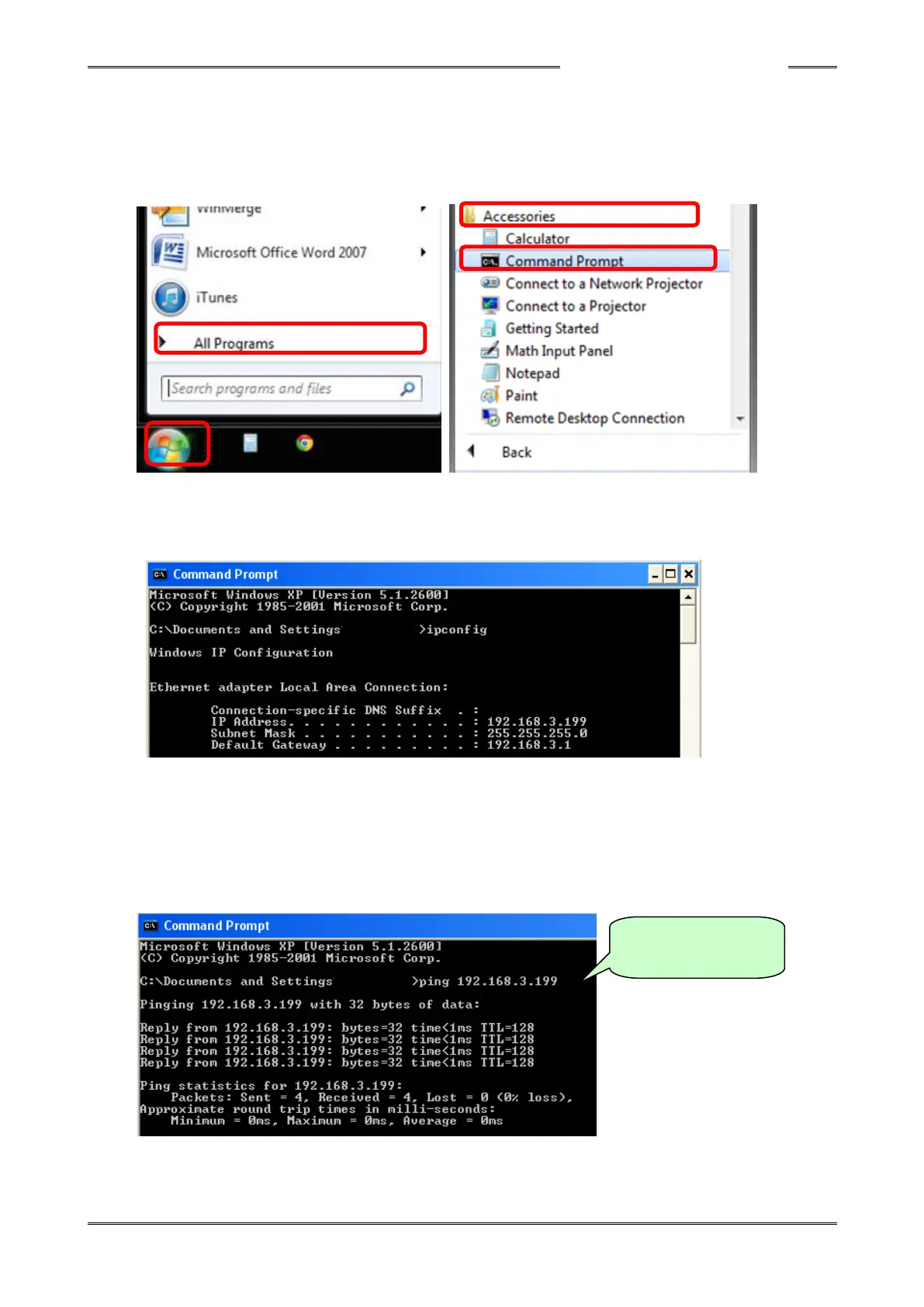
Procedure 2. In the Windows Start menu, click “All Programs” → “Accessories”
→ “Command Prompt.”
Procedure 3. When the command prompt screen appears, enter “ipconfig” and then press the
Enter key. The current PC settings are displayed. If the displayed settings are
not correct, set the PC’s setting again.
Procedure 4. If a normal response is made as in the screen above and yet connection with the
HFC3000 User Console fails, make the command prompt screen appear again and
then enter “ping 192.168.3.199” or “ping 192.168.3.198.”
* Enter the IP address of the Unit and the PC after ping.
The following will be displayed if normal communication between the Unit and the PC is
enabled.
In the case of normal
communication
S0140185-H


 To Next Page
 Loading...