Chapter 6 Description of Operations
PAGE 6-24
6-6. Copying of Parameters / Erasure of the Fastening Result Record
In setting the contents of multiple parameter Nos., a certain parameter No. can be copied to
another parameter No. in the set value editing mode. Parameters can be copied by the following
operation procedures.
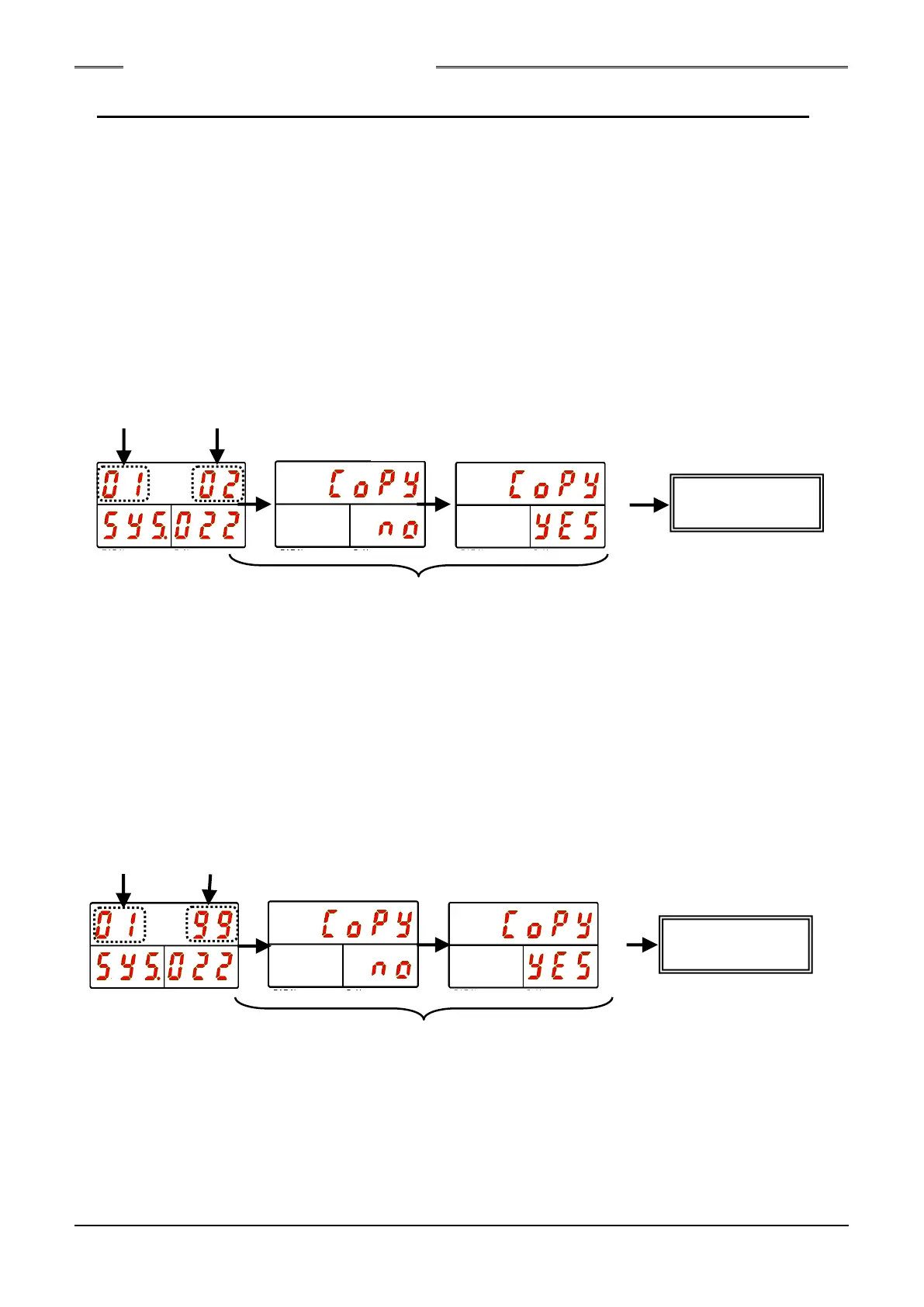
●Procedures for Copying in Parameter Units
1. When the Unit is in the PROGRAM mode, make “CoPY,” with “SYS” indicated in the WORK
indication part and “022” indicated in the COUNT/D-No. indication part, be indicated and then
press “SET.”
2. Select the copy source parameter No. as the upper 2 digits of the DATA indication part.
3. Select the copy destination parameter No. as the lower 2 digits of the DATA indication part.
4. Press the SET switch and then press the [▲] or [▼] switch within 2 seconds.
5. After the indication at the DATA indication part changes to “CHANGE YES,” press the [SET]
switch within 2 seconds.
6. Copying in parameter units is executed.
●Batch Copying
Example: To copy the contents of parameter 1 into parameters 2 ~ 64
1. When the Unit is in the PROGRAM mode, make “CoPY,” with “SYS” indicated in the WORK
indication part and “022” indicated in the COUNT/D-No. indication part, be indicated and then
press “SET.”
2. Select the copy source parameter No. as the upper 2 digits of the DATA indication part.
3. Select “99” as the lower 2 digits of the DATA indication part.
4. Press the SET switch and then press the [▲] or [▼] switch within 2 seconds.
5. After the indication at the DATA indication part changes to “CHANGE YES,” press the [SET]
switch within 2 seconds.
6. The parameter of the copy source is copied to all parameter in a batch.
Canceled if operation is not performed within 2 seconds.
Canceled if operation is not performed within 2 seconds.
S0140185-H



 To Next Page