Chapter 6 Description of Operations
PAGE 6-19
6-5. PROGRAM Mode
The parameter settings can be changed in the PROGRAM mode.
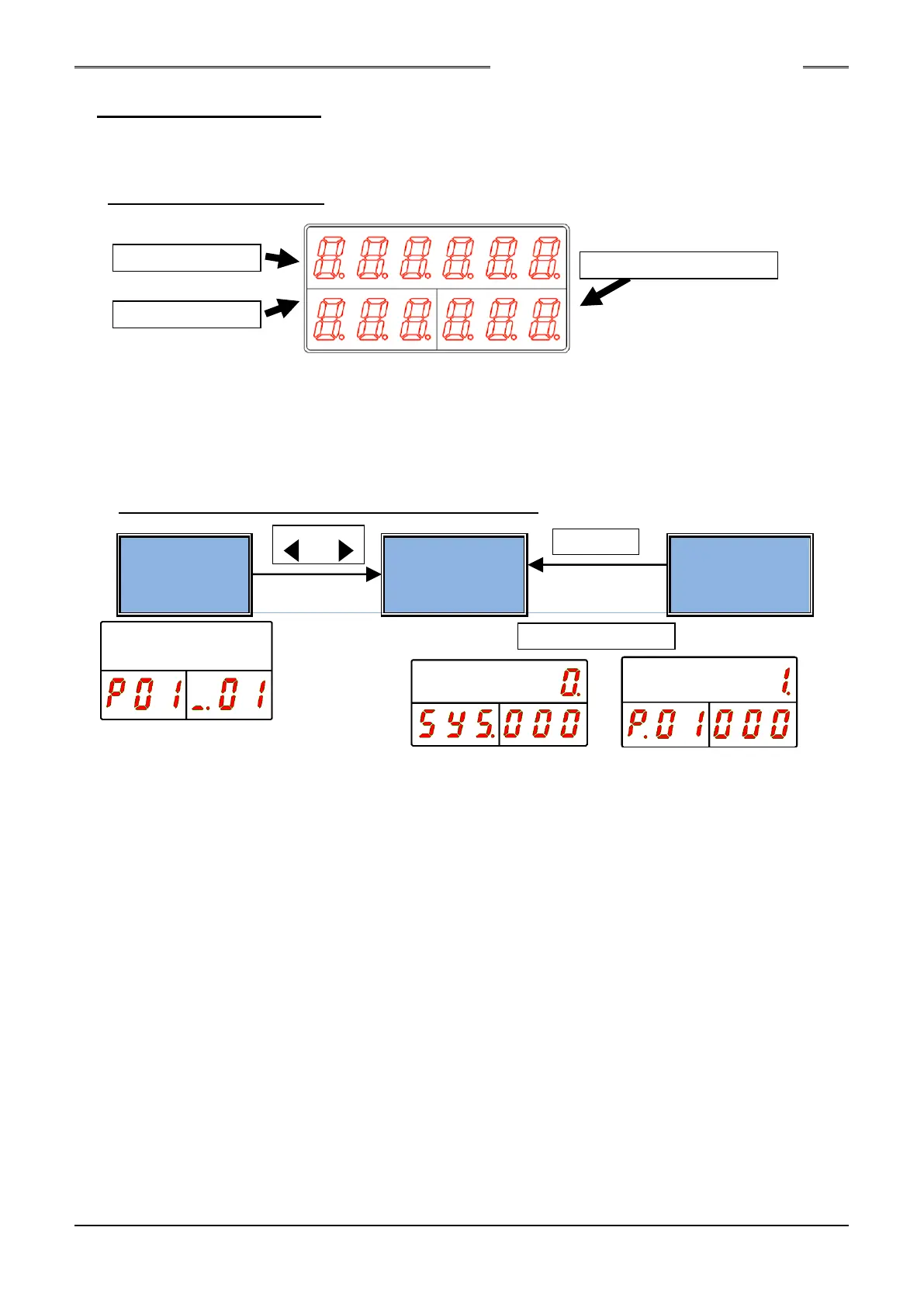
The Data No. and parameter of each parameter No. are indicated on the indicator.
Indicator (PROGRAM Mode)
●DATA indication part
The set value (parameter) is indicated.
●WORK indication part
The fastening parameter No. is indicated.
●COUNT/D-No. indication part
The data No. indicated in the DATA indication part is indicated.
6-5-1. Changing Modes in the PROGRAM Mode
●Operation View
The current state of the Unit is indicated in this mode.
Indication in this mode is performed immediately after changing from the RUN mode to the
PROGRAM mode.
Changing to the set value selection mode is performed by the [◄] and [►] switches.
However, in the “Parameter Setting Mode” and the “System Setting Mode,” the mode is changed
directly to the set value selection mode.
●Set Value Selection Mode
A parameter is selected in this mode.
The [◄] and [►] switches are used to change the position of the cursor.
The [▲] and [▼] switches are used to change the indicated set value.
●Set Value Editing Mode
A parameter is set in this mode.
The set value is edited using the [▲] and [▼] switches and set with the “SET” switch.
When the “RESET” switch is pressed, the setting in the process of being changed is discarded and
returned to the setting before changing.
COUNT/D-No. indication part
S0140185-H



 To Next Page