Chapter 8 Options
PAGE 8-7
8-1-6. Checking the capacity of the CF card
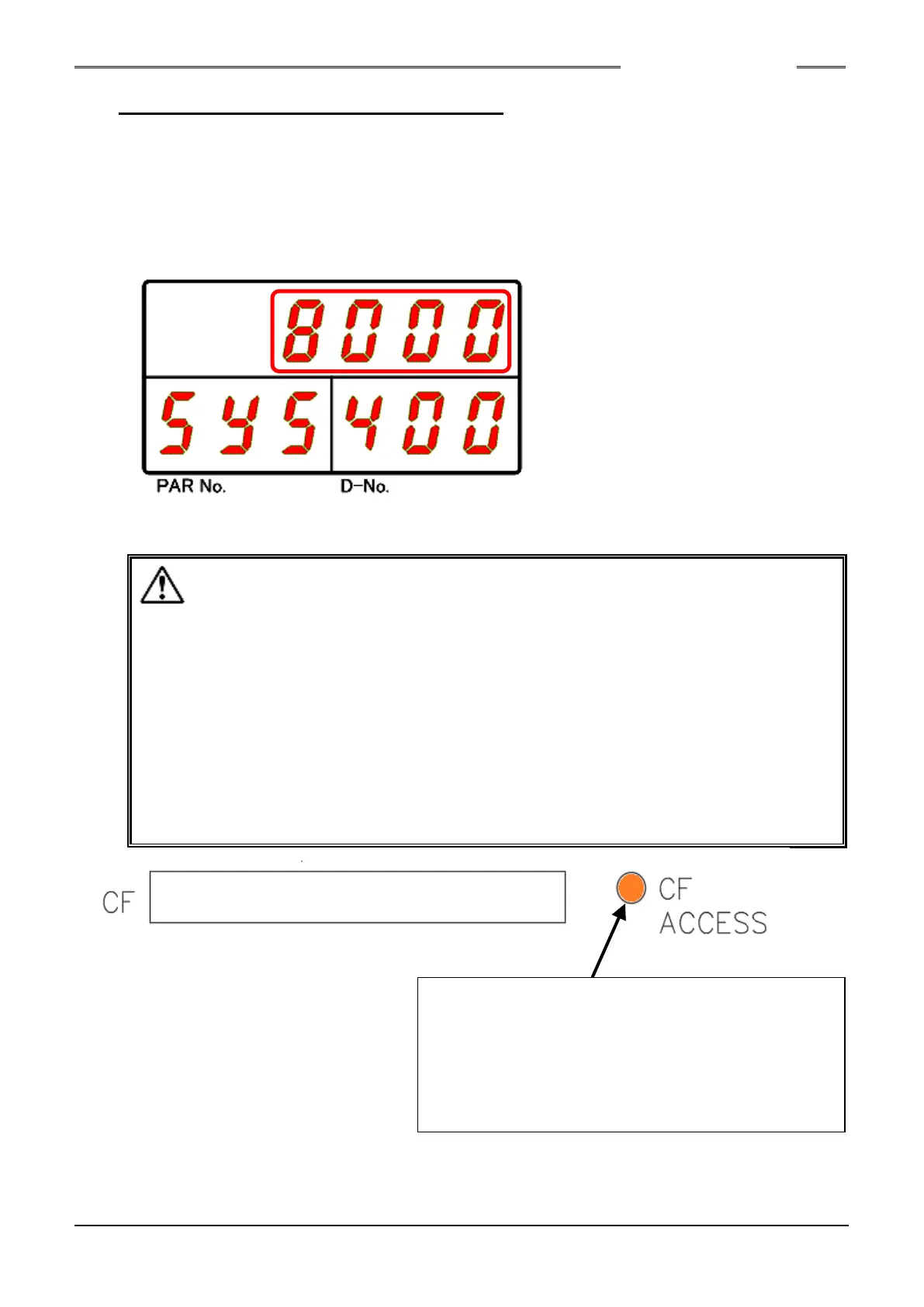
●Procedures for Confirming the Storable Capacity of the CF Card
1. Put the Unit in a state in which starting by external control will not be performed and then perform
the following in the state where the I/O output signal: READY is “ON.”
2. Use the “◄” and “►” switches of the Unit indicator to make the System Setting Mode be indicated.
3. Use the “▲” and “▼” switches of the Unit to make “400” be indicated at the COUNT/D-No. indication
part.
4. The value indicated at the upper stage of the indicator is the storable capacity (units: MB) of the CF
card. (Units are displayed as "%" in Controller Software Version 1.209 or earlier)
●When the storable capacity of the CF card falls to less than 200MB,
it becomes as follows.
(Capacity is 1% or less before Controller Software Version V1.209)
・The CF ACCESS LED becomes lit up in orange
・The I/O output signal: “CF Storage Warning” becomes “ON”.
●When the storable capacity of the CF card falls to less than 20MB, it becomes as follows.
(Capacity is 0.1% or less before Controller Software Version V1.209)
・The CF ACCESS LED becomes lit up in red
・The I/O output signal: “CF Error” becomes “ON”.
・Storage into the CF card is discontinued to prevent mismatch of the stored contents of
the fastening results and the fastening Curves.
CF ACCESS
(Controller software version V1.209 or later)
Orange: Storable capacity is no more than 200MB
Red: Storable capacity is no more than 20MB
(Controller software version V1.209 or earlier)
Orange: Storable capacity is 1% or less
Red: Storable capacity is 0.1% or less
S0140185-H



 To Next Page