Chapter 3 Part Names
PAGE 3-4
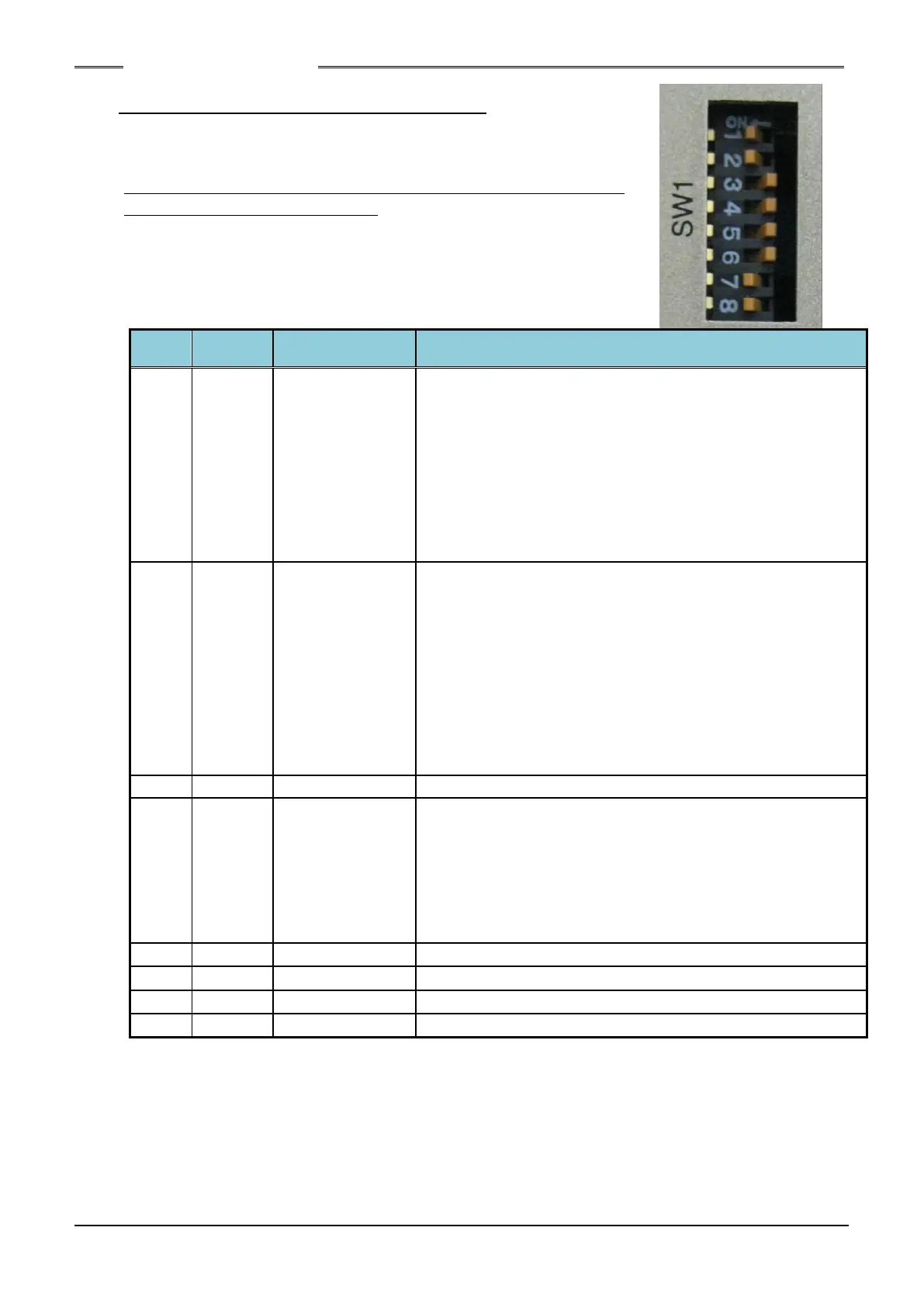
3-1-3. Bottom Panel SW1 Switch Settings
The SW1 switches on the Unit bottom panel are used to set special
functions related to fastening.
* Be sure to change the SW1 dip switch settings with the power
of the Controller Unit being OFF.
Enlargement of
effective area of
the ZERO voltage
check
(±10%/±4%)
・ When this is set to ON, the effective area of the ZERO
voltage check is set so that the usage range is ±10% of the
full scale torque. Set this to ON if an abnormality occurs
frequently at the start of fastening when the offset tool is
mounted horizontally or when the reaction force of the
previous fastening remains in continuous fastening
operations.
・ When this is set to OFF, the effective area of the ZERO
voltage check is set so that the usage range is ±4% of the full
scale torque.
Operation upon
input of START
signal OFF during
the fastening
operation
(Continuous input
/ pulse input)
・ When this is set to ON, although the fastening operation will
be continued while the START signal is ON, the fastening
operation will stop when the START signal becomes “OFF”
during the operation (Continuous input).
・ When this is set to OFF, the fastening operation is started
when the START signal is set to ON for 200msec. The
fastening operation is continued even if the START signal is
set to “OFF” during the fastening operation (pulse input).
* The settings of No.2 can be available in single system.
In the case of the multi system, the fastening operation can
be changed by Sequence Setup.
Used for in-house adjustment
FlashRom storage
disable
(disable/enable)
・ When this is set to ON, the parameters are not stored in the
FlashRom and are stored only in the SDROM. When the
parameter settings are changed frequently by PLC, etc., the
FlashRom life is shortened. Please set this switch to ON in
this case.
・ When this is set to OFF, the parameters are stored in the
FlashRom as well.
Used for in-house adjustment
Used for in-house adjustment
Used for in-house adjustment
Used for in-house adjustment
S0140185-H



 To Next Page