Chapter 8 Options
PAGE 8-4
8-1-4. Storing Data in the CF Card
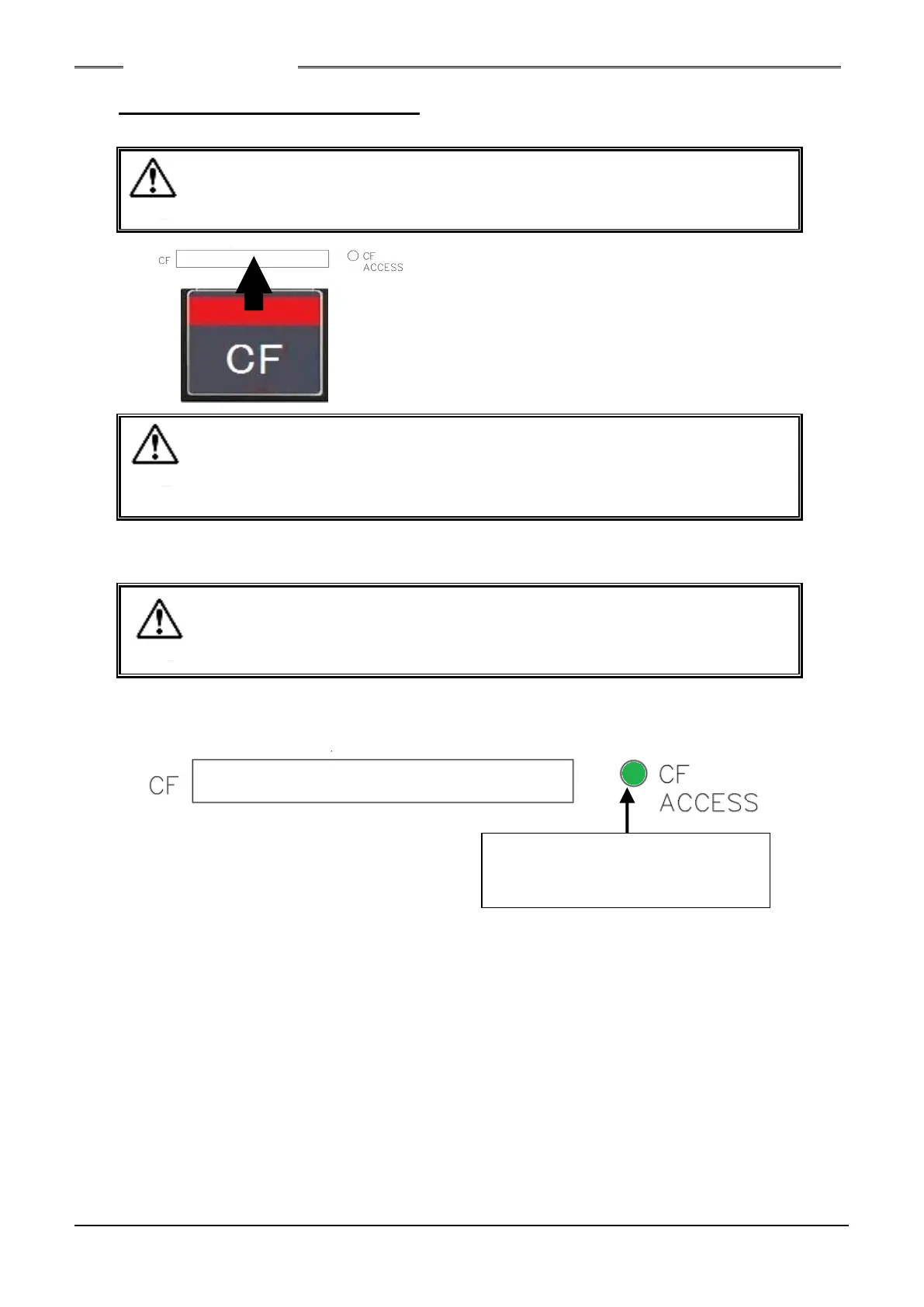
1. Insert the CF card in the CF card slot (CF CARD) in the state where the power of the Unit is OFF.
・ When the control power of the Unit is turned ON with the CF card installed in
the slot, it takes more than the regular time for the Unit to become operable
because a file storage folder is generated in the CF card.
・Insert vertically the CF card slowly and with its top surface at the left side.
Although arrangements are made so that a card cannot be inserted in the
opposite orientation, a malfunction of the Unit or the card may occur if the
card is pressed in forcibly.
2. Data storage is executed after the fastening operation is ended in the state where the CF card is
set.
・ Do not extract the card from the slot or turn OFF the control power of the
Unit while storage into the CF card is in progress. Otherwise, the stored
data or the CF card may become damaged.
3. When data are being stored in the CF card, the CF ACCESS LED is lit up in green.
If storage in the CF card fails, the CF ACCESS LED lights up in red.
CF ACCESS
Green: Data storage in progress.
Red: Data storage failed.
S0140185-H



 To Next Page