Chapter 6 Description of Operations
PAGE 6-23
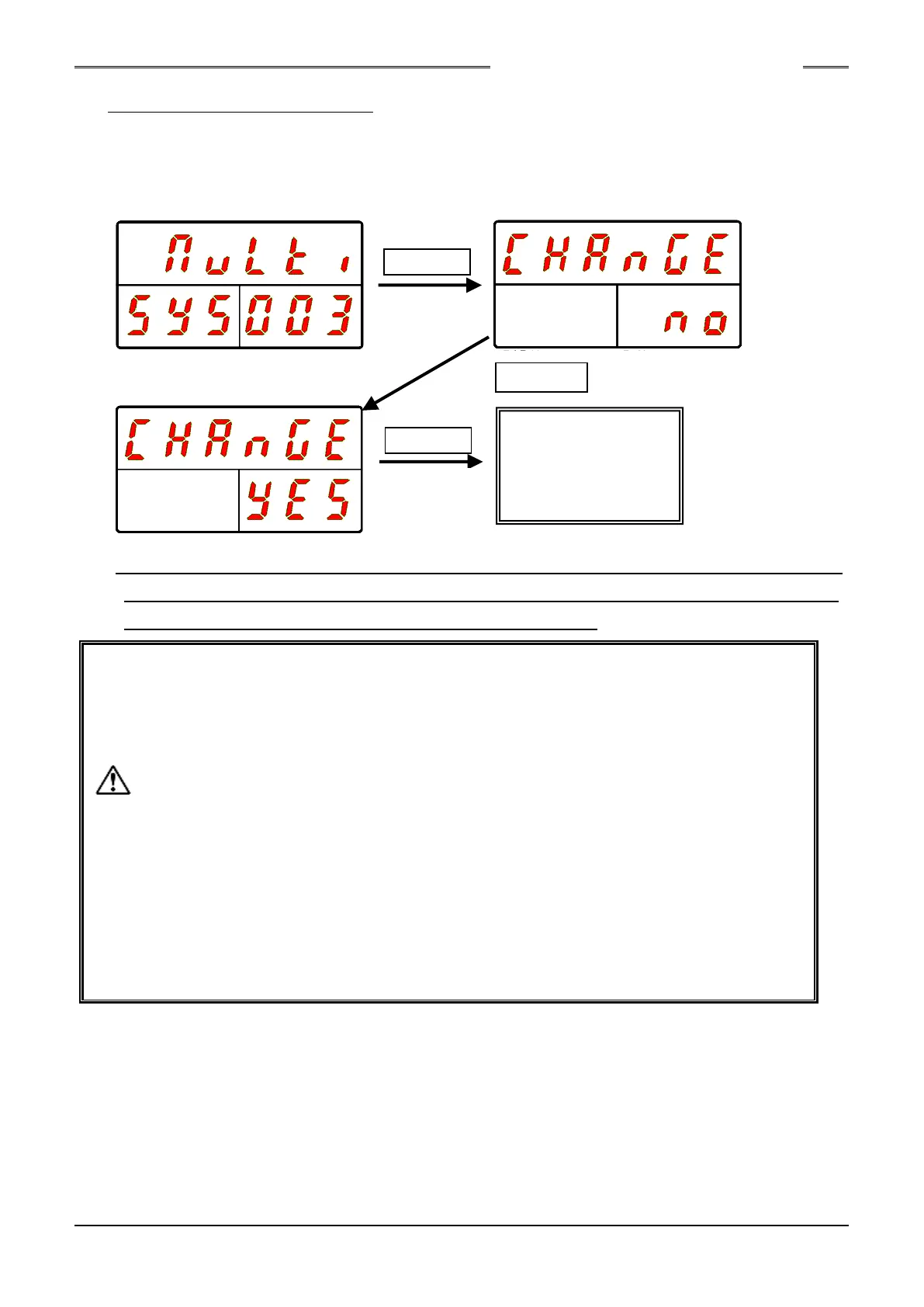
●System Parameter Setting Method
A parameter with which [SYS] is indicated in the COUNT/D-No. indication part is a system
parameter and its set value is changed by editing the set value, then pressing the [SET] switch,
thereafter changing the indication of “NO” to “YES” with the [▲] or [▼] switch, and then pressing the
[SET] switch again.
*If after pressing the [SET] switch and then changing from “NO” to “YES,” 2 seconds elapses without
operating the [▲] or [▼] switch before the [SET] switch is pressed again, changing to the set value
selection mode is performed without the set value being changed.
•When changing from the PROGRAM mode to the RUN mode is performed or the
BYPASS signal is changed from ON to OFF, the changed parameter is stored in the
Unit. When during a setting change, the power is turned OFF in the PROGRAM
mode, the setting of the parameter returns to that before the change.
•A portion of the system parameters are made available by reactivating the control
power after changing its setting (D-No. 003 System Indication, D-Nos. 011 ~ 016
TCP/IP Setting, etc.).
•When the Unit setup tool No. (PAR No. “SYS,” D-No. “200”) is changed, the fastening
parameter set values are subject to initialization and automatic correction.
•Initialization…The calibration torque, the rate 1 ~ 3 high and low limits, the full scale
current, the high current limit, and the current limit are subject to initialization.
•Automatic Correction…If the torque, speed, or low current limit set value falls outside
the high or low limit value of the tool of the tool No. for which the set value was
changed, this set value is subject to automatic correction.
Change of
System
Parameter
S0140185-H



 To Next Page