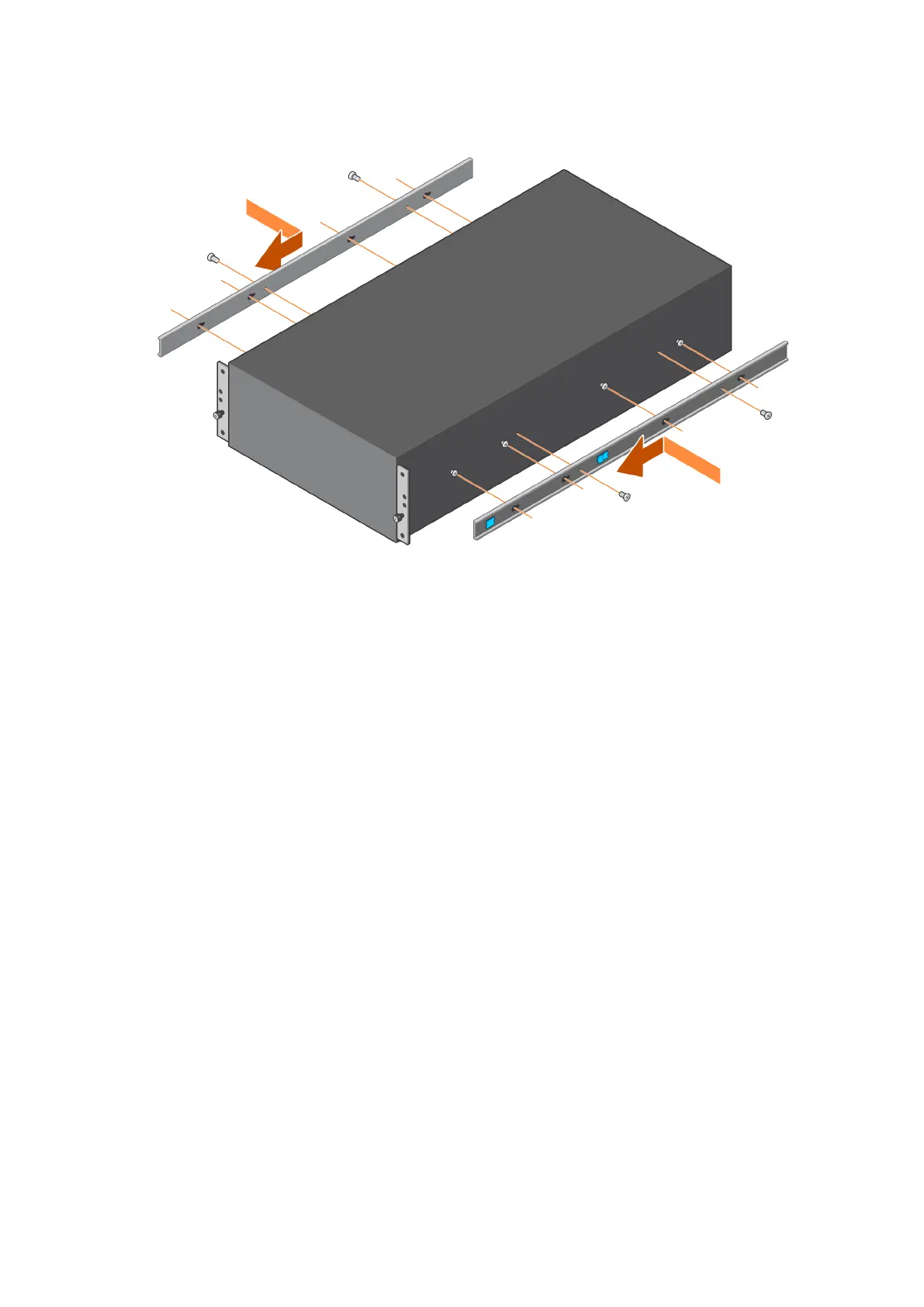
Figure 17. Install the inner rail onto the chassis
4. Secure the rails by installing two screws on each side of the enclosure.
Install the rails on the rack
This task describes the procedure to install the rails. You can install the rails into either a square or round hole rack.
1. Identify the rack holes for installing the rails and install the provided nuts on them. Use square or circular nuts depending on
the type of rack post.
2. Attach the right rail to the back post of the rack.
a. Align the right rail with the holes on the back post of the rack.
b. Push the rail back while holding the latch open.
c. Once the rail engages to the rack post, release the latch to lock the rail in place.
d. Insert the screws and secure the rail to the back post.
Install the Disk Shelves in the Rack
27















 To Next Page