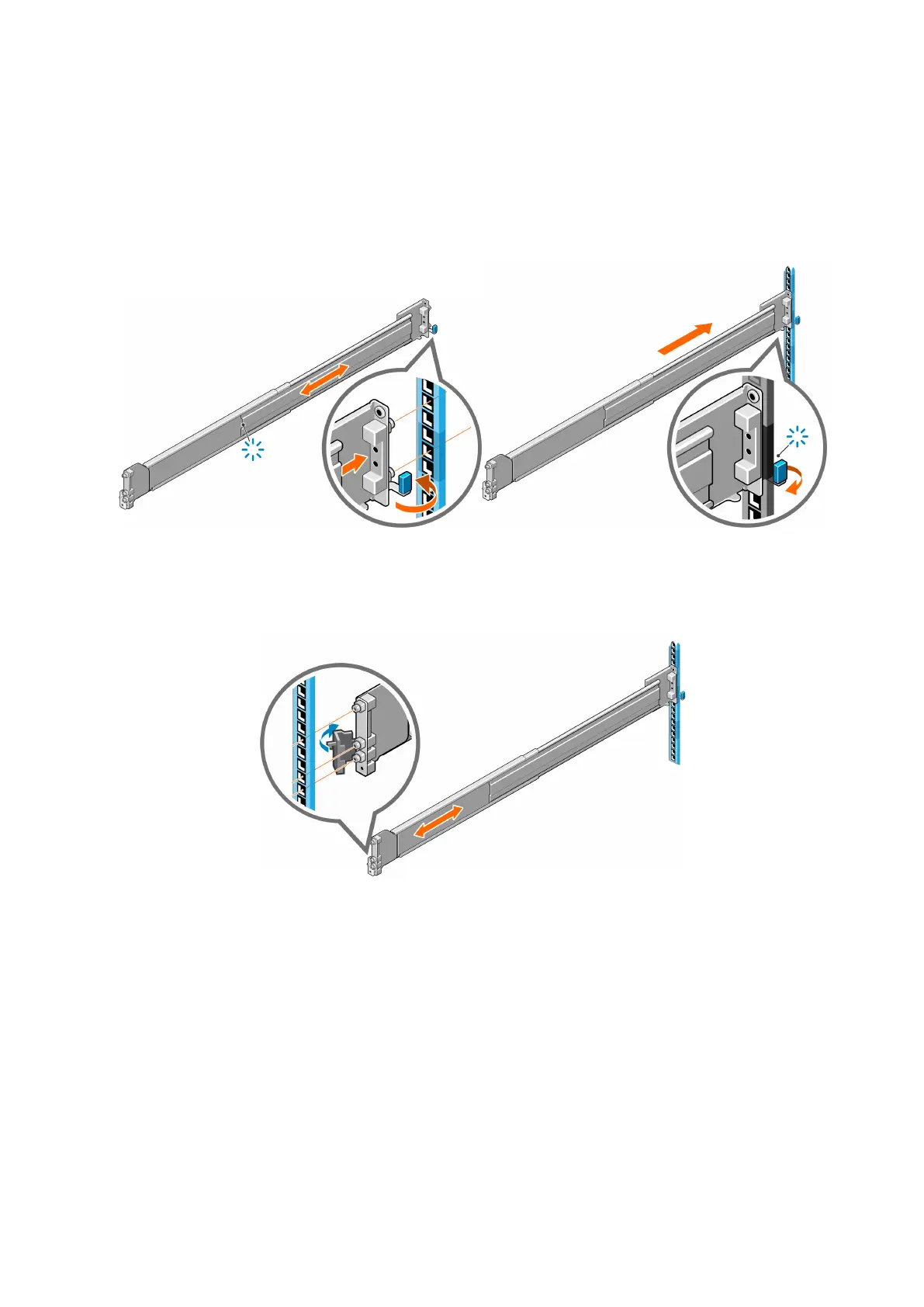
Installing rails onto the rack
First install the rails that were shipped with the unit onto your rack.
Steps
1. Identify the rack holes to use for installing the rails in the racks.
2. Press the latch on the rear rail bracket and insert the rail into the rack post. Release the latch to lock the rail in place.
Figure 38. Connecting the rail to the back post
3. Extend the rail to fit between the front and rear rack posts.
4. Insert the pins on the front of the rail into the rack holes of the front rack post.
Figure 39. Attaching the rail to the front post
5. Secure the front rail bracket with one screw.
6. Secure the rear rail bracket with one screw.
Install the Disk Shelves in the Rack
39















 To Next Page