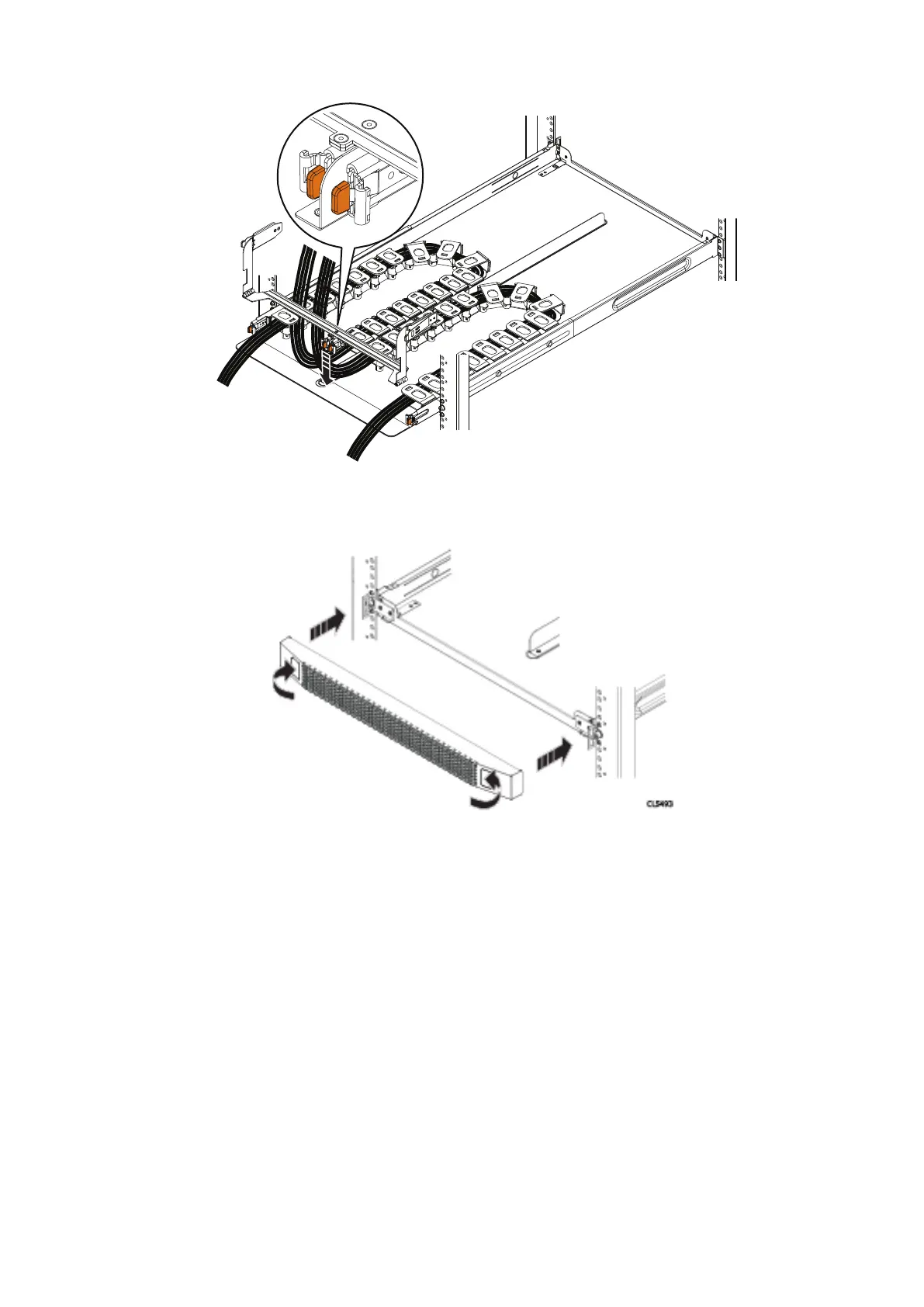
Figure 36. Installing the chassis bracket
9. Place the chassis bracket over the center rail of the cable tray. Clip the free end of the cable chains to the center flange on
the chassis bracket.
Figure 37. Installing the bezel
10. Place the bezel over the front of the tray by pressing the release buttons on the bezel and placing it over the retaining slots
on the tray. Release the buttons and the tabs will mate with the slots.
11. Refer to the application guide and connect the cables as required. Dress the cable runs with proper cable strain reliefs when
routing to the rack.
Install an FS240 shelf into the rack
If installing an FS240 is required, complete the following steps to install the FS240 SSD shelf.
The rails are compatible with racks with square holes, unthreaded round holes, and threaded round holes.
38
Install the Disk Shelves in the Rack















 To Next Page