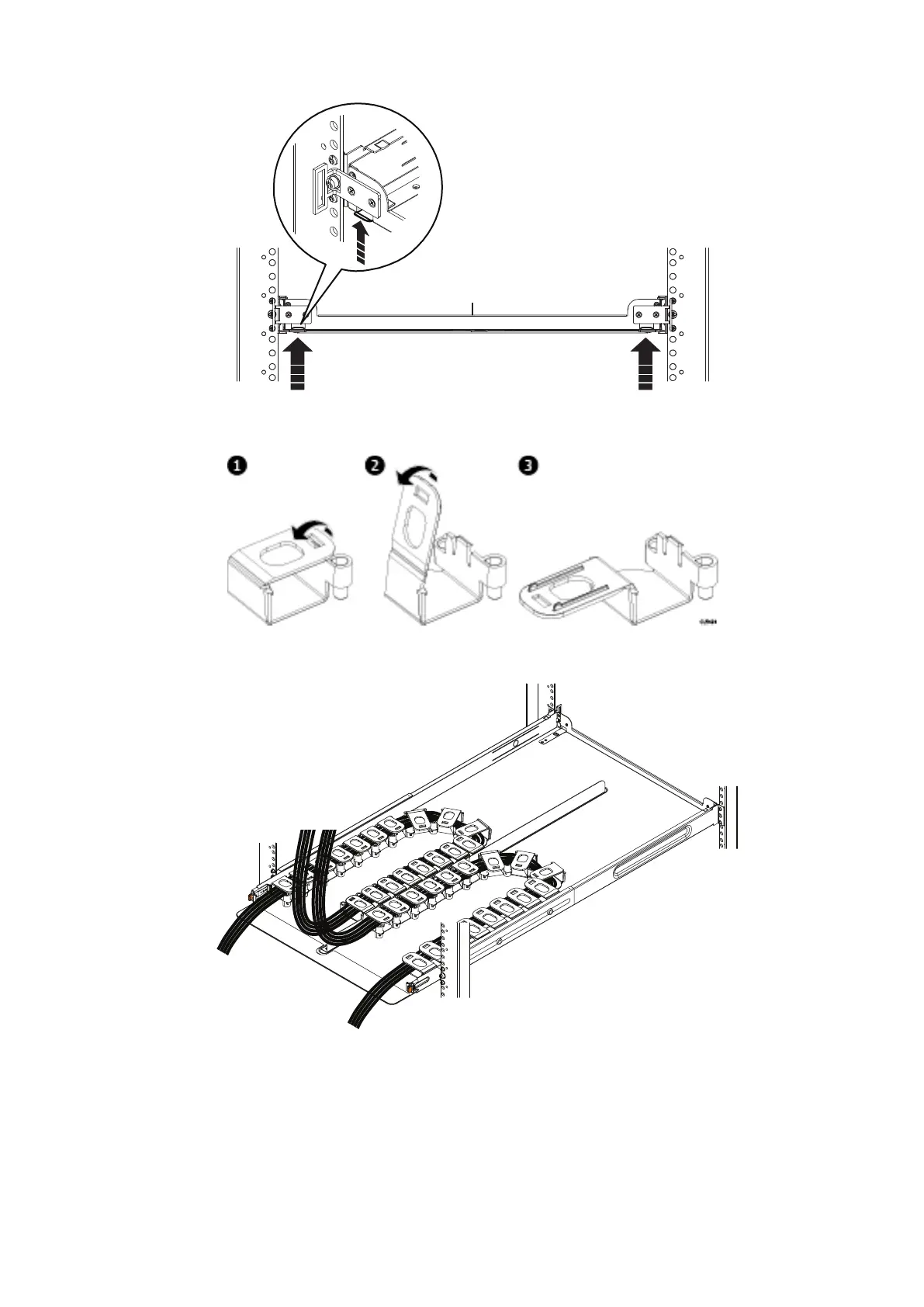
Figure 30. Spring clips—push up to release tray
Figure 31. Opening the cable chain lids
4. Unclip and open all lids on the cable chains.
Figure 32. Cable positioning in cable chains
5. Refer to the application guide for the shelf you are installing. Using the 1-inch graduations on the back edge of the tray,
route the cables through the cable chains to their suggested lengths, keeping in mind the correct pig-tail lengths. The two
outside cable runs connect to the rack, while the two inside cable runs connect to the shelf. Once the cables are installed,
close the lids, making sure that they are snapped shut.
36
Install the Disk Shelves in the Rack















 To Next Page