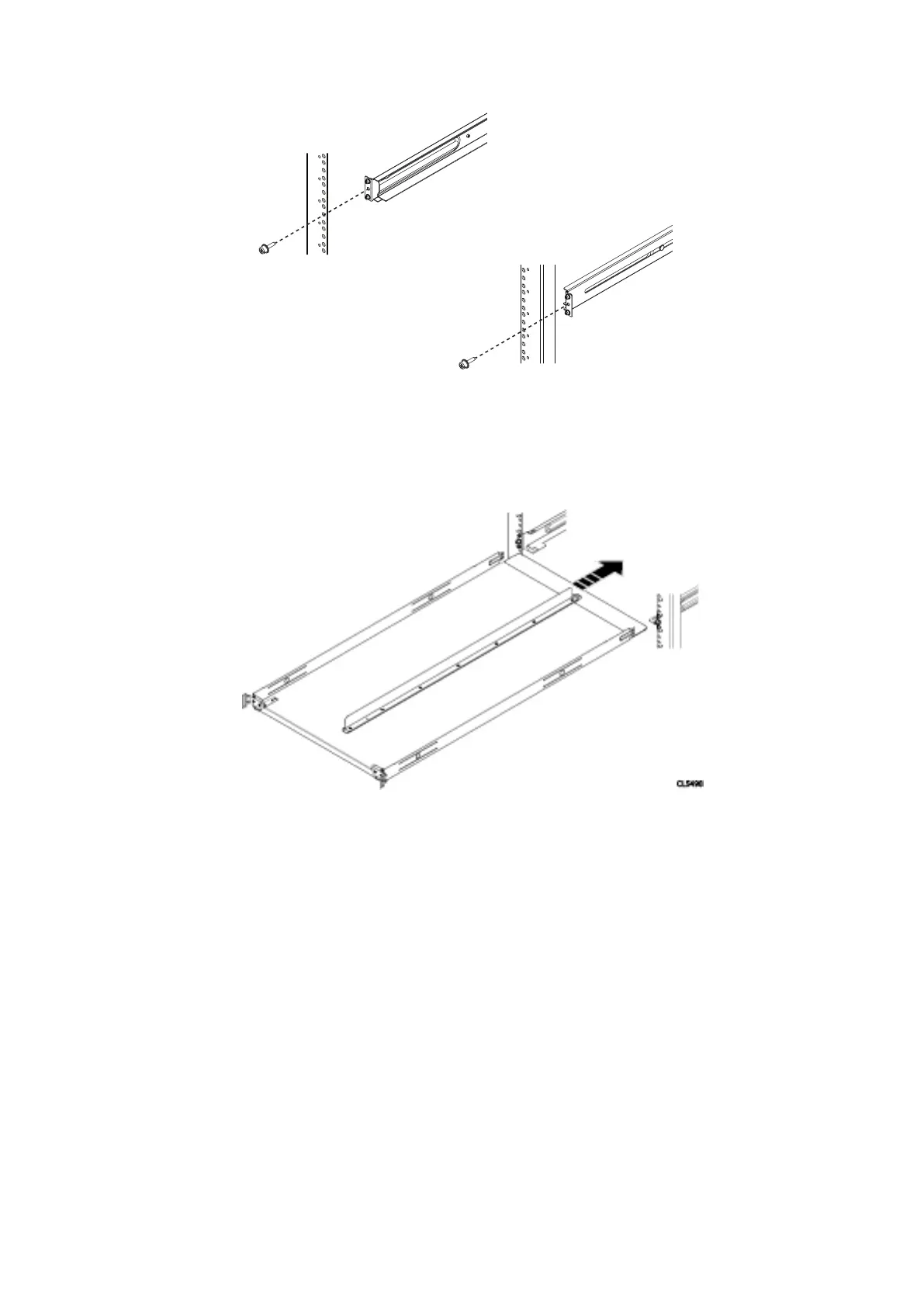
Figure 28. Installing and securing the rails—rear
2. Align the flanges on the inside the mounting holes of the rack. Adjust the rails to the fit the rack you are using. Insert the
two adapters on the rail into the mounting holes, in both the front and the rear of the rails. Secure the rails to the rack using
two knurled screws from the hardware package, one in the front of the rail, and one in the rear of the rail. Torque the screws
to 12-16 inch-pounds. Repeat for the other rail.
Figure 29. Installing tray
3. Orient the tray so that the UP arrow is pointed up and the end of the tray that is labeled FRONT is to the front of the rack.
Slide the tray into the rails until it locks into place with an audible click. To release the tray, press the spring clips up and pull
the tray towards the front of the rack.
Install the Disk Shelves in the Rack
35















 To Next Page