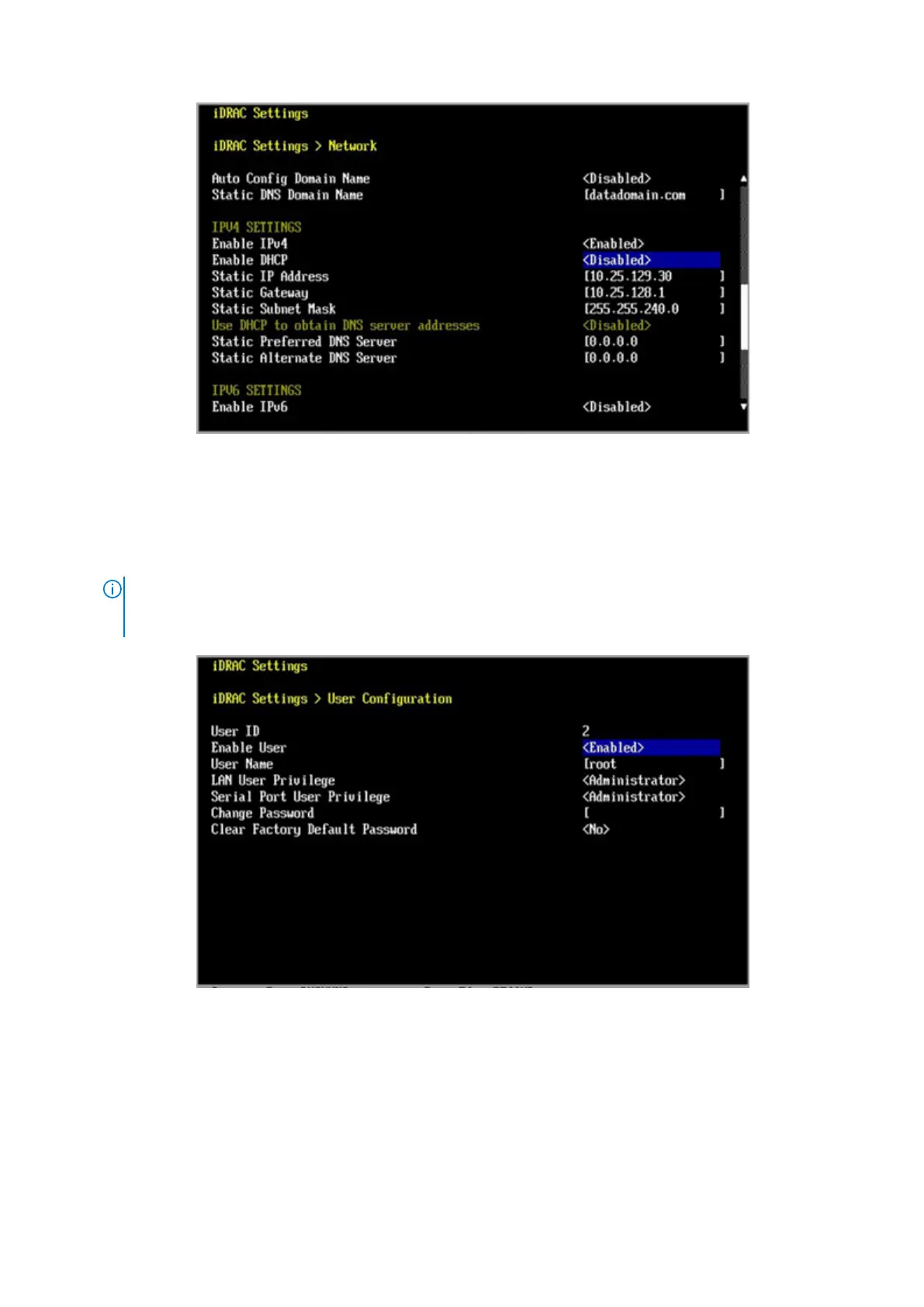
Figure 56. iDRAC Settings > Network
7. Press Esc to return to the previous menu.
8. Select User Configuration.
a. Enable the root user.
b. Change the root user password.
NOTE:
The default password is the system serial number. The system serial number is always on the service tag
at the front of the system, and on the PSNT tag attached to the rear handle of the chassis if the system has a
rear-mounted PSNT tag.
Figure 57. iDRAC Settings > User Configuration
Next steps
The DDOS Administration Guide describes how to power the system on and off with iDRAC.
The DDOS, PowerProtect DD Virtual Edition, and PowerProtect DD Management Center Security Configuration Guide provides
additional information about accessing security settings in iDRAC.
56
Configure System for Use















 To Next Page