2. For 10 GbE-SFP+ optical connections, refer to the list of qualified adapters and use an OM1 160 MHz (2 to 26m), OM1 200
MHz (2 to 33m), OM2 400 MHz, (2 to 66m), OM2 500 MHz (2 to 82m), OM3 1500 MHz (2 to 300m), or OM 4 3500 MHz
(2 to 400m) SFP+ optical cable.
3. For 25 GbE-SFP28 connections, use optical cables that support the 25GBASE-SR standard to connect to the 25 GbE-
SFP28 optical transceivers.
4. For 100 GbE connections, use: copper direct attach (DAC) cables up to 5m, or active optical cables up to 30m.
5. For FC connections, use a qualified Fibre Channel optical cable as described in the following table:
Table 19. Maximum FC cable lengths
Data rate OM2 maximum length OM3 maximum length OM4 maximum length
8 Gbps 50m 150m 190m
16 Gbps 35m 100m 125m
32 Gbps 20m 70m 100m
Connecting disk shelf power cables
Prerequisites
Each disk shelf has two power supplies. Connect each power supply to redundant AC power sources, so the loss of one power
supply or one power source does not cause the shelf to power off.
About this task
DS600 shelves have one power cord per power supply for a total of two power cords.
FS240 shelves have one power cord per power supply for a total of two power cords.
Steps
1. Plug the power cords into both power supplies on the disk shelf.
2. If the disk shelf has a retention bail, secure the power cord with the retention bail. The bail prevents the power cord from
pulling out of the connector.
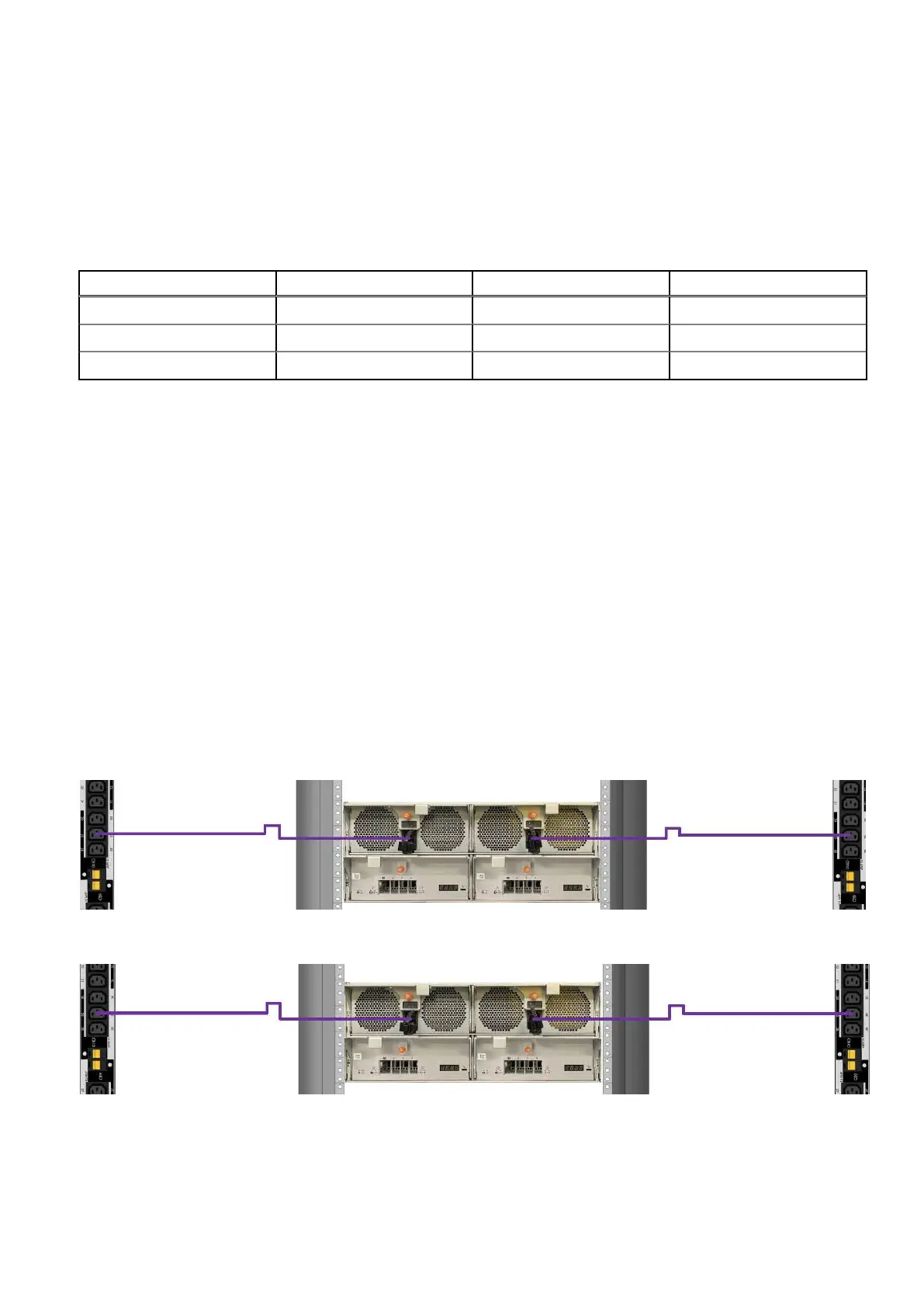
3. For DS600 shelves, connect each power supply to redundant power sources in the rack.
Figure 50. DS600 single phase power cabling
Figure 51. DS600 three phase delta power cabling
52
Connect Cables and Power On















 To Next Page