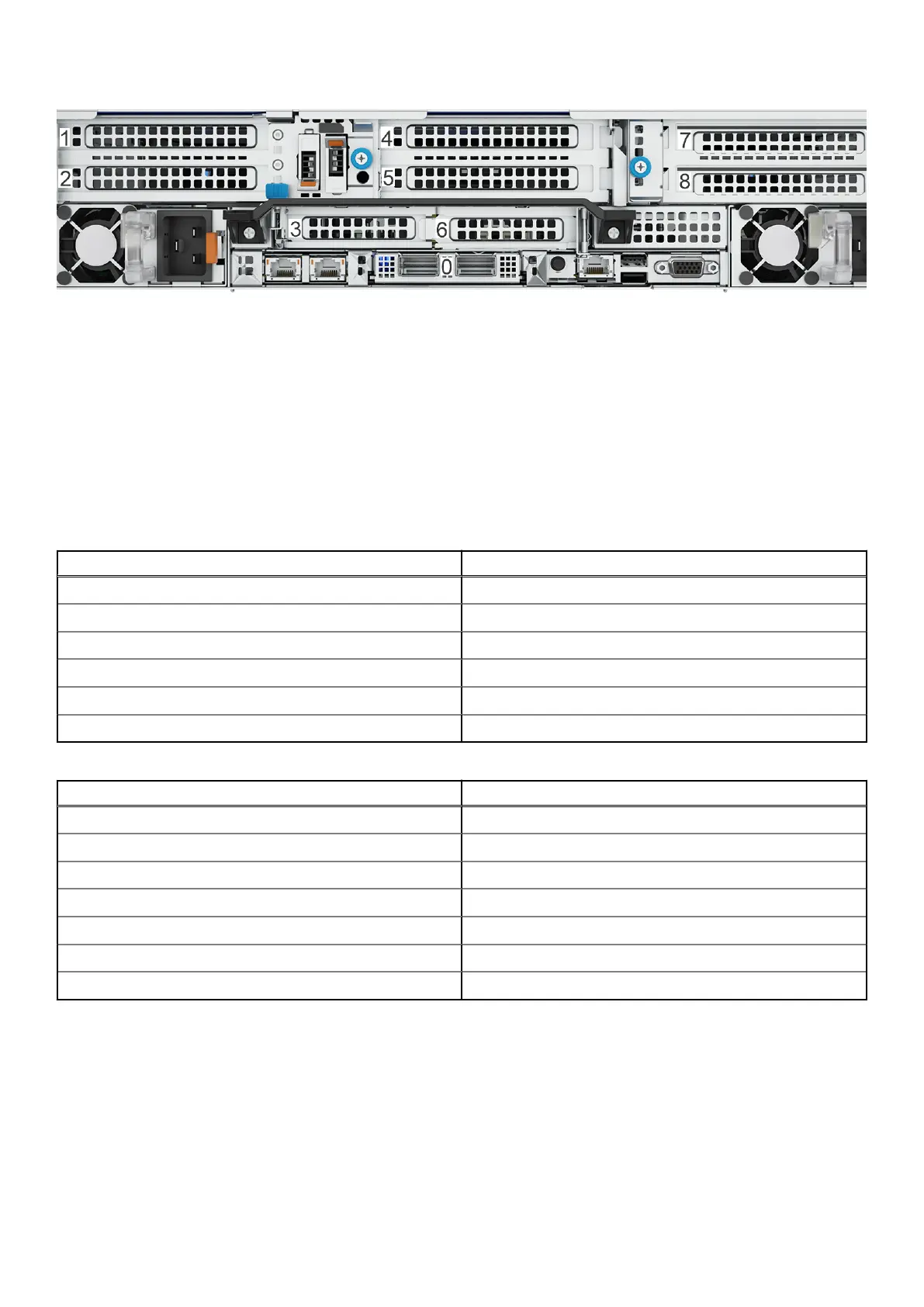
Figure 49. Slot numbering
Port numbers
The following port numbering guidelines apply to all HBAs except the network daughter card:
● The physical interface name format for the remaining HBA slots is ethXy, where X is the slot number and y is an
alphanumeric character. For example, eth5a.
● The direction of the port numbering on an HBA depends on the slot location and the type of HBA. Check the labels on each
HBA before connecting cables.
Slot assignments
The following table lists the slot assignments for the supported HBAs. The HBAs are listed in priority order.
Table 17. DD9410 HBA slot assignments
Description Slot
4-port 10GBASE-T 2, 8, 1, 7, 5, 4
4-port 25 GbE-SFP28 2, 8, 1, 7, 5, 4
4-port 10GBASE-T OCP
4-port 25 GbE-SFP28 OCP
4-port 32 Gb FC 5, 4, 1, 2, 8
4-Port 12 Gbps SAS 3, 6, 8
Table 18. DD9910 HBA slot assignments
Description Slot
4-port 10GBASE-T 2, 8, 1, 7, 5, 4
4-port 25 GbE-SFP28 2, 8, 1, 7, 5, 4
4-port 10GBASE-T OCP
4-port 25 GbE-SFP28 OCP
2-port 100 GbE-QSFP28 or 2-port 100 GbE-QSFP56 2, 8, 1, 5, 4
4-port 32 Gb FC 5, 4, 1, 2, 8
4-Port 12 Gbps SAS 3, 6, 8
For DD9410 and DD9910 systems, the NIC installed in slot 7 is reserved for the HA interconnect.
Steps
1. For 10 GBASE-T connections, use one of the following:
● Unshielded Cat 6 cables with RJ-45 connectors that do not exceed 55m
● Cat 6A cables with RJ-45 connectors that do not exceed 100m
Connect Cables and Power On
51















 To Next Page