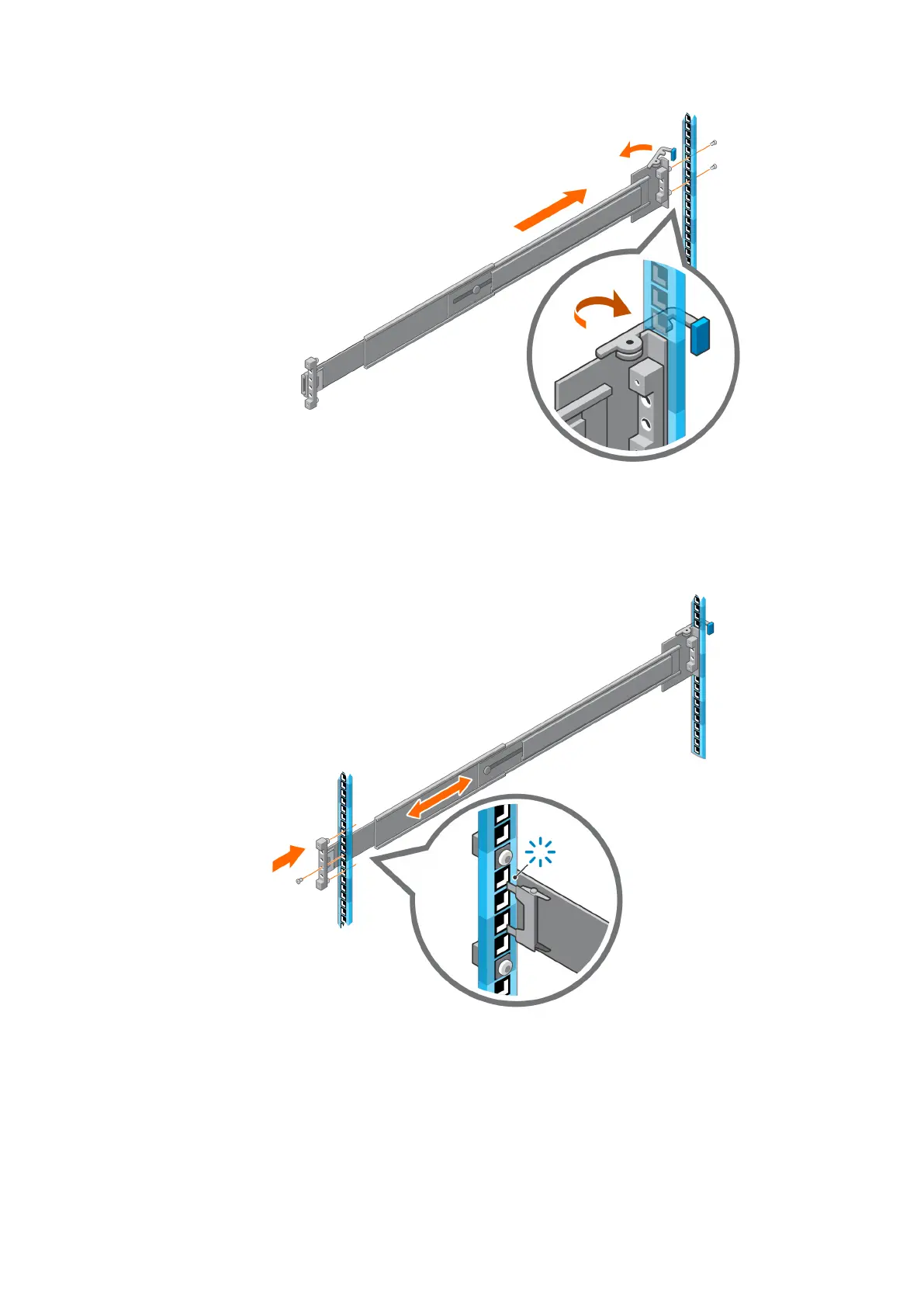
Figure 18. Attach rail to the back post of the rack
3. Attach the right rail to the front post of the rack.
a. Extend the rail to fit between the front and rear rack posts.
b. Pull the rail backward to engage the rail to the rack post.
c. Insert the screws and secure the rail to the front post.
Figure 19. Attach rail to the front post of the rack
4. Repeat the previous steps to install the left rail.
Install the enclosure into the rack
1. Pull the middle rails out of the rack until they lock into place. Ensure that the ball bearing retainer is located at the front of
the middle rail.
28
Install the Disk Shelves in the Rack















 To Next Page