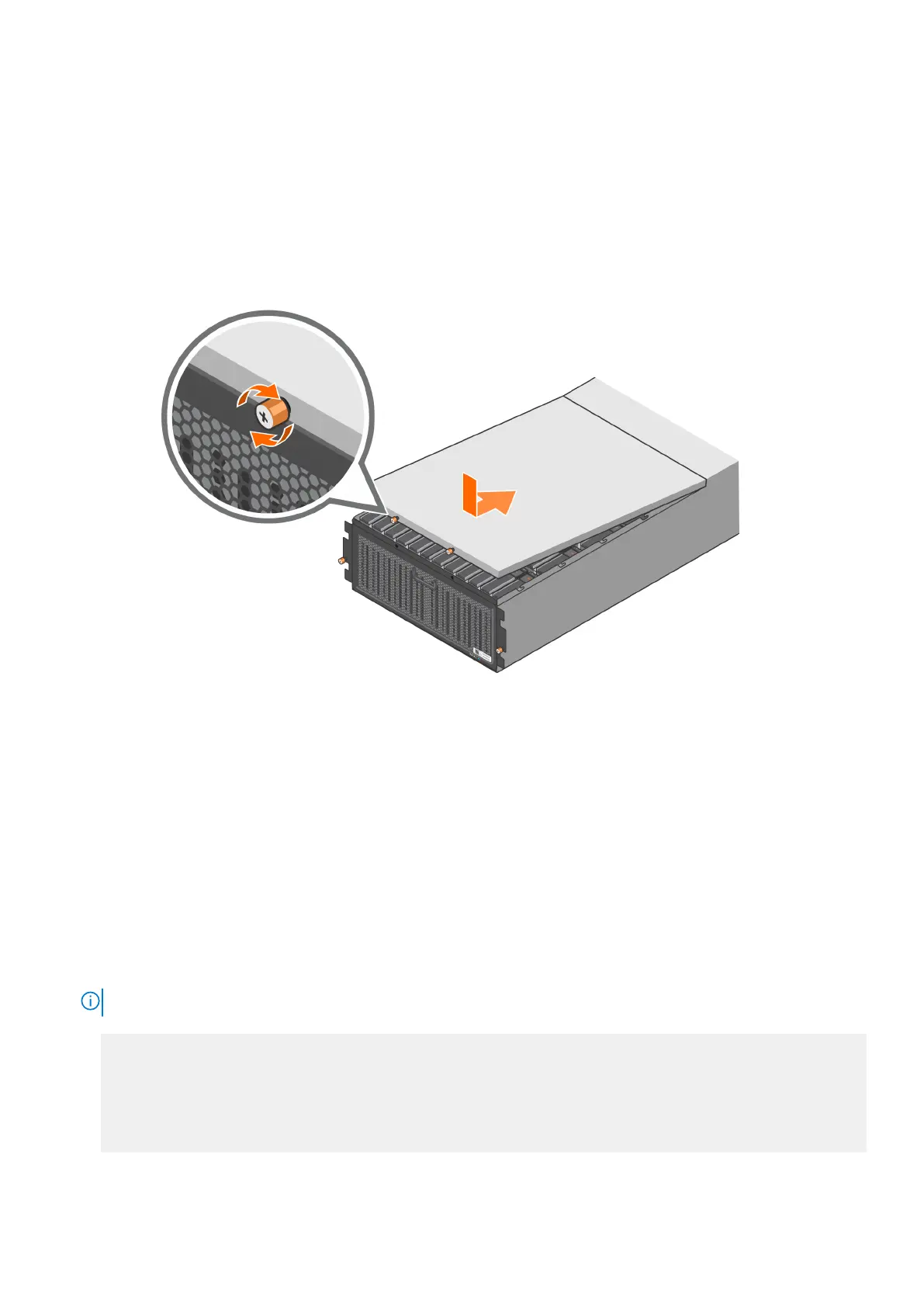
Install the system cover
Once you have installed all the drives, install the system cover.
Steps
1. Position the system cover on top of the enclosure and slowly slide it back towards the rear of the enclosure until it stops.
2. Tighten the two thumbscrews to secure the system cover.
Figure 62. Install the system cover
3. Push the enclosure back into the rack and tighten the thumbscrews.
Verify and configure the new disks
About this task
Complete the following tasks to verify and configure the new disks.
Steps
1. Run the filesys enable to command to reenable the file system.
2. Run the enclosure show summary command to verify the Data Domain system recognizes the new disk shelf.
NOTE: This step is not required when adding a new disk pack to an existing DS600.
● # enclosure show summary
Enclosure Model No. Serial No. State OEM Name OEM Value Capacity
--------- --------- --------------- ------ -------- --------- --------
1 DD#### <Serial#> Online 4 Slots
2 DS600
<Serial#> Online 15 Slots
3 DS600 <Serial#> Online 15 Slots
--------- --------- --------------- ------ -------- --------- --------
3 enclosures present.
3. Run the enclosure show topology command to verify there are two valid SAS paths to the new storage.
78
Add Storage Capacity















 To Next Page