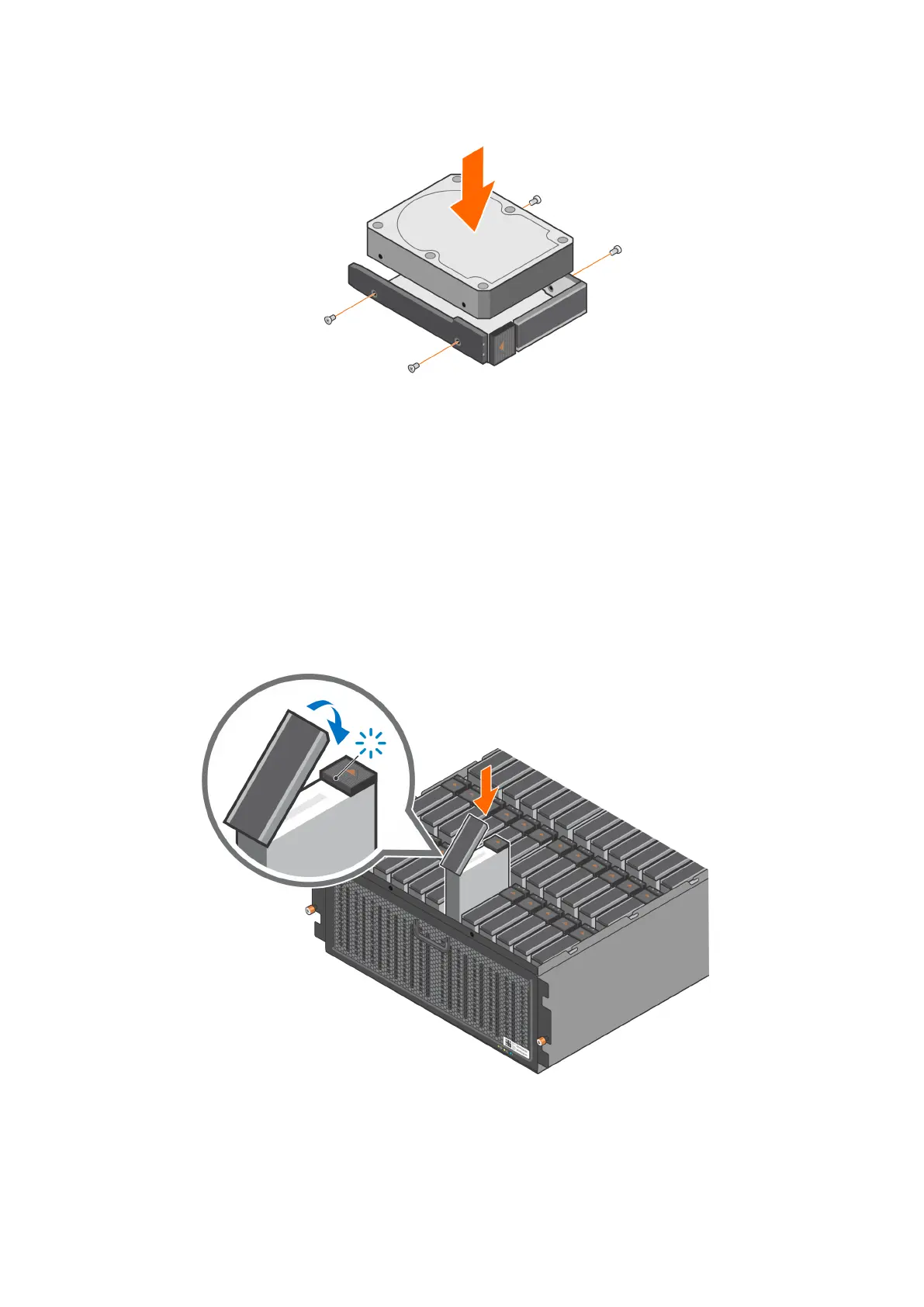
Figure 60. Installing a drive in a drive carrier
2. Using a Phillips #1 screwdriver, install four screws to secure the drive to the drive carrier.
Install the drive carrier in the enclosure
Steps
1. Open the release handle on the drive carrier.
2. Align the drive carrier with the target slot and gently push the drive carrier into the slot.
3. Close the release handle to lock the drive in place.
Verify that the activity light flashes to indicate that the spin-up sequence has begun.
Figure 61. Install the drive carrier in the enclosure
Add Storage Capacity
77















 To Next Page