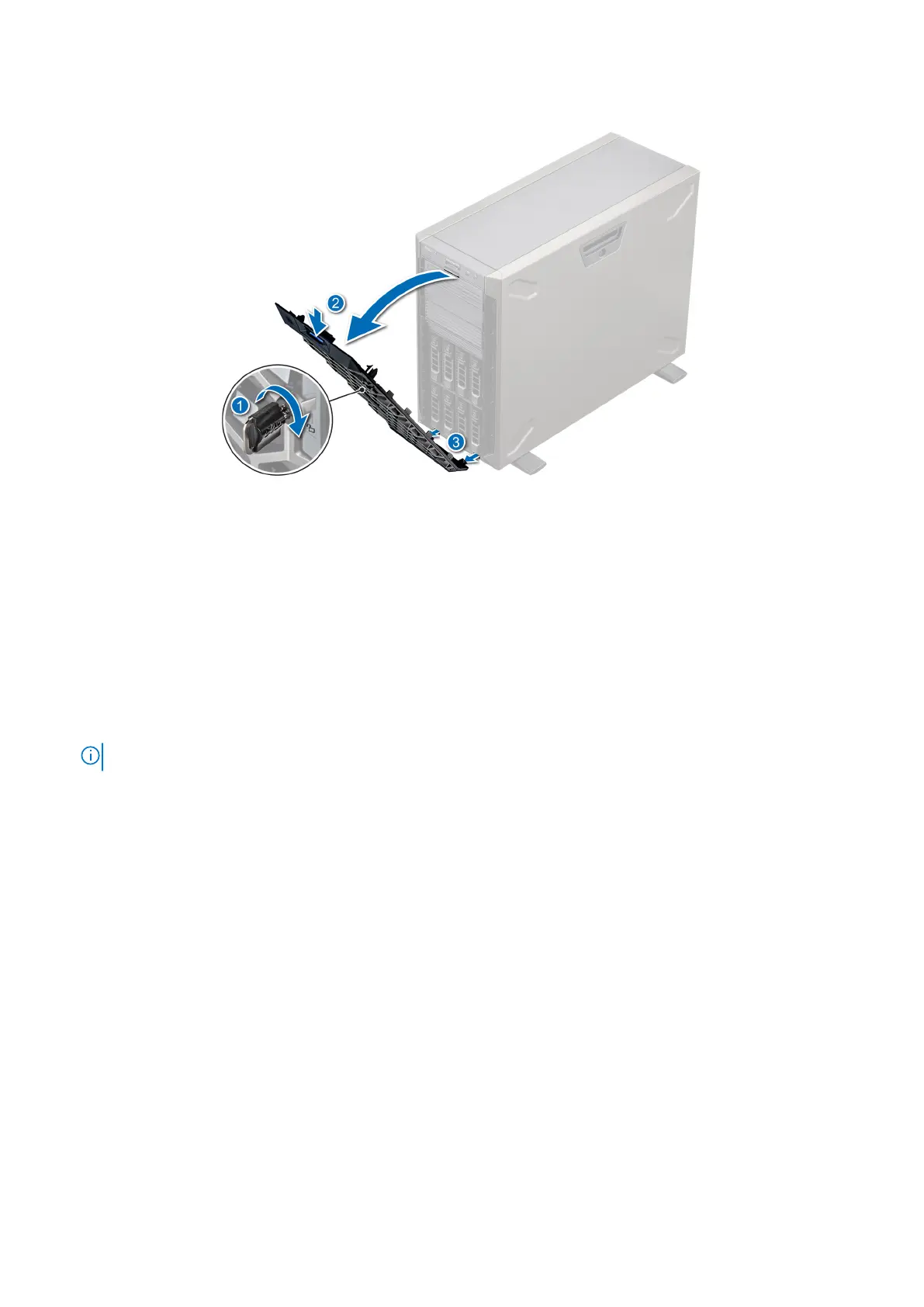
3. Unhook the bezel tabs from the slots at the bottom, and lift the bezel.
Figure 17. Removing the front bezel
Next steps
1. Replace the front bezel.
Installing the front bezel
Prerequisites
1. Follow the safety guidelines listed in Safety instructions.
2. Locate and remove the bezel key.
NOTE: The bezel key is part of the bezel package.
Steps
1. Align and insert the bezel tabs into the slots in the system.
2. Press the release latch, and push the bezel toward the system until the bezel locks into place.
3. Lock the bezel.
Installing and removing system components
21



 To Next Page