CAUTION: To ensure proper system cooling, when processor 1 and processor 2 are installed, memory module
blanks must be installed in memory sockets that are not occupied. Remove memory module blanks only if you
intend to install memory modules in those sockets.
1. Follow the safety guidelines listed in Safety instructions.
2. Follow the procedure listed in Before working inside your system.
3. Remove the air shroud.
Steps
1. Locate the appropriate memory module socket.
CAUTION: Handle each memory module only by the edges, ensuring not to touch the middle of the memory
module or metallic contacts.
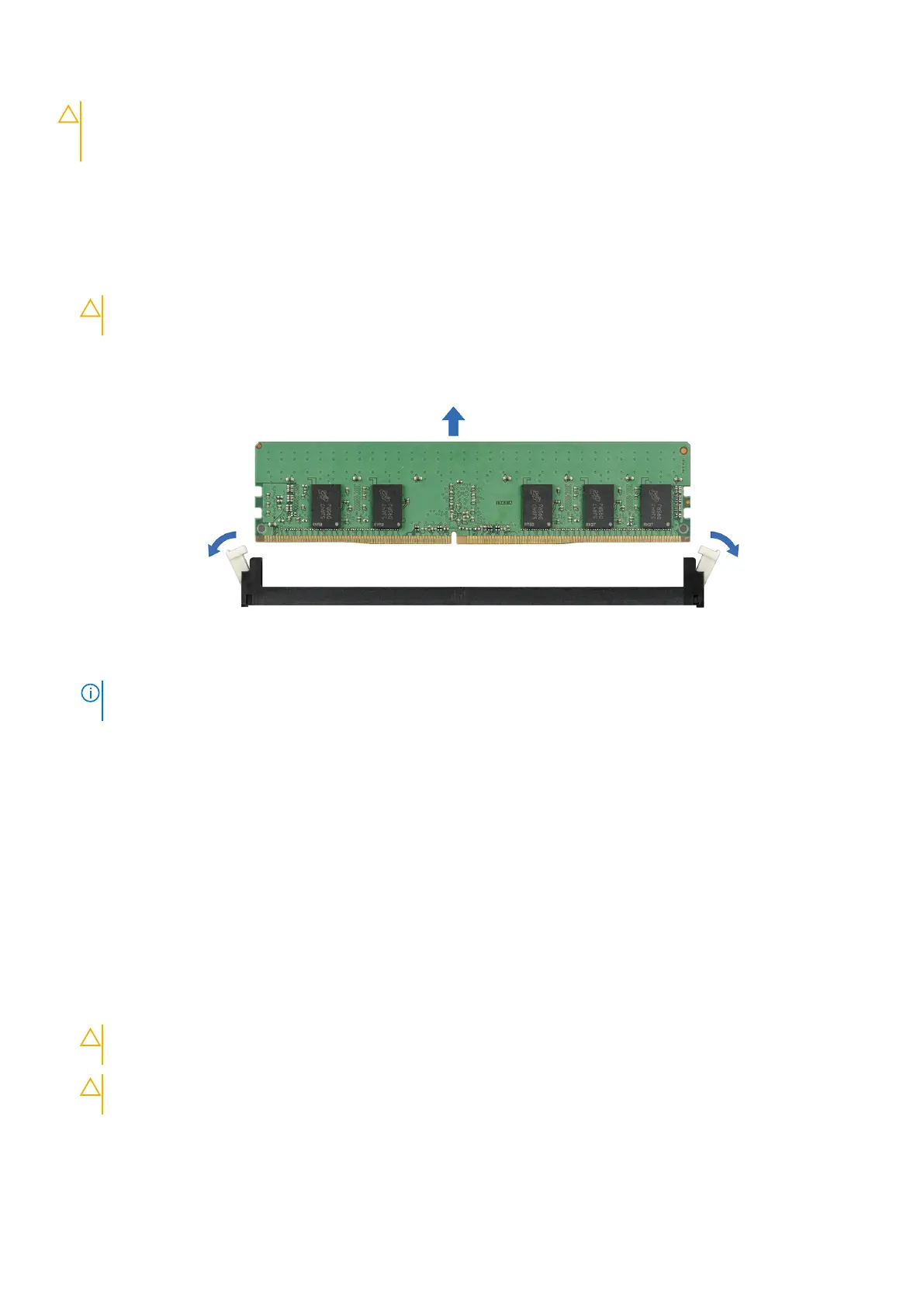
2. Push the ejectors outward on both ends of the memory module socket to release the memory module from the socket.
3. Lift and remove the memory module from the system.
Figure 52. Removing a memory module
NOTE:
If you are removing the memory module permanently, install a memory module blank. The procedure to install a
memory module blank is similar to that of the memory module.
Next steps
1. Replace the memory module.
Installing a memory module
Prerequisites
1. Follow the safety guidelines listed in Safety instructions.
2. Follow the procedure listed in Before working inside your system.
3. Install the air shroud.
Steps
1. Locate the appropriate memory module socket.
CAUTION:
Handle each memory module only by the edges, ensuring not to touch the middle of the memory
module or metallic contacts.
CAUTION: To prevent damage to the memory module or the memory module socket during installation, do
not bend or flex the memory module. You must insert both ends of the memory module simultaneously.
2. Open the ejectors on the memory module socket outward to allow the memory module to be inserted into the socket.
3. Align the edge connector of the memory module with the alignment key of the memory module socket, and insert the
memory module in the socket.
Installing and removing system components
55



 To Next Page