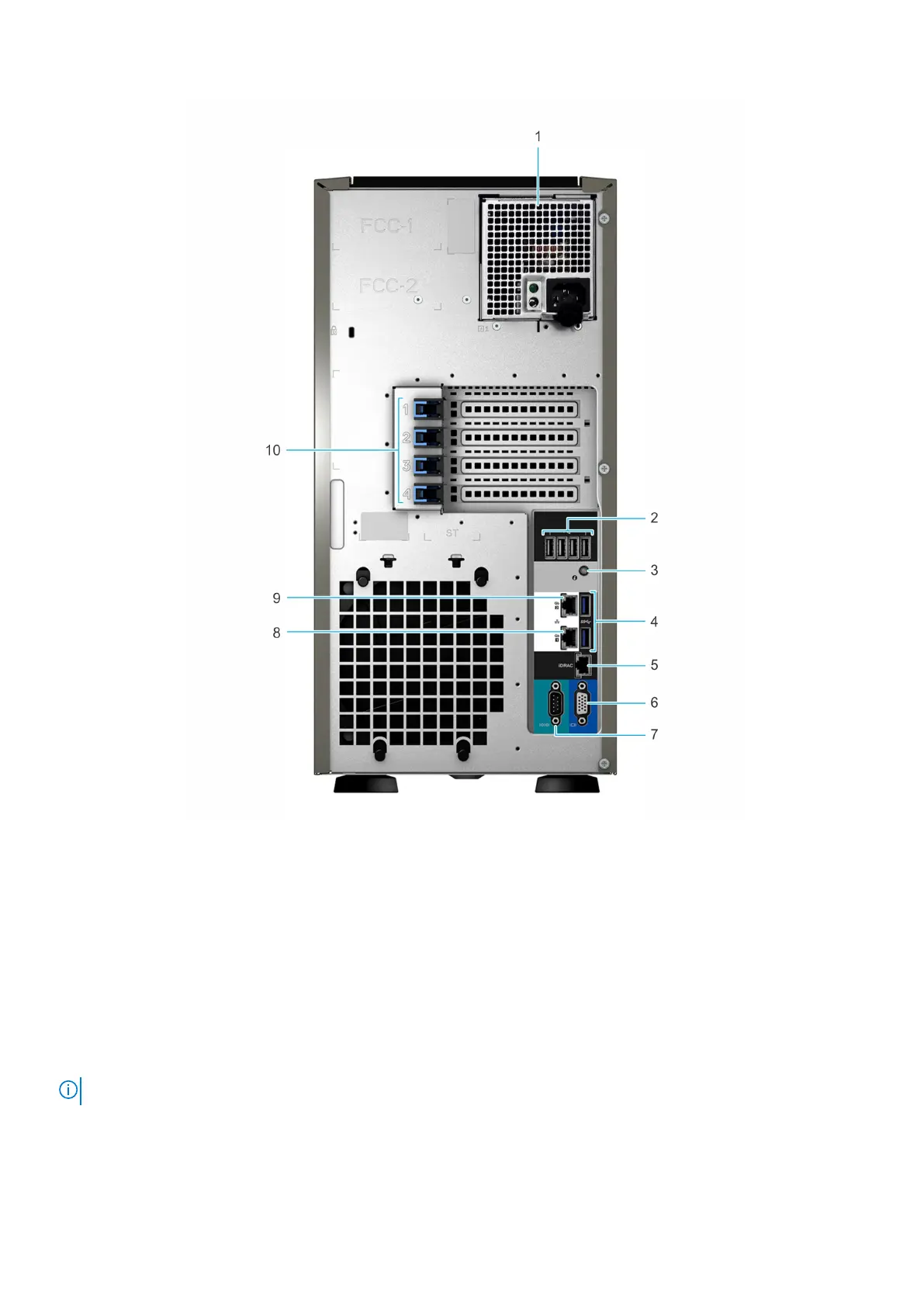
Figure 4. Rear view of 4 x 3.5-inch drive system
1.
Cabled power supply unit (PSU) 2. USB 2.0 port (4)
3. System identification button 4. USB 3.0 port (2)
5. iDRAC dedicated NIC port 6. VGA port
7. Serial port 8. NIC port (Gb1)
9. NIC port (Gb2) 10. PCIe expansion card slots (4)
For more information, see the Dell EMC PowerEdge T340 Technical Specifications on the product documentation page.
Inside the system
NOTE: Components that are hot swappable are marked orange and touch points on the components are marked blue.
Dell EMC PowerEdge T340 system overview 11



 To Next Page