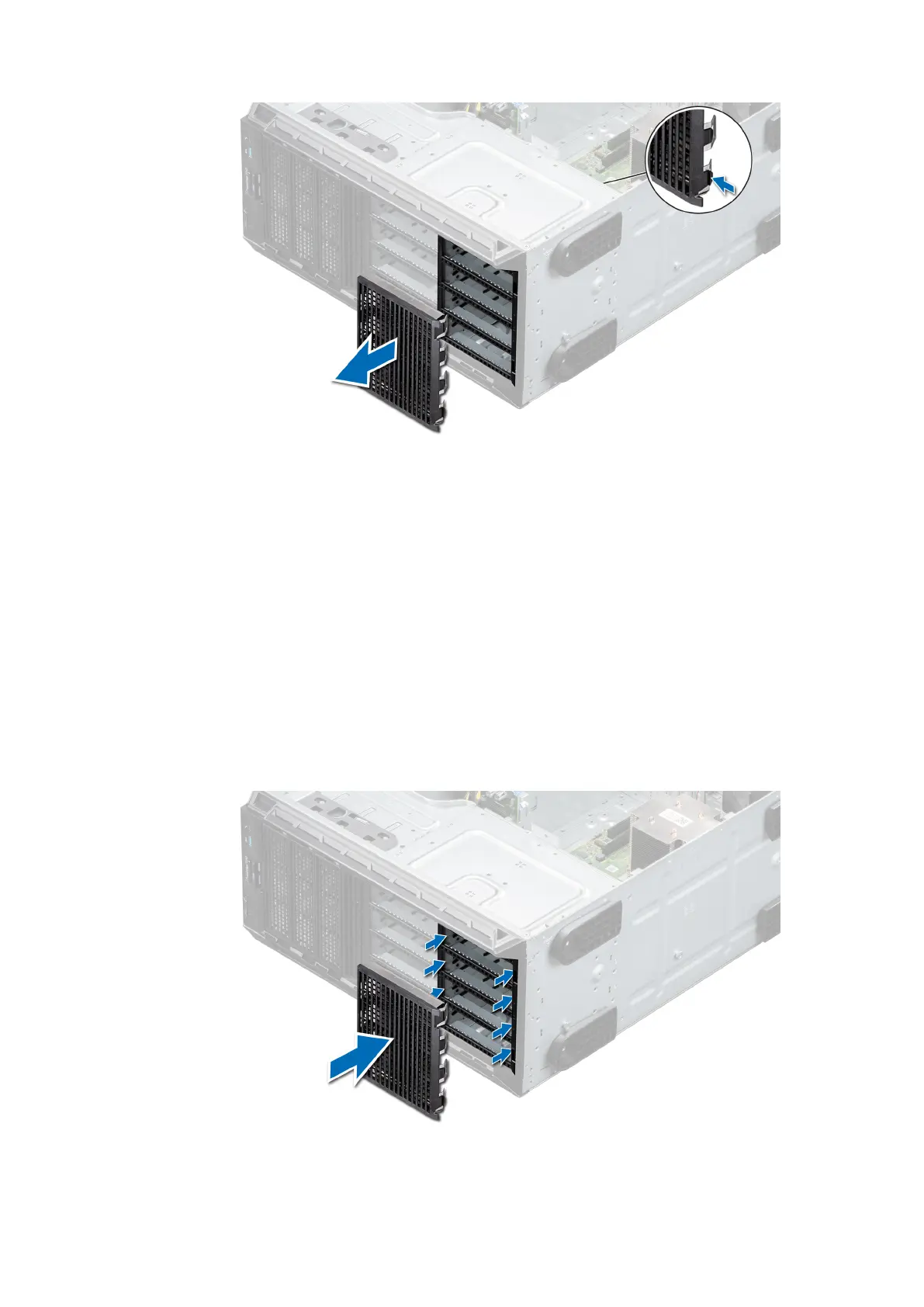
Figure 49. Removing a four-slot drive blank
Next steps
1. Replace a four-slot drive blank.
Installing a four-slot drive blank
Prerequisites
1. Follow the safety guidelines listed in Safety instructions.
2. Follow the procedure listed in Before working inside your system.
Steps
1. Locate the drive slots numbered from four to seven.
2. Insert the four-slot drive blank into the drive slot, and push it until the release tabs click into place.
Figure 50. Installing a four-slot drive blank
52
Installing and removing system components



 To Next Page