Table 10. iDRAC Direct LED indicator codes
iDRAC Direct LED
indicator code
Condition
Flashing green (on for
two seconds and off for
two seconds)
Indicates that the laptop or tablet connected is recognized.
Powers off Indicates that the laptop or tablet is unplugged.
NIC indicator codes
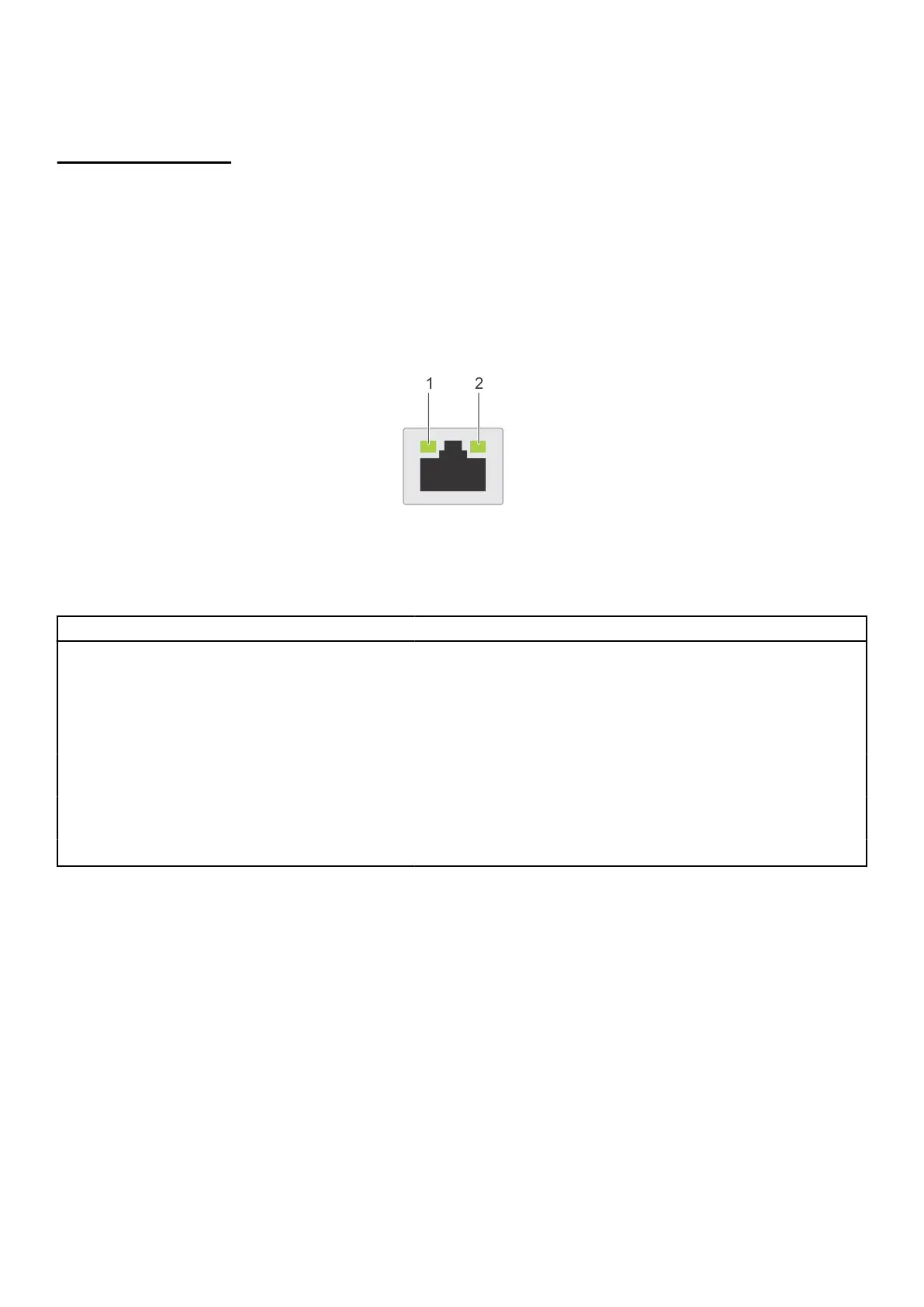
Each NIC on the back of the system has indicators that provide information about the activity and link status. The activity LED
indicator indicates if data is flowing through the NIC, and the link LED indicator indicates the speed of the connected network.
Figure 88. NIC indicator codes
1. Link LED indicator
2. Activity LED indicator
Table 11. NIC indicator codes
Status Condition
Link and activity indicators are off. The NIC is not connected to the network.
Link indicator is green, and activity indicator is blinking
green.
The NIC is connected to a valid network at its maximum port speed,
and data is being sent or received.
Link indicator is amber, and activity indicator is blinking
green.
The NIC is connected to a valid network at less than its maximum
port speed, and data is being sent or received.
Link indicator is green, and activity indicator is off. The NIC is connected to a valid network at its maximum port speed,
and data is not being sent or received.
Link indicator is amber, and activity indicator is off. The NIC is connected to a valid network at less than its maximum
port speed, and data is not being sent or received.
Link indicator is blinking green, and activity is off. NIC identify is enabled through the NIC configuration utility.
Non-redundant cabled power supply unit indicator
codes
Press the self-diagnostic button to perform a quick health check on the non-redundant cabled power supply unit (PSU) of the
system.
System diagnostics and indicator codes
91



 To Next Page