Next steps
1. Replace the control panel assembly.
Installing the control panel assembly
Prerequisites
Follow the safety guidelines listed in Safety instructions.
Steps
1. Replace the blank information tag in the new control panel with the information tag retained from the old control panel.
2. To install the information tag, push the information tag into the control-panel slot.
3. Connect the control panel cable and the control panel USB cable to the control panel assembly.
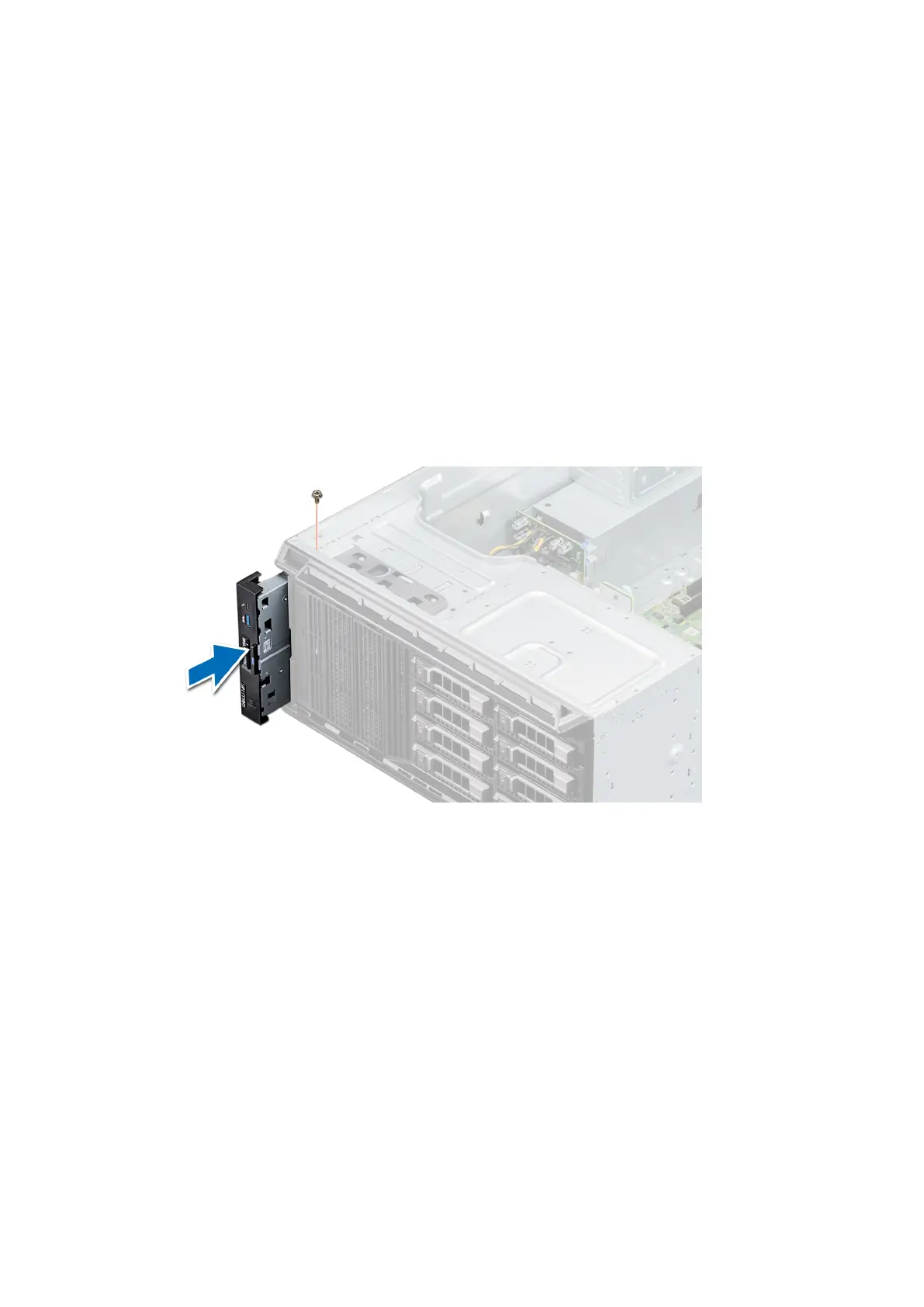
4. Align and insert the control panel into the control panel slot in the system.
5. Secure the control panel to the system by using the screw.
6. Connect the control panel cable and the control panel USB cable to the system board.
Figure 85. Installing the control panel
assembly
Next steps
1. Follow the procedure listed in After working inside your system.
86
Installing and removing system components



 To Next Page