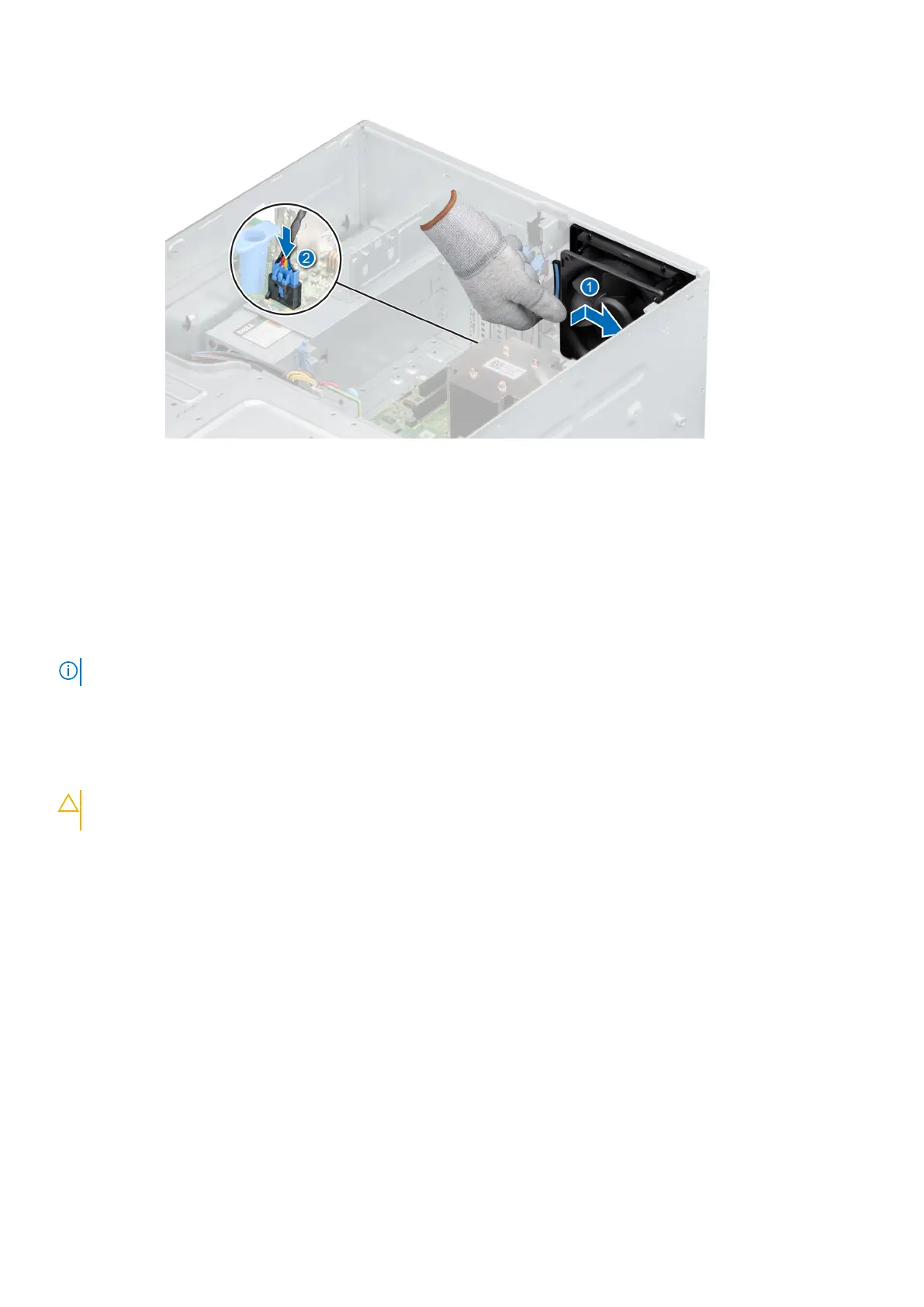
Figure 55. Installing the internal cooling fan
Next steps
1. Install the air shroud.
2. Follow the procedure listed in After working inside your system.
Optional internal USB memory key
NOTE: To locate the internal USB port on the system board, see the System board jumpers and connectors section.
Replacing the optional internal USB memory key
Prerequisites
CAUTION:
To avoid interference with other components in the server, the maximum permissible dimensions of
the USB memory key: 15.9 mm width x 57.15 mm length x 7.9 mm height.
1. Follow the safety guidelines listed in the Safety instructions.
2. Follow the procedure listed in the Before working inside your system.
3. Remove the air shroud.
Steps
1. Locate the USB port or USB memory key on the system board.
To locate the USB port, see the System board jumpers and connectors section.
2. If installed, remove the USB memory key from the USB port.
3. Insert the replacement USB memory key into the USB port.
Next steps
1. Follow the procedure that is listed in After working inside your system.
2. While booting, press F2 to enter System Setup and verify that the system detects the USB memory key.
58
Installing and removing system components



 To Next Page