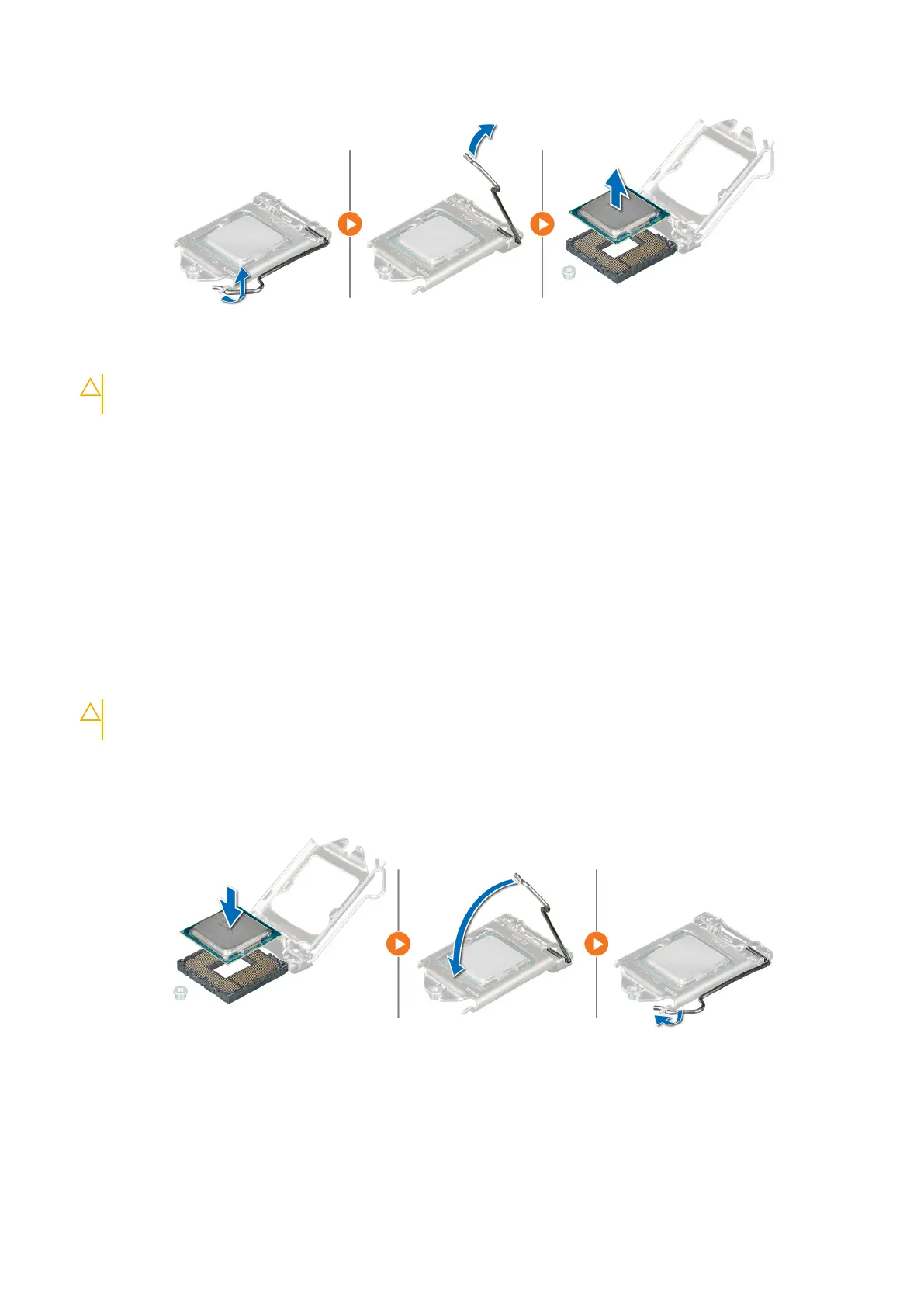
Figure 66. Removing the processer
CAUTION: Do not touch the processor socket pins, they are fragile and can be permanently damaged. Be
careful not to bend the pins in the processor socket when removing the processor out of the socket.
Next steps
1. Replace the processor into the processor and heat sink.
2. Follow the procedure listed in After working inside your system.
Installing the processor
Prerequisites
Follow the safety guidelines listed in Safety instructions.
Steps
1. Align the pin1-indicator of the processor with the triangle on the system board.
CAUTION:
Do not use force to seat the processor. When the processor is positioned correctly, it engages
easily into the socket.
2. Place the processor in the socket.
3. Close the processor shield by sliding it under the retention screw on the system board.
4. Lower the lever and push it under the tab to lock the processor shield.
Figure 67. Installing the processor
Next steps
1. Replace the heat sink.
2. Replace the air shroud.
3. Follow the procedure listed in After working inside your system.
Installing and removing system components
69



 To Next Page