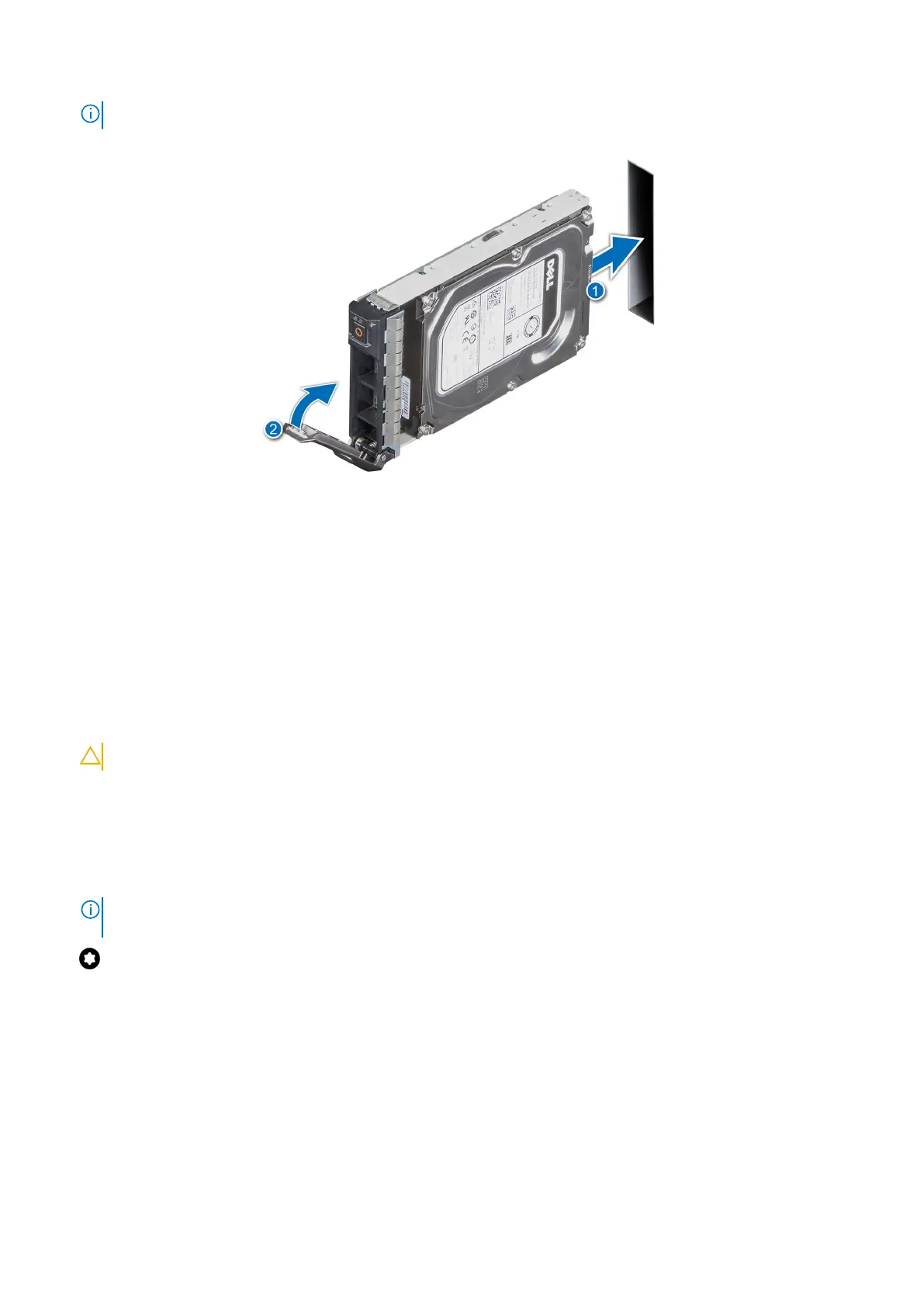
NOTE: The procedure to install a 2.5-inch or a 3.5-inch drive are the same.
Figure 31. Installing a drive carrier
Next steps
1. Install the front bezel.
2. Follow the procedure listed in After working inside your system.
Removing the drive from the drive carrier
Prerequisites
1. Follow the safety guidelines listed in Safety instructions.
CAUTION: Mixing drive carriers from previous generations of PowerEdge servers is not supported.
2. Follow the procedure listed in Before working inside your system.
3. Remove the front bezel.
4. Remove the drive carrier.
Steps
1. Using a Phillips #1 screwdriver, remove the screws from the slide rails on the drive carrier.
NOTE:
If the hard drive or SSD carrier has Torx screw, use Torx 6 (for 2.5-inch drive) or Torx 8 (for 3.5-inch drive)
screw driver to remove the drive.
2. Lift the drive out of the drive carrier.
Installing and removing system components
35



 To Next Page