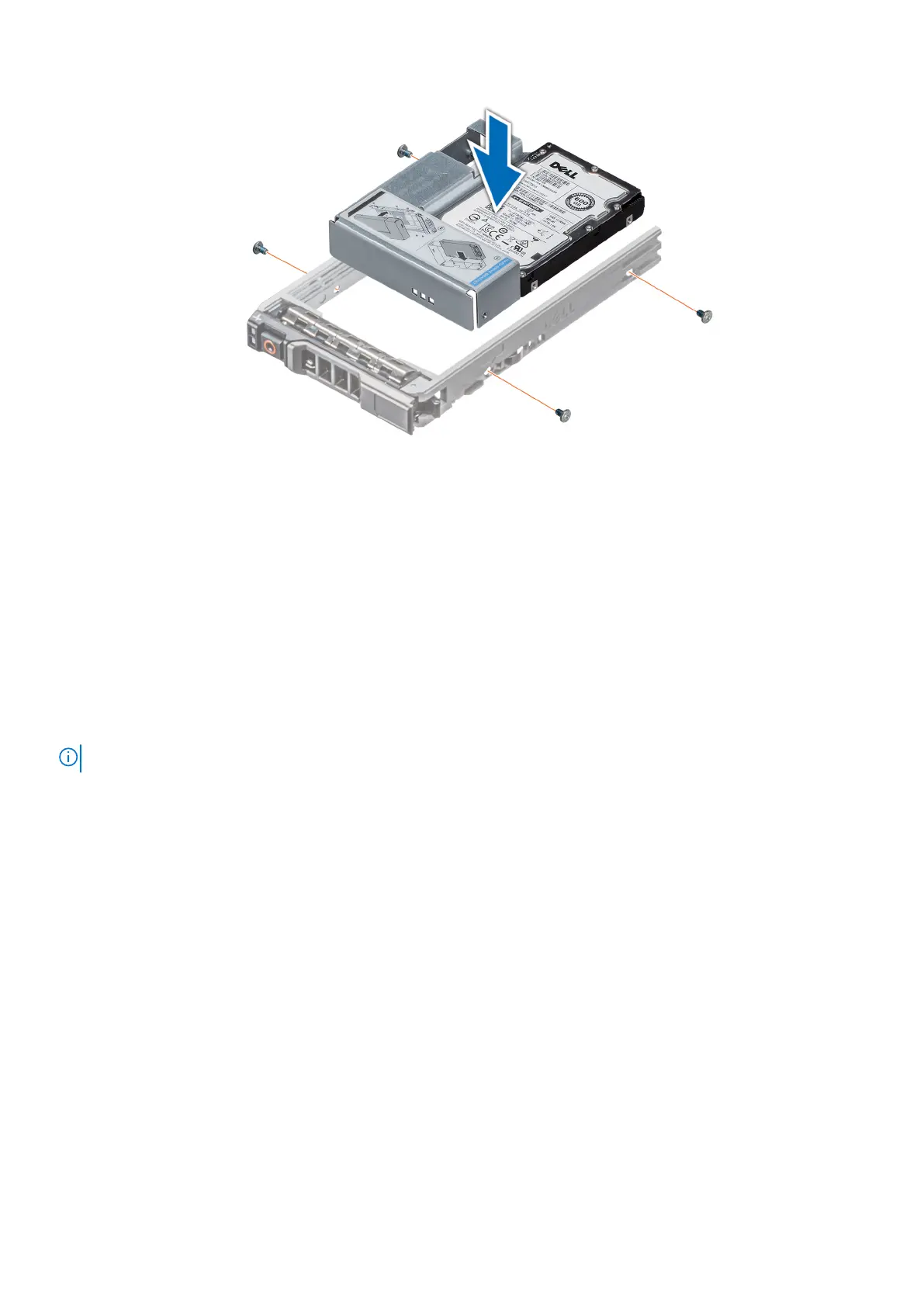
Figure 37. Installing a 3.5-inch drive adapter into the 3.5-inch drive carrier
Next steps
1. Replace a 3.5-inch drive carrier into the system.
2. Follow the procedure listed in After working inside your system.
Optical drive and tape drives
Removing the optical or tape drive blank
Prerequisites
NOTE: The procedure to remove the optical drive blank is identical to removing a tape drive blank.
1. Follow the safety guidelines listed in Safety instructions.
2. Follow the procedure listed in Before working inside your system.
3. Remove the front bezel.
Steps
1. Slide the release latch downwards to remove the drive blank.
2. Push the drive blank to slide it out of the drive bay.
Installing and removing system components
41



 To Next Page