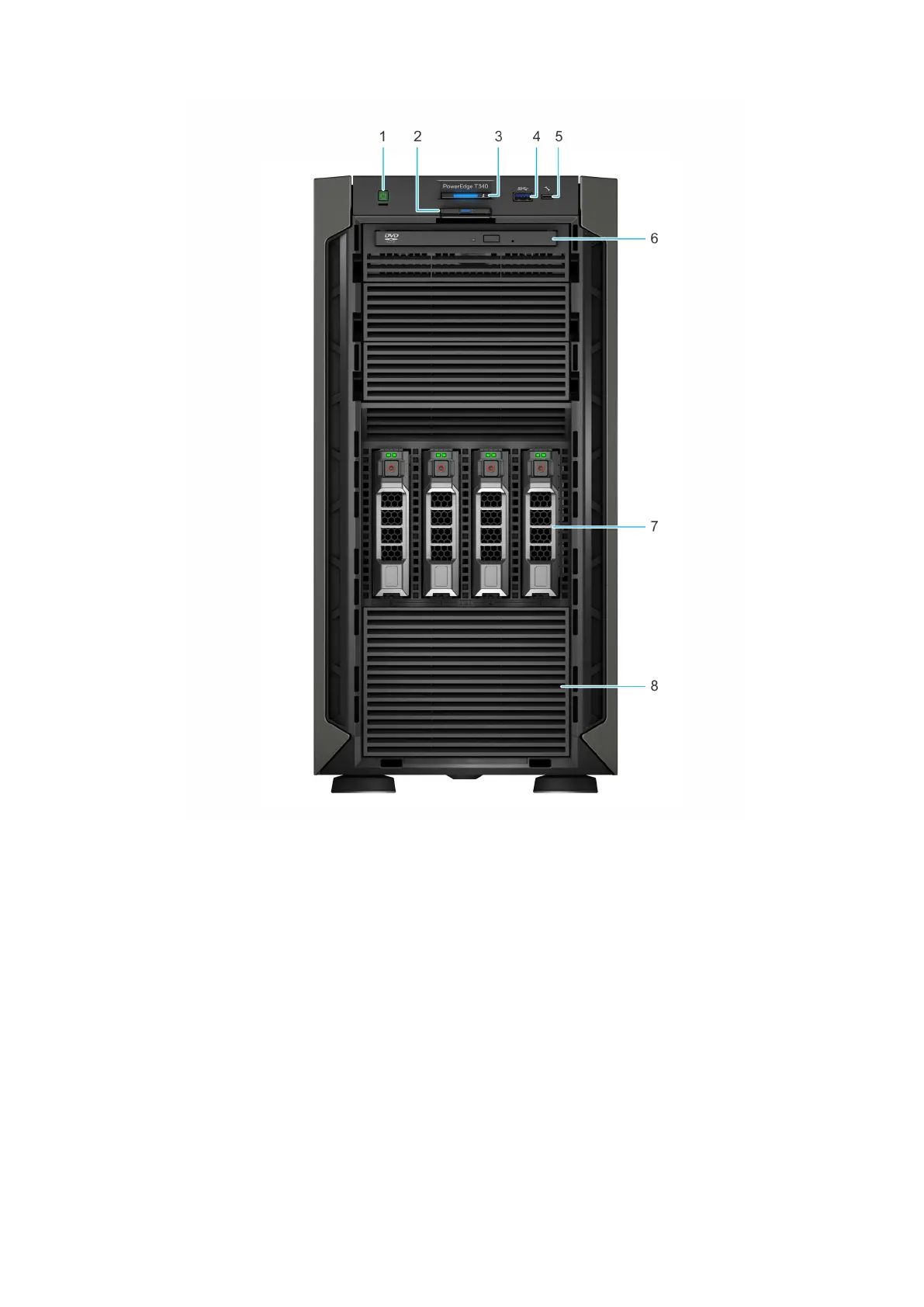
Figure 2. Front view of 4 x 3.5-inch drive system
1.
Power button 2. Information tag
3. System health and system ID indicator 4. USB 3.0 port
5. iDRAC direct micro USB port 6. Optical drive (optional)
7. Drive (4) 8. Four-slot drive blank
For more information, see the Dell EMC PowerEdge T340 Technical Specifications on the product documentation page.
Dell EMC PowerEdge T340 system overview
9



 To Next Page