MATRIX Control Panel OP71 Commissioning and testing
PR-2009-0021-GB • Subject to modifications • R5-04/2016 23
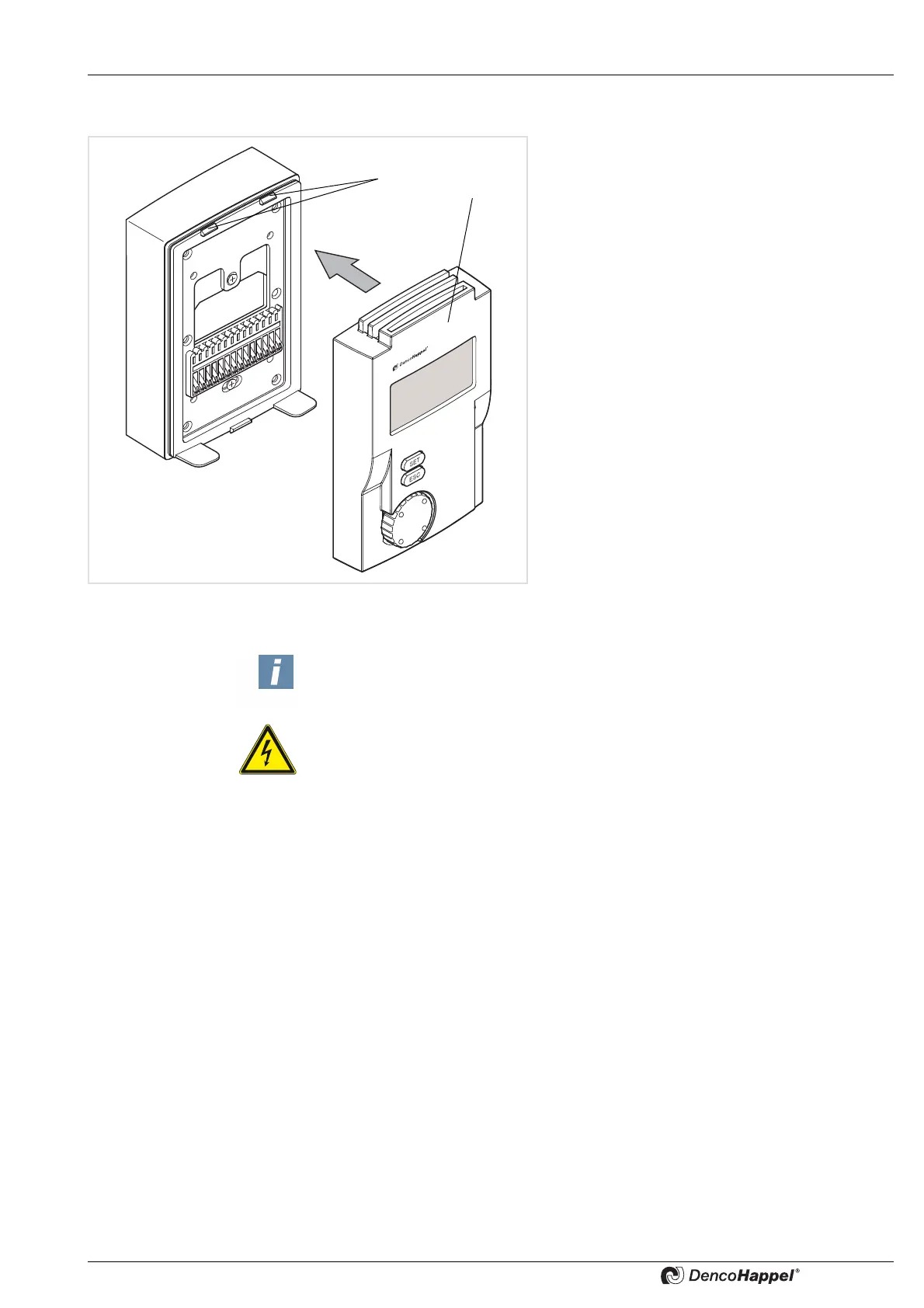
6.3 Closing MATRIX control panel OP71
The MATRIX control panel OP71 can be closed af-
ter all settings have been completed.
• First hook the front panel of the MATRIX control
panel OP71 in the notches (1) and then snap
the front panel (2) down.
6.4 Testing operation
•
Switch on the power supply of the unit.
Important Note!
The power supply to the control panel OP71 is provided by the power supply of
the connected air treatment unit.
ELECTRICAL HAZARD!
Therefore switch on the power supply or power circuitry of the units only after all
installation work has been completed!



 To Next Page