MATRIX Control Panel OP71 Operating MATRIX control panel OP71
PR-2009-0021-GB • Subject to modifications • R5-04/2016 35
8.3 Basic menu "cluster selection"
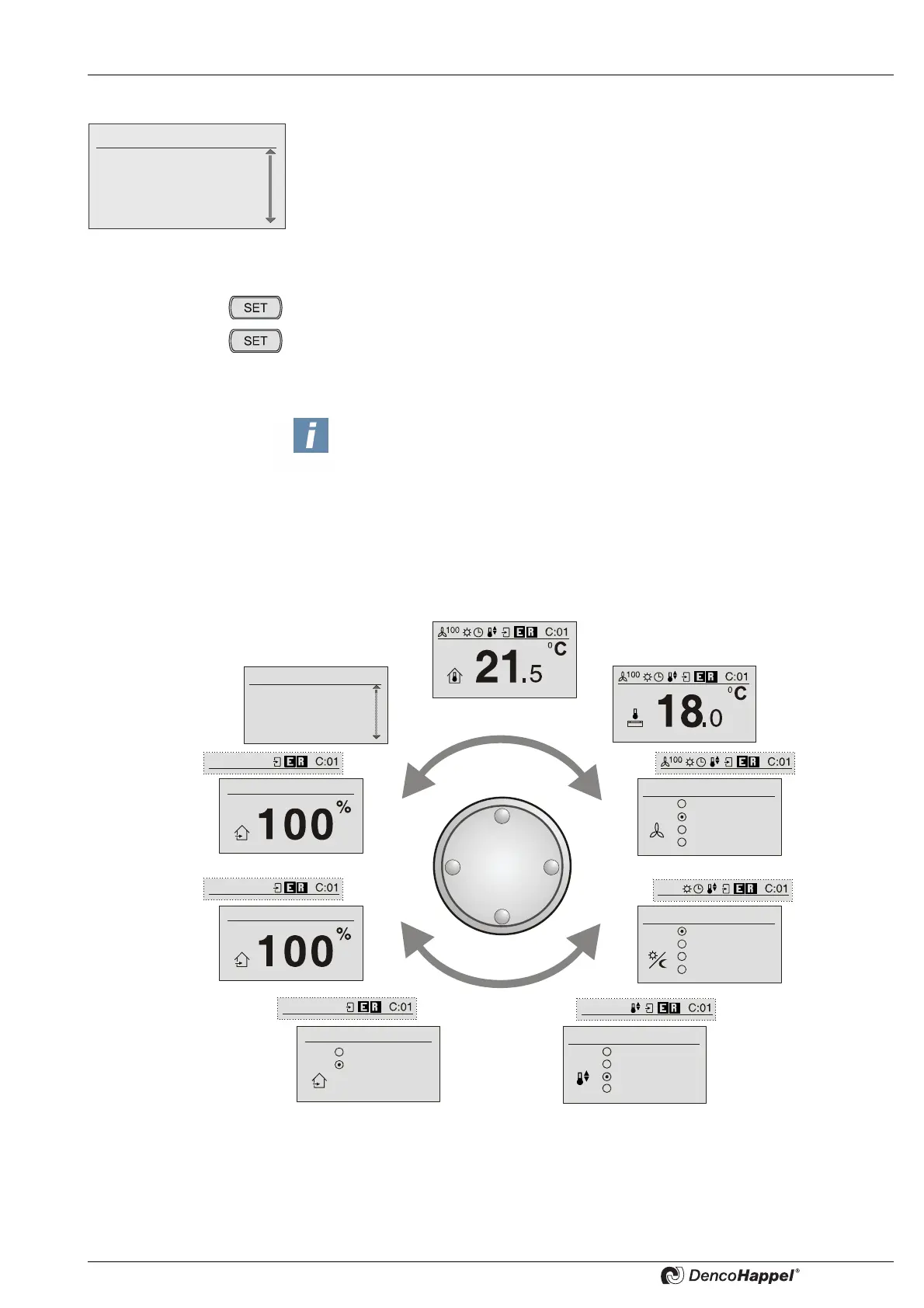
In the normal operating mode the MATRIX control panel OP71 displays the basic menu
"cluster selection". This menu is divided into:
– the upper field of information display and
– in lower field with a list of occupied clusters
Both fields are separated by a line.
8.3.1 Basic menu "cluster"
• In the basic menu "cluster selection" select the needed cluster.
• Press the SET button to access the selected cluster in the basic menu "cluster" or
• Press the SET button in the cluster status display of the desired cluster in order to
access the "cluster" basic menu.
By turning the navigator you can perform the necessary settings in the basic menu
of the selected cluster.
Fr. 14:10
0: Cluster 0
1: Cluster 1
2: Cluster 2
3: Cluster 3
NOTICE!
The first menu in the cluster level always shows the information display.
If the basis menu (room temperature setpoint) followed by all other basic menus
is blocked (see "menu enabling for...", page 86), then the information display in
the next basic menu, that is not blocked, is shown. If the next menu (fan mode)
is also blocked, the information menu will be shown in the next menu which is
not blocked. The information display is reduced by a symbol for the appropriate
menu.
Other menus
Actual values
Configuring
Air handling unit
Room temperature display (alternative)
Supply air temperature display (alternative)
Outdoor-air volume flow
Outside air automatic
Mixing-air damper position
Operating mode
Standby
Normal mode
Economy mode
Clock timer
Controller mode
Heating only
Cooling only
Automatic
Free cooling
Fan mode
Off
Automatic
Automatic mute
Stage
Recirculating air
Mixed air
Basic menus in
cluster level



 To Next Page