MATRIX Control Panel OP71 Operating MATRIX control panel OP71
PR-2009-0021-GB • Subject to modifications • R5-04/2016 53
8.6.8 Submenu setting "Supply-air volume flow" and/or "Extract-air volume flow"
The menus "Supply-air volume flow" or "extract-air volume flow" appear in combination
with the menu "Plant/fan" and are only shown whenever they are activated in the menu
<Name>Menu enabling for ...(see page 86) and a fan speed setting was selected with
volume flow control (see in chapter <Name>Air handling unit submenu the chapter
central plant air handling unit Ü fans on page 69). If no extract-air or supply-air fan is
available or if a slave control from the setting of a factor or offset was selected, only
one of the two menus appears.
The supply-air and/or extract-air volume flow is set absolutely in m³/h. In order to avoid
faulty entries, the minimal and maximum adjustable setpoint can be changed with the
MATRIX.PC service tool.
8.6.9 "Operation mode" submenu setting
The submenu for the operating mode is displayed only if the menu<Name>Menu
enabling for ... (See page 86) was activated.
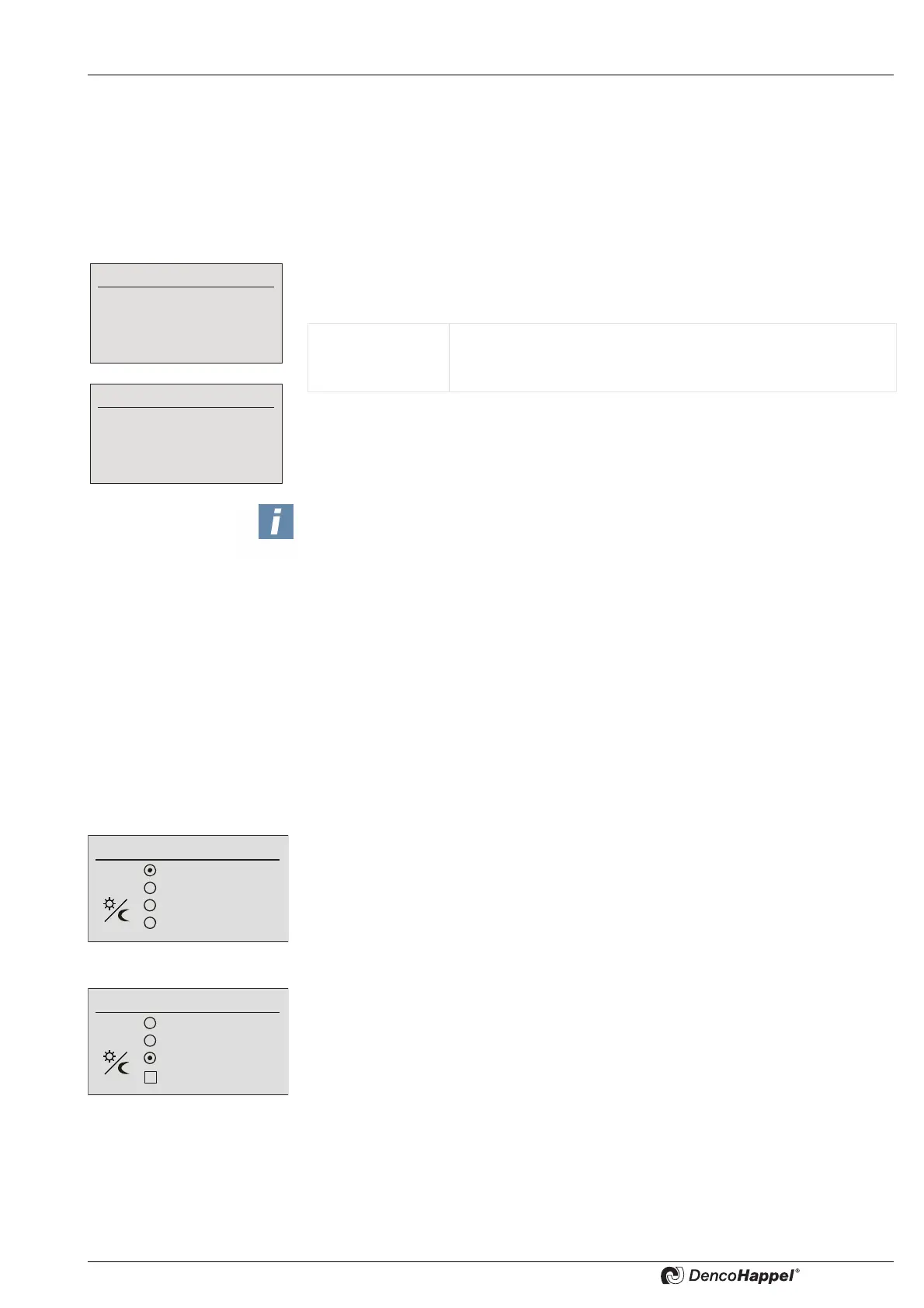
Four menu options are available in the submenu "Operating mode" menu.
As factory setting the submenu is preassigned with "clock timer".
The option "clock timer" is available only if one of the timer programmes (week pro-
gramme, special days and holiday programme) is activated.
Supply-air volume flow
3750
Extract-air volume flow
1750
Value range: to 65,000 m³/h (factory setting)
Adjustable step size: 10 m³/h
Factory setting: 0 m³/h
NOTES!
During commissioning using the MATRIX.PC service tool or the MATRIX-control
panel OP71 (see chapter <Name>Air handling unit submenu chapter "central plant
air handling unit Ü Fans" onpage 69) the maximum air volume flow of the supply-air
and/or extract-air fans (e.g. 10,000 m
3
/h) is configured. If this range is smaller than
the adjustment range configured for the MATRIX-control panel OP71, the adjust-
ment range is automatically limited to the value of the maximum air volume flow. The
limit value from the MATRIX-control panel OP71 is always employed for the
minimum volume flow value. The step size (for setting the volume flow target value)
can be changed with the MATRIX.PC service tool to the speeds 1/10/100/1,000/
10,000.
Normal mode
Economy mode
Clock timer
Preference
Operating mode
Normal mode
Economy mode
Clock timer
Preference
Operating mode
Standby
Normal mode
Economy mode
Clock timer
Operating mode



 To Next Page