MATRIX Control Panel OP71 Operating MATRIX control panel OP71
PR-2009-0021-GB • Subject to modifications • R5-04/2016 55
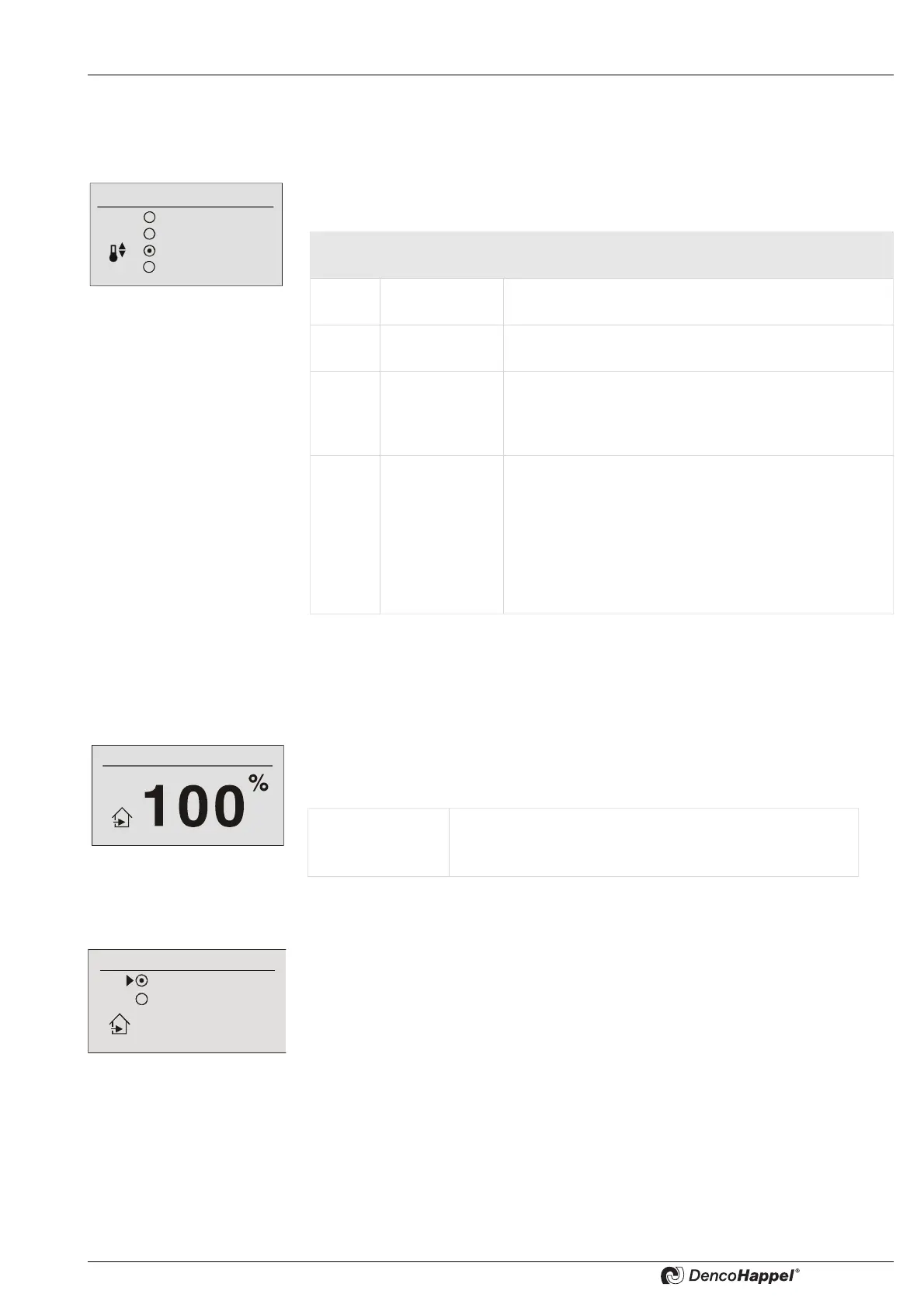
8.6.10 "Controller mode" submenu setting
The submenu for the controller mode is displayed only if the menu <Name>Menu
enabling for ... (See page 86) was activated.
Following menu options are available in the “controller mode” menu. The menu is pre-
assigned with “automatic” as factory setting.
8.6.11 Submenus "Mixing-air damper position"/"mixing-air damper mode"
8.6.11.1 Mixing-air damper position – manual damper adjustment
The percentage position of the mixing-air damper can be set in the “mixing-air damper
position” menu. This menu option appears if the “controlled“ function has been configu-
red on the controller.
8.6.11.2 Mixing-air damper mode – 2-point mixed-air mode
Mixing-air damper for 2-point mixing-air dampers: if there are only 2 point dampers in
one cluster, then it can be selected between two modes - recirculating-air or mixed-air.
Factory setting: Circulating air = 0 %Mixed-air = 100%
Controller mode
Heating only
Cooling only
Automatic
Free cooling
Menu
option
Display Explanation
1 Heating only The control system works exclusively in the heating
mode. Cooling is not possible.
2 Cooling only The control system works exclusively in the cooling mo-
de. Heating is not possible.
3 Automatic Switching between heating and cooling is carried out
automatically by the control system depending on the
room temperature or possibly the return-air temperatu-
re.
4 Passive Coo-
ling
In favorable outside and room temperature conditions
the room is cooled with the outside air.
Even if all units in the group are just recirculating-air
units,
the "free cooling" option can be selected. In
this case this option is used to activate
a standby mode. (see Configuring ➜ Basic reduced
temperatures on page 65.)
Mixing-air damper position
Value range: 0 ...100 % (for continuous dampers)
Possible intervals: 5 %
Factory setting: 100 %
Mixing-air damper mode
Recirculating air
Mixed air



 To Next Page