MATRIX Control Panel OP71 Operating MATRIX control panel OP71
PR-2009-0021-GB • Subject to modifications • R5-04/2016 37
8.3.3 The icons in the information display
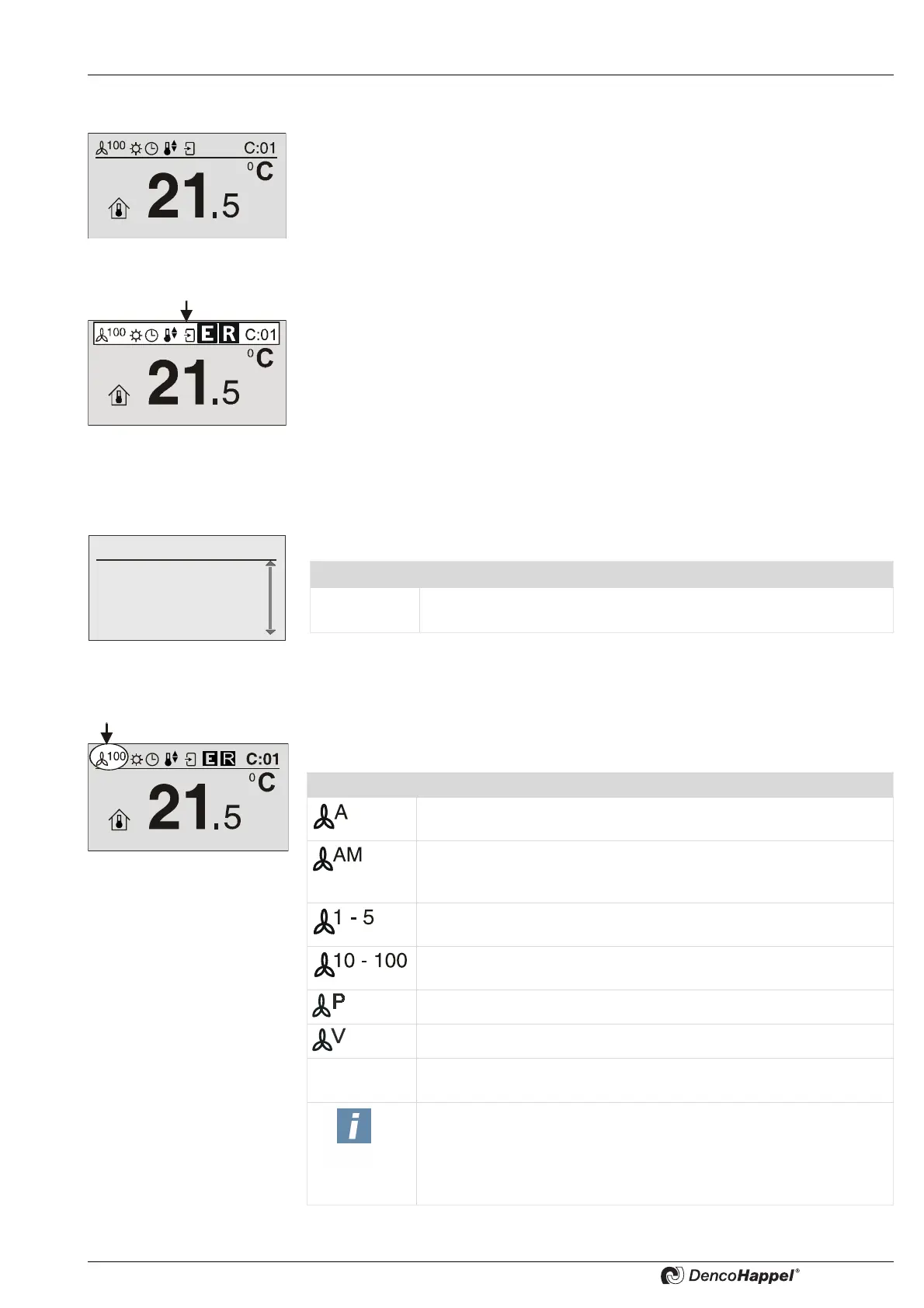
In the normal operating mode the MATRIX control panel OP71 displays in the basic
menu of cluster level the menu with "setpoint room temperature".
The display is divided into:
– the upper field of information display and
– the lower display field with icon, setpoint temperature, and unit
Both fields are separated by a line.
The symbols of the information display are described further on.
The information display shows a maximum of 7 symbols and the currently selected
cluster. Incomplete properties or unfinished operations are not displayed.
– Fan mode (See page 37)
– operating mode (see page 38)
– Time control (See page 38)
– Controller operating mode (See page 38)
– Circulating air / outside air control (See page 39)
– Operation messages (See page 39)
– Control indication (See page 39)
– Selected cluster (See page 39)
Current time is exclusively shown in basic menu "cluster selection".
8.3.3.1 “Fan mode” icon
With the “fan mode” symbol the current setting for the fan operation is displayed by one
of five symbols.
Fr, 14:10
0: Cluster 0
1: Cluster 1
2: Cluster 2
3: Cluster 3
Icon Time
Fr. 14:10
Display of weekday and time. The setting can be for 24-hour display
or 12-hour display.
Symbol Fan mode
The fan mode "Automatic operation" is set:
The control system sets the fan speed.
The fan mode "Automatic operation with silent function (mute)" is
set: The fan functions with the fan mode "Automatic operation", but
is blocked in the highest speeds or above 80%.
The fan mode "Fixed speed stages" is set: The fan is operated with
a fixed speed corresponding to one of the preset speeds 1 to 5.
The fan mode "Fixed percent value" is set: The fan is operated with
a fixed speed corresponding to the setting (10 to 100%).
The fan is controlled by a pressure regulation.
The fan is controlled by a volume flow control.
OFF
The operating mode "Switched off (OFF)" is set: The fan is switched
off and cannot be switched on by the control.
NOTICE!
Applies only to units with "heating" function.The controllers have a
"frost protection function", i.e. if the room temperature drops below
4 °C, the heating valves in air treatment units are opened, even if the
OFF fan mode is selected.



 To Next Page