MATRIX Control Panel OP71 Operating MATRIX control panel OP71
PR-2009-0021-GB • Subject to modifications • R5-04/2016 39
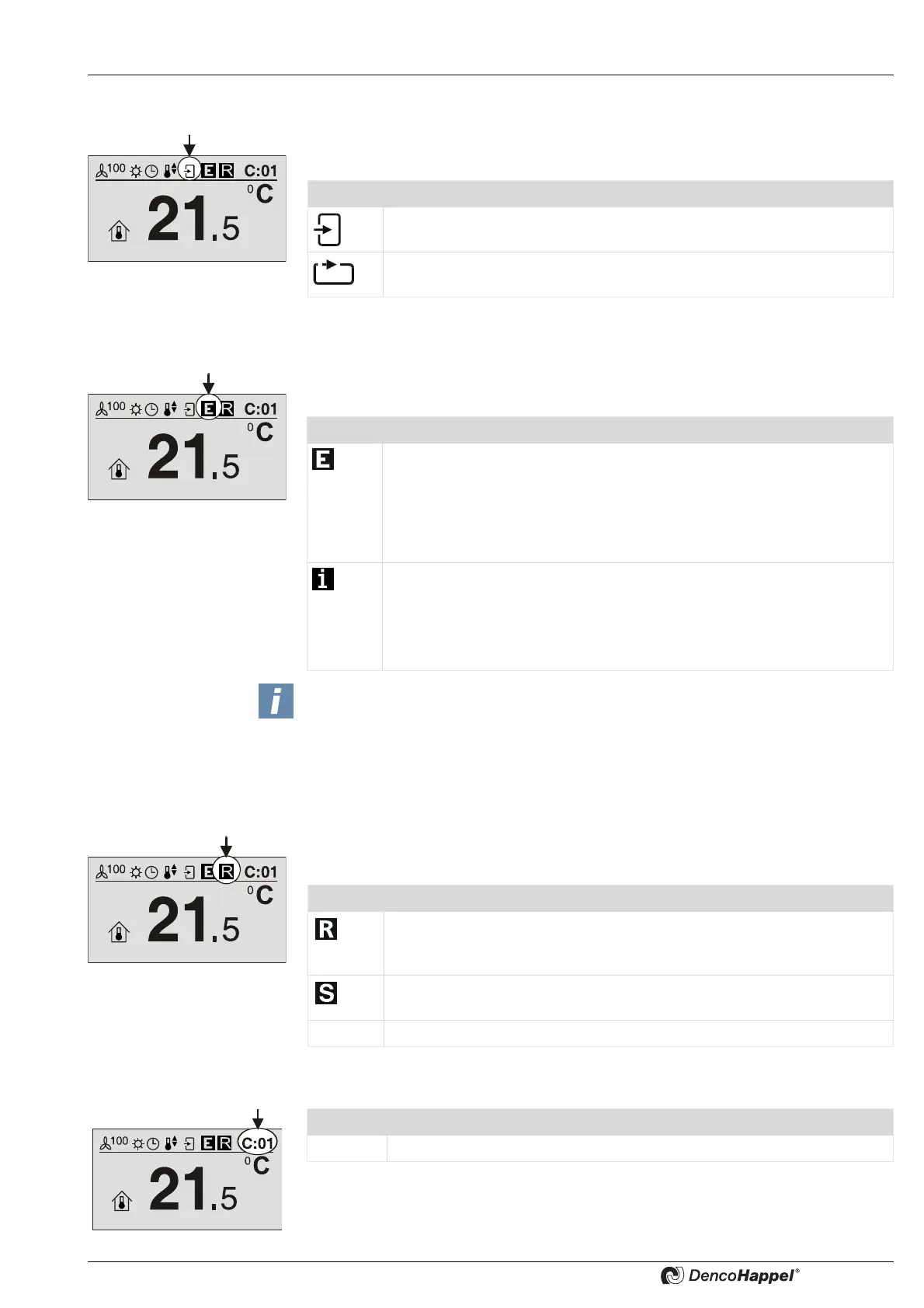
8.3.3.5 Icon "Recirculating air/Outside air control"
With the “Recirculating-air/Outside-air control” icon the current operating mode setting
of the air control system is displayed by one of two icons.
8.3.3.6 “Operation messages” symbol
Using the “operation messages” symbol errors, warnings and information messages of
the group (control panel, air treatment units, modules) are reported.
8.3.3.7 “Control indication” icon
The “Control indication” icon indicates an external intervention in the control process
by one of two icons.
8.3.3.8 Symbol "Cluster
Icon Recirculating-air / Outside-air control
“Outside-air" or "Mixed-air” operating mode is set.
“Recirculating-air” operating mode is set.
Symbol Operation messages
Operation message "E": a fault (error) is pending. An "E" is displayed
when an operating error or an operation alert is reported. E.g. the motor
protection of the fan motor has triggered due to overheating. As long as
the operation information "E" is still displayed, the fault is still present.
If this error/warning is no longer current, the operation message "E" goes
out.
Operation message "i": an information message is pending. If, for
example, normal operation input is closed on IO module, the "i" symbol is
displayed. Normal operation mode was activated via input "Normal mo-
de". If this information is no longer current, the operation message "i"
goes out.
NOTICE!
An operating error or an operating warning has a higher priority than an operation
information in the display.
When an error and an information are available the symbol "E" is displayed.
Symbol Control display
Control indication "R": the control or the setpoint assignment is performed
from the outside (remote); e.g. the connected controller has detected an
open window and switches the fan coil unit off.
Control indication "S": There is a service intervention through the MA-
TRIX.Net.
No control indication: The control works with no external intervention.
Symbol Cluster
C:01
Display of currently selected cluster (0 - F).



 To Next Page