Operating MATRIX control panel OP71 MATRIX Control Panel OP71
38 PR-2009-0021-GB • Subject to modifications • R5-04/2016
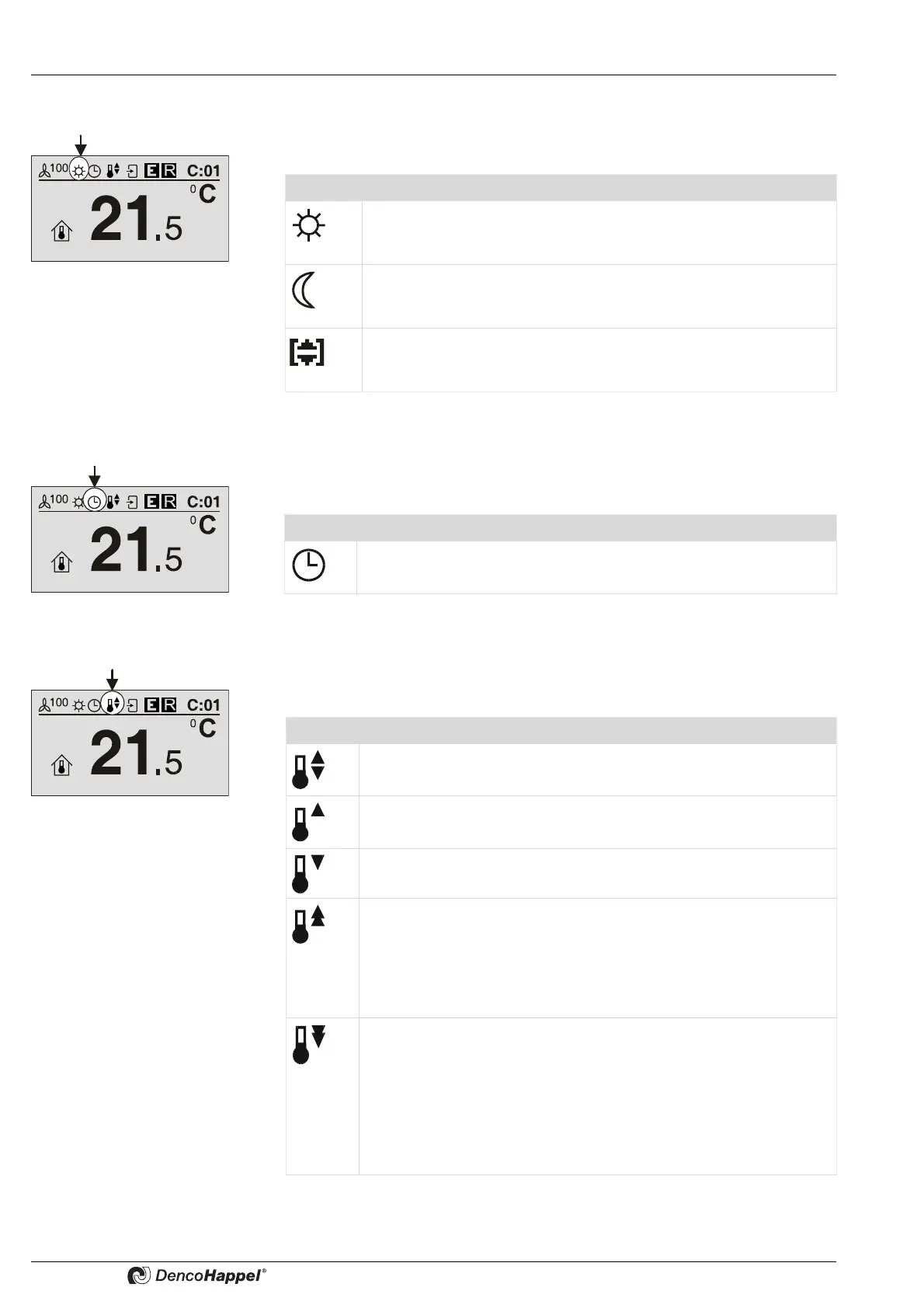
8.3.3.2 Icon "Operating mode"
Use the “Operating mode” icon to display the current setting for operating the control
system by one of three icons.
8.3.3.3 Icon "Time control"
With the “time control” symbol the current setting for assigning time control mode is dis-
played by one of three symbols.
8.3.3.4 “Controller mode” icon
With the “Controller mode” icon the current operating mode setting of the control sys-
tem is displayed by one of five icons.
Icon Operating mode
The operating mode is “normal operation" (day operation). Use the
clock timer to specify the operating mode or enter in the “Operating
mode” menu.
The operating mode is “economy mode” (night operation). Use the
clock timer to specify the operating mode or enter in the “Operating
mode” menu.
The operating mode "Standby“ can be selected only manually,
which means that this operating mode, unlike economy or normal
mode, can not be activated via a switch programme.
Symbol Time Control
The “Clock timer” operating mode is set. The control is carried out
according to the times set in “Clock timer”.
Symbol Controller mode
“Automatic” controller mode: cooling and heating permitted. The
control automatically works according to the pre-set values.
“Heating” controller mode: only heating is permitted. The control sys-
tem works automatically according to the preset values.
“Cooling” controller mode: only cooling is permitted. The control sys-
tem works automatically according to the preset values.
"Heating phase": the control works with the normal controller parame-
ters, however a connected mixing-air damper remains closed. The
warmup phase is activated for the time that can be set via the MA-
TRIX.PC service tool before switching to normal operation (day ope-
ration). The heating-up phase can be activated only in case of control
by time program. Factory setting: active/10 min.
Free cooling: With mixed-air units a room can be cooled with outdoor
air thanks to "Passive Cooling" controller mode if outdoor and room
temperature conditions are favorable. This controller mode
can be selected separately for economy or normal unit operating mo-
de.
Even if all units in the group are just recirculating-air units,
the "free cooling" option can be selected. In this case this option is
used to activate a standby mode.



 To Next Page