MATRIX Control Panel OP71 Operating MATRIX control panel OP71
PR-2009-0021-GB • Subject to modifications • R5-04/2016 49
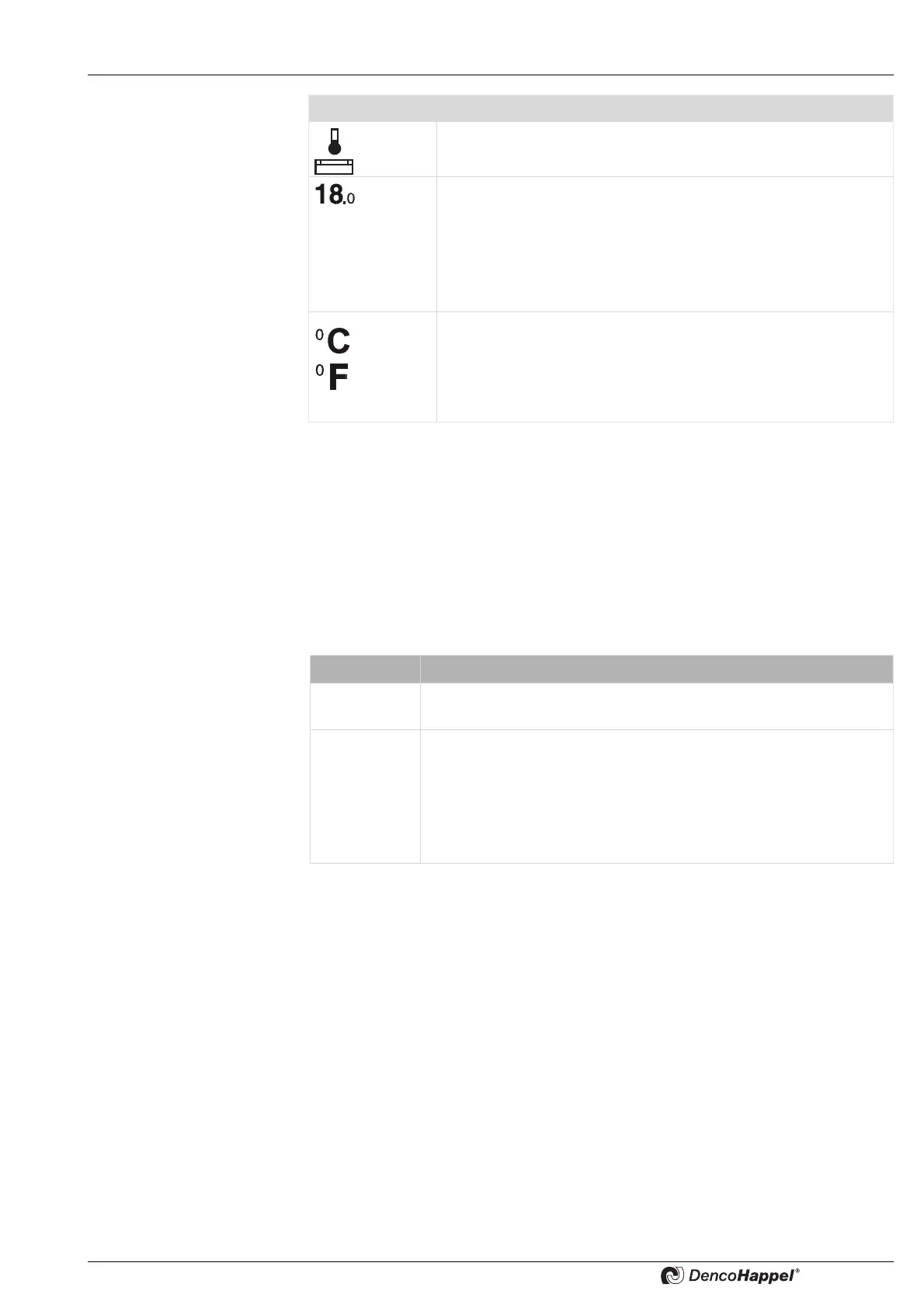
You can change the supply-air temperature setpoint in this menu for the current opera-
ting mode:
• Change the supply-air temperature setpoint as described in „Changing values“ on
page 41.
8.6.3 Submenu Settings for fan speed
The options for setting the fan speed with the MATRIX-control panel OP71 depend on
the unit. A distinction is made whether a control panel is connected to a central air
handling unit (compact controls MATRIX 4700) or a decentral unit.
The menu shown by the air handling units depends on the selected type of fan control.
See also the in chapter <Name>Air handling unit submenu the chapter "Central plant
air handling unit Ü fans" on page 69).
8.6.4 "Fan mode" submenu setting
The submenu for the fan mode is only shown if this option is activated in the menu
<Name>Menu enabling for ... (See page 86).
Symbol Explanation
Icon for the “Setpoint supply-air temperature”
Value range
Factory setting
Set supply-air temperature setpoint in degrees Celsius or deg-
rees Fahrenheit.
10 °C to 60 °C
Normal operation: 25 °C
Economy operation: 20 °C
Factory setting
Set temperature unit in
degrees Celsius
or
degrees Fahrenheit
°C
Unit type Menu
Peripheral
unit
Only menu: Fan mode
Air handling
unit
– Menu: Fan mode or
– Menu Plant/fanor
– Menu Plant/fan + Menu fan modeor
– Menu: Plant/fan + Menu: Supply air/extract-air air duct pressure
or
– Menu: Plant/fan + Menu: Supply air/Extract-air volume flow



 To Next Page