Operating MATRIX control panel OP71 MATRIX Control Panel OP71
50 PR-2009-0021-GB • Subject to modifications • R5-04/2016
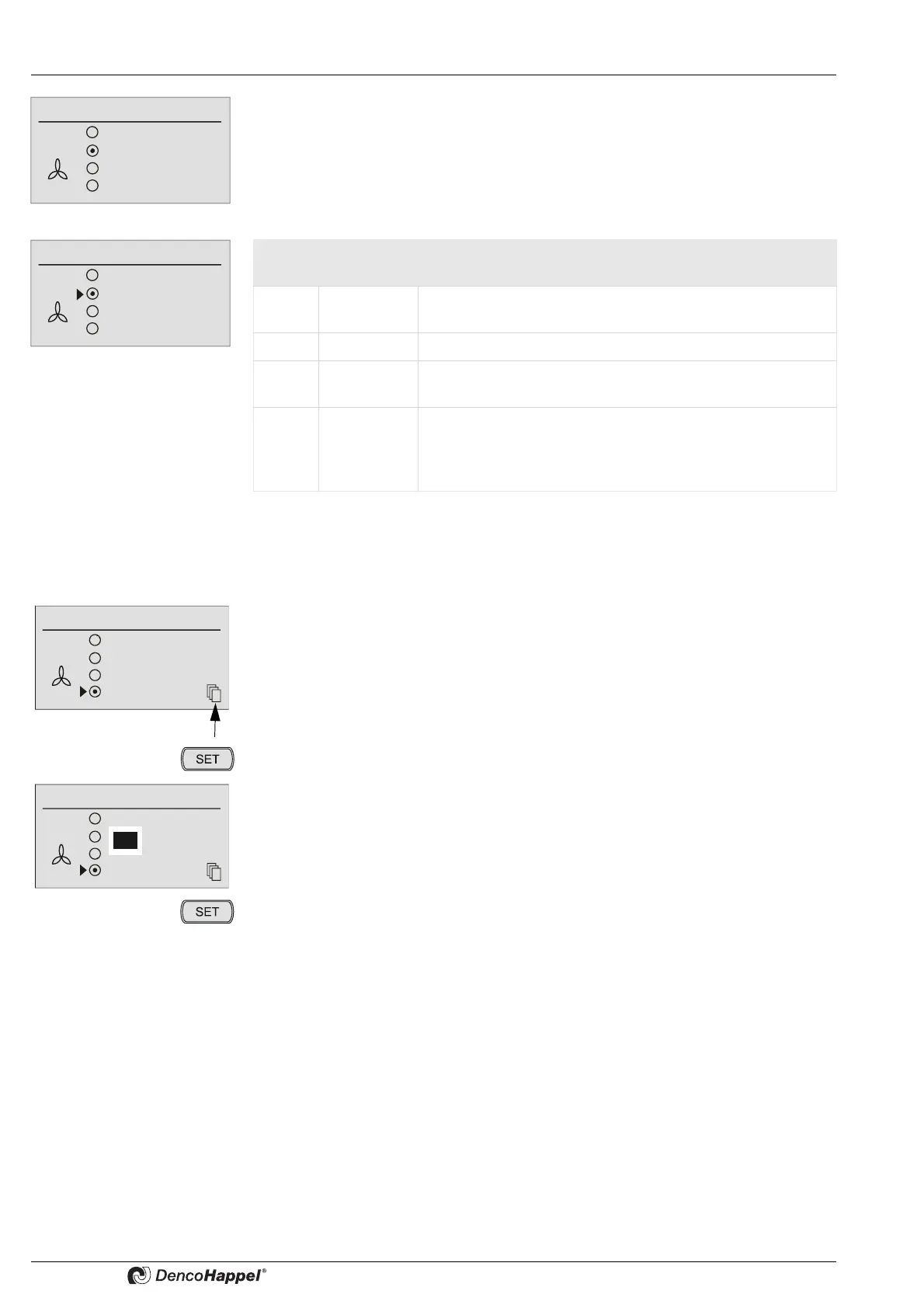
Four menu options are available in the “Fan mode” menu.
The submenu is preassigned with “automatic” as factory setting.
This menu entry appears:
– if it is a decentral unit or
– if a "Temperature controlled" central device for the controlled variable of fans with
is used.
• Switch the functions of the fan mode on or off as described in „Switch ON functions“
on page 43.
Changing speed stages is described below as an example of the setting fixed speed
stages – the setting for 0 – 100% speed (rpm) works in the same way.
Fan mode
Off
Automatic
Automatic (mute)
Speed 70 %
Fan mode
Off
Automatic
Automatic (mute)
Stage
or
Menu
option
Display Explanation
1 OFF The fan is switched off and cannot be switched on by the
control system (See “Note”).
2 Automatic The fan speed is set automatically by the control system.
3 Automatic
(mute)
The fan works in the “automatic” operating mode but is
disabled at the highest speed or over 80%.
4 Speed
xx%
or
stage
A fixed fan speed (rpm) can be set in a submenu.
According to unit configuration this setting is made in %
(from 0 to 100 %) or in fixed stages (from 1 to 5).
If you select the fan mode "level or speed xx%", you can see on the small "Additional
pages" icon that there are additional setting options.
• Press the key "SET".
An additional window opens.
• Use the navigator to select the new fan speed stage.
• Press the “SET” button to save the set speed.
Off
Automatic
Automatic mute
Stage 2
Fan mode
Off
Automatic
Automatic mute
Stage 2
Fan mode
2



 To Next Page