MATRIX Control Panel OP71 Operating MATRIX control panel OP71
PR-2009-0021-GB • Subject to modifications • R5-04/2016 33
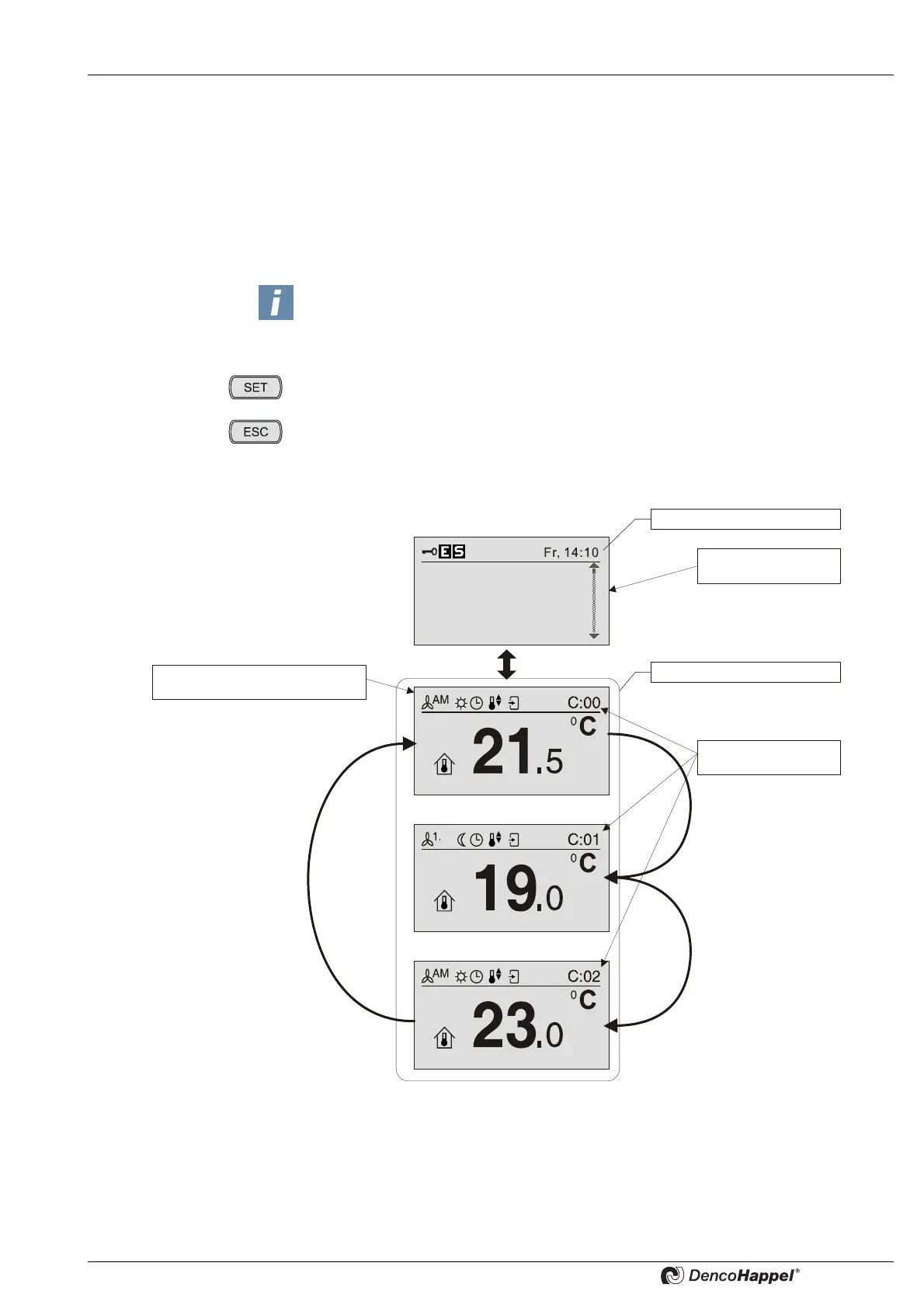
8.1.1 Cluster status display (screen saver)
The cluster status is designed to extend the information content of the MATRIX control
panel OP71 in idle operating mode.
After 90 seconds in basic menu "cluster selection" have elapsed, the control panel swit-
ches to cluster status display. After that, every 5 seconds the display switches between
cluster items of the respective cluster level (after every switch every cluster number
and cluster type is displayed for 2 seconds).
The SET button immediately takes you to the basic menu "cluster“ of the currently dis-
played clusters – for detailed information see „Basic menu "cluster"“ on page 35.
The ESC button takes you back to the basic menu "cluster selection".
NOTICE!
Only those clusters are shown that have groups assigned to them (See page 86) and
that contain controllers.
Cluster
selection
0: Cluster 0
1: Cluster 1
2: Cluster 2
3: Cluster 3
Basis menu
Cluster status display
Cluster
levels
Example of basic menu in
a cluster level



 To Next Page