MATRIX Control Panel OP71 Operating MATRIX control panel OP71
PR-2009-0021-GB • Subject to modifications • R5-04/2016 41
8.4 Basic operation using the display
The following pages describe the basic operation via the display, based on examples.
8.4.1 Changing values
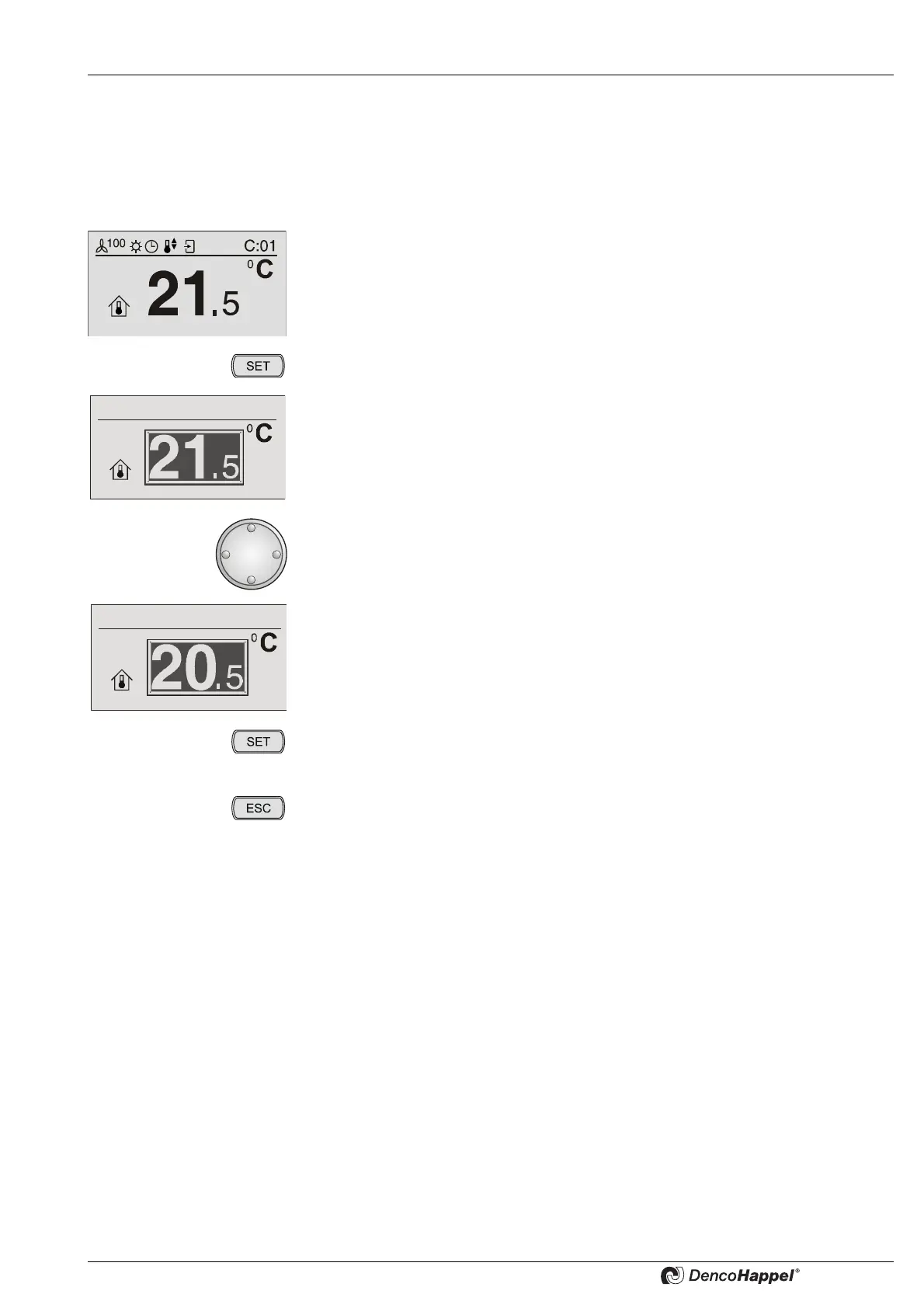
• Select a menu, e.g. “Setpoint room temperature”.
• Press the key "SET".
The current room temperature setpoint value is displayed inversely and the line
"change setpoint" appears.
• Turn the navigator to the left (decrease value) or right (increase value) until the
required new setpoint value is displayed.
The new setpoint value of the room temperature is displayed.
• Press the key "SET".
The new setpoint value is saved. You can see the basic display with the new
setpoint value.
• By pressing the "ESC" button you can always cancel the menu selection.
The old setpoint value is retained. You can see the basic display with the old
setpoint value.
If you want to change values, always proceed as follows:
Select menu, press “SET”, change value with the navigator and confirm value
with “SET”.



 To Next Page