Operating MATRIX control panel OP71 MATRIX Control Panel OP71
56 PR-2009-0021-GB • Subject to modifications • R5-04/2016
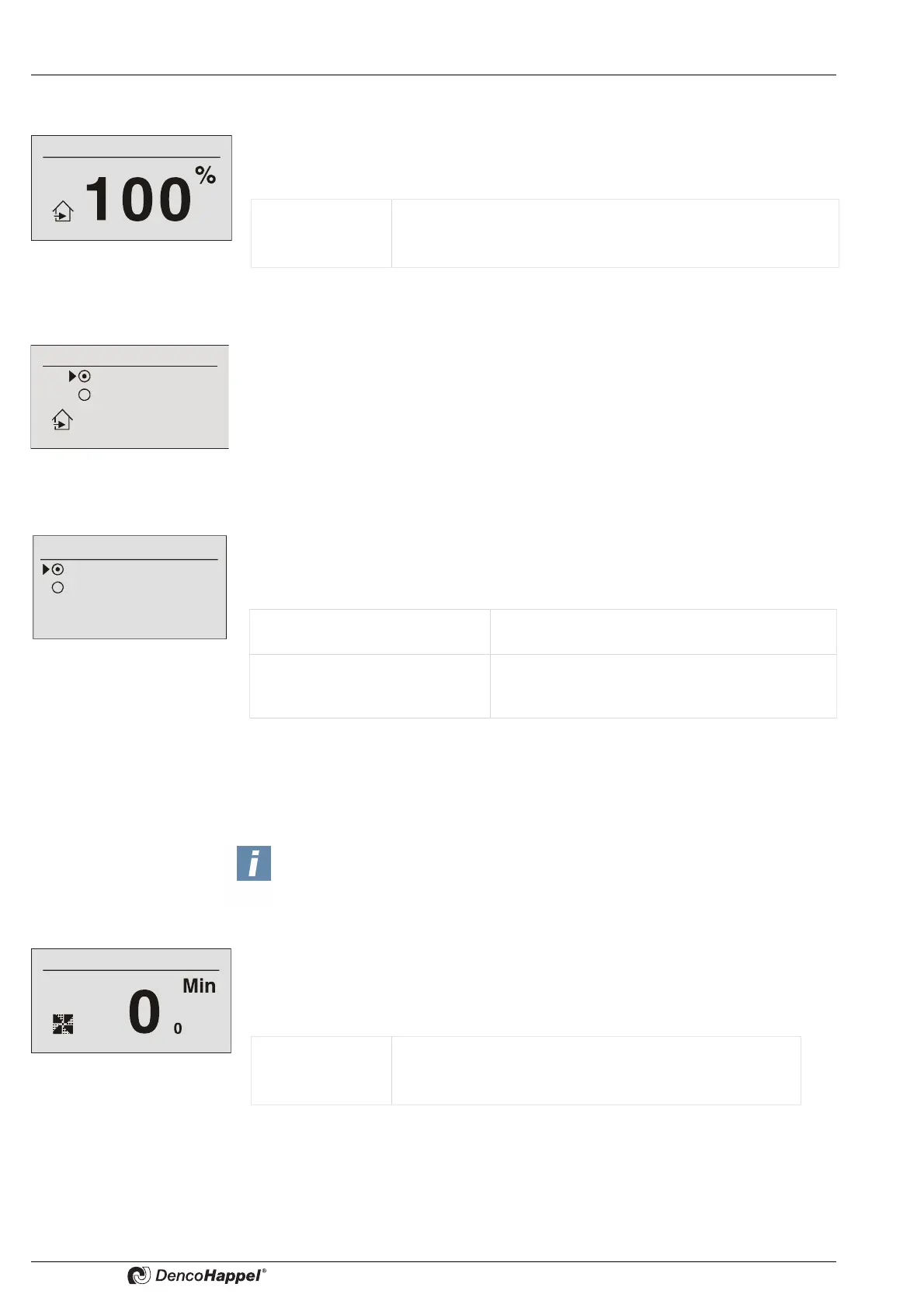
8.6.12 "Outdoor air flow" submenu
The percentage rate for the outside air flow can be set in the “outside air volume flow”
submenu. This menu entry is available only if the "controlled outside air volume
flow"function has been set on the controller.
8.6.13 “Outside air automatic” submenu
Circulating air or mixed-air operation can be set in the “outside air automatic” menu.
This menu option appears if the “controlled temperature” or "controlled energy saving"
function has been configured on the controller.
Factory setting: Mixing-air damper automatic
8.6.14 Submenu setting "Basic Ventilation"
The menu item "Basic ventilation" appears only in air handling units in connection with
an outside-air/exhaust-air damper. In this menu, it can be determined whether after
being switched on (see chapter „Submenu setting "Fan speed"“ on page 51) , the unit
should start up in order to continuously ensure basic ventilation.
Prerequisite for basic ventilation: fan minimum speed is deactivated (see Fan minimum
speed in a separate operation manual for control panels with display.)
8.6.15 Submenu "Fast ventilation"
The function of fast ventilation for the entered time can be started in the menu "Fast
ventilation". In this case:
– the outside-air damper is opened 100% and
– the fan is switched to maximum speed.
Value range: 0 ...100 % (for continuous dampers)
Possible intervals: 5 %
Factory setting: 100 %
Outside air automatic
Recirculating air
Mixed air automatic
Basic ventilation
ON
Automatic
Basic ventilation "ON“ The unit starts after being switched on in order to
guarantee basic ventilation.
Basic ventilation "automatic" The unit only starts after being switched on if
either a temperature request or an air-quality re-
quest is pending.
NOTICE!
The submenu "Fast ventilation" does not appear when using the central or low-
profile air-handling unit control MATRIX 4700.
Value range: 0 ...60 min
Possible intervals: 1 min
Factory setting: 10 min



 To Next Page