Operating MATRIX control panel OP71 MATRIX Control Panel OP71
46 PR-2009-0021-GB • Subject to modifications • R5-04/2016
8.4.7 Changing programme names
The individual week programmes can be renamed with freely selectable names via a
menu. These freely selectable names are designated as "programme name". How to
rename the programme name is described below.
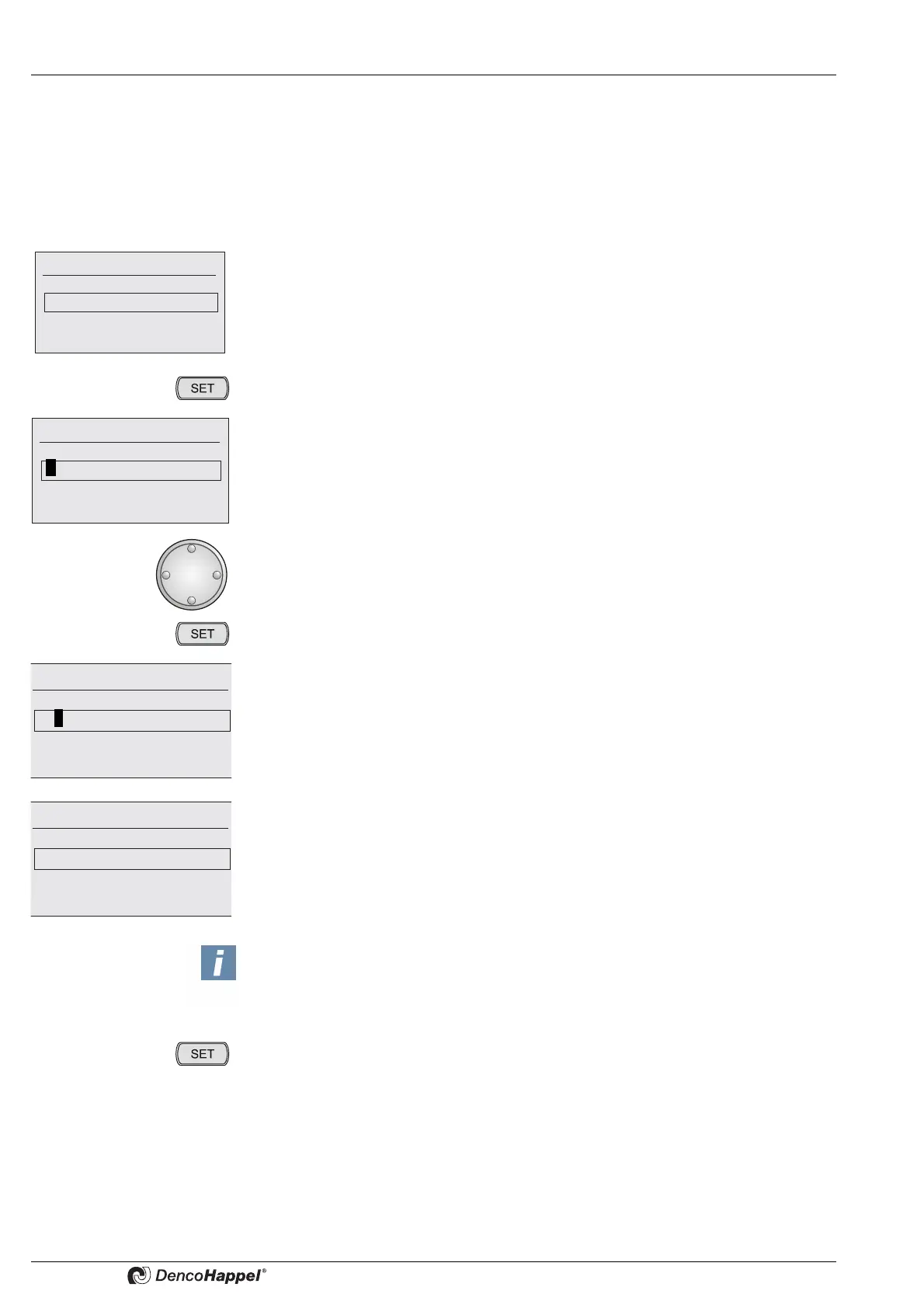
Example: programme name here "1. Week programme” to “Normal programme”.
• Select the menu "1. week programme, then select "edit prog. name"
The menu item "edit prog. name" appears and "1. week programme“ is placed in a
field.
• Press the key "SET".
The first letter is highlighted.
• Turn the navigator until the desired letter "N" appears.
• Press the key "SET".
The inversion of the first letter is switched off and "N" is displayed.
The next letter is highlighted.
• Proceed with other letters in a similar way until the desired programme name
"normal programme" is set.
Edit prog. name
1. Week programme
Edit prog. name
1. Week programme
Edit prog. name
N.Week programme
Edit prog. name
Normal programme
NOTICE!
When changing programme names you can always set back the cursor by one sym-
bol by pressing the "ESC" button.
• Press the "SET" button as many times until the cursor leaves the input field.
The entered name is taken over and the basic menu is displayed.



 To Next Page