ineo+ 353/253/203 1-91
Setup items by operation
1
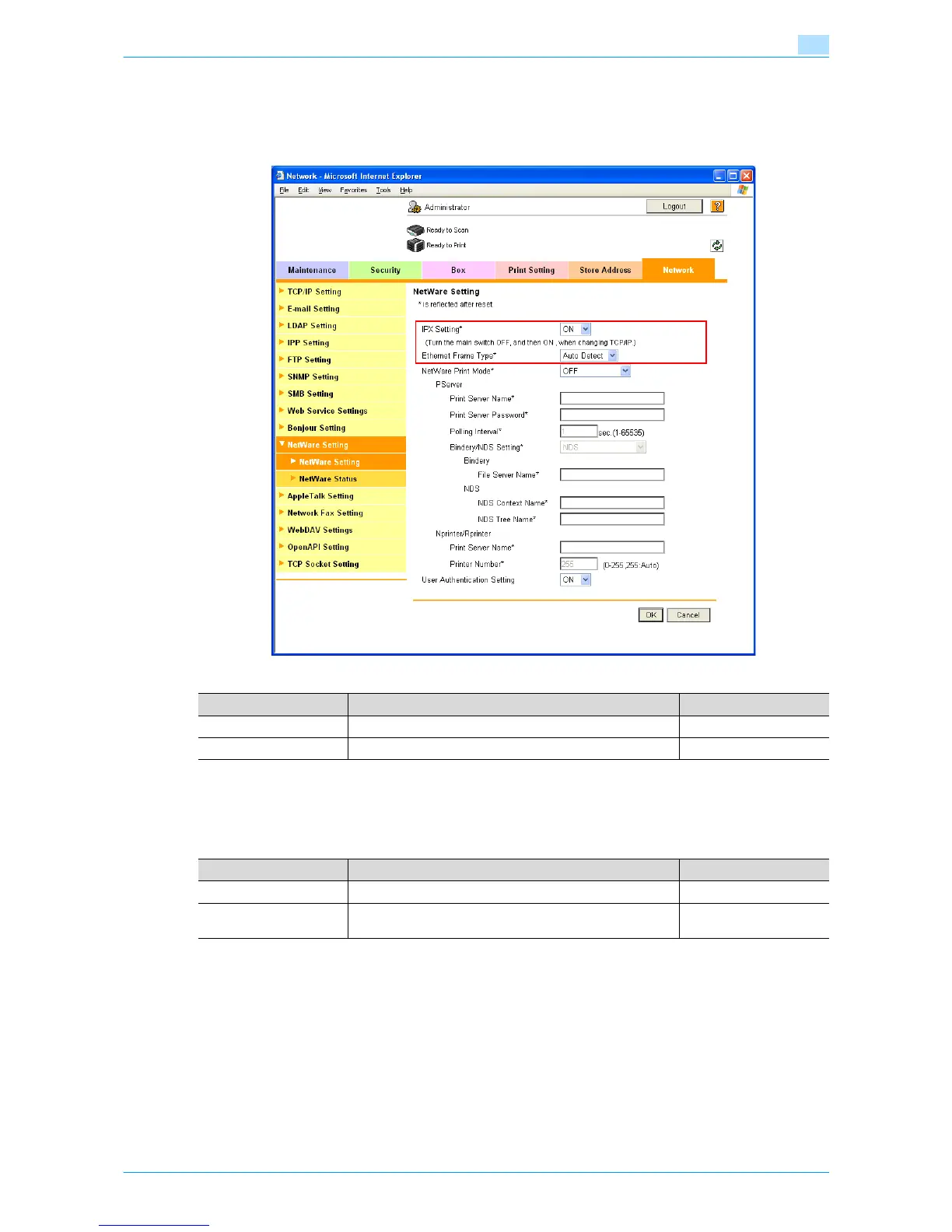
1.32.2 NetWare Setting
In Administrator mode of Web Connection, select the Network tab - "NetWare Setting" - "NetWare Setting".
Specify the following settings.
1.32.3 TRAP Setting
In Administrator mode of Web Connection, select the Network tab - "SNMP Setting".
Specify the following settings.
1.32.4 Status Notification Setting
In Administrator mode of Web Connection, select the Maintenance tab - "Status Notification Setting" - "IP
(IPX) Address" - [Edit].
For details on the settings, refer to "Status Notification Setting" on page 1-88.
Item Definition Prior confirmation
IPX Setting Select "ON".
Ethernet Frame Type Specify the frame type to be used. Frame type
Item Definition Prior confirmation
Allow Setting Select "Allow".
Trap Setting when Au-
thentication Fails
Select whether to enable the TRAP function when authenti-
cation failed.











 To Next Page