ineo+ 353/253/203 1-132
Setup items by operation
1
1.44.2 Using the timer function
Specify settings for the timer function of this machine.
Settings for the power save function and weekly timer function can be specified.
Power Save Setting
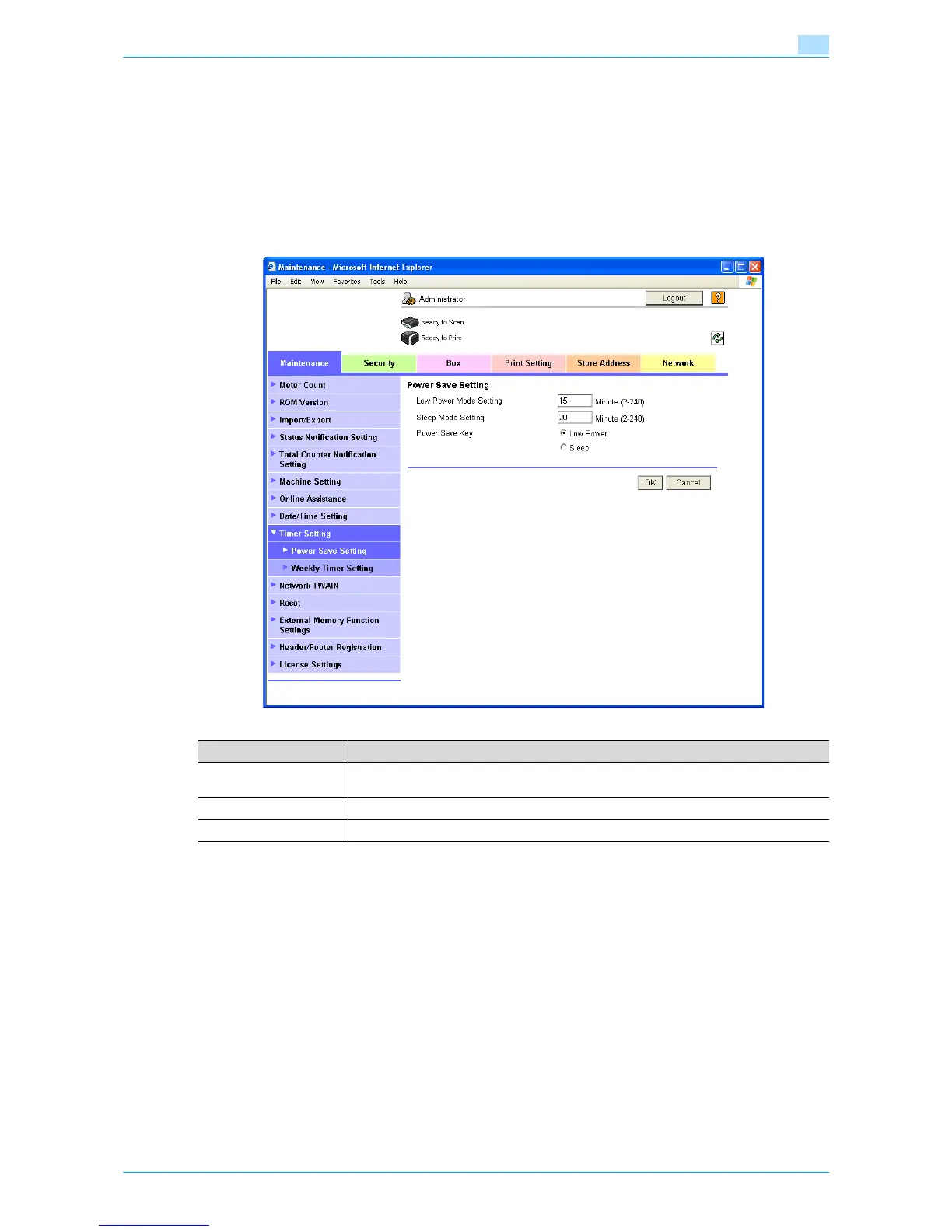
In Administrator mode of Web Connection, select the Maintenance tab - "Timer Setting" - "Power Save
Setting".
Specify the following settings.
Item Definition
Low Power Mode Set-
ting
Specify the time period before the machine enters Low Power mode.
Sleep Mode Setting Specify the time period before the machine enters Sleep mode.
Power Save Key Manually specify the setting for the power save function (Low Power or Sleep mode).











 To Next Page