ineo+ 353/253/203 1-130
Setup items by operation
1
1.43.4 WebDAV Server Settings
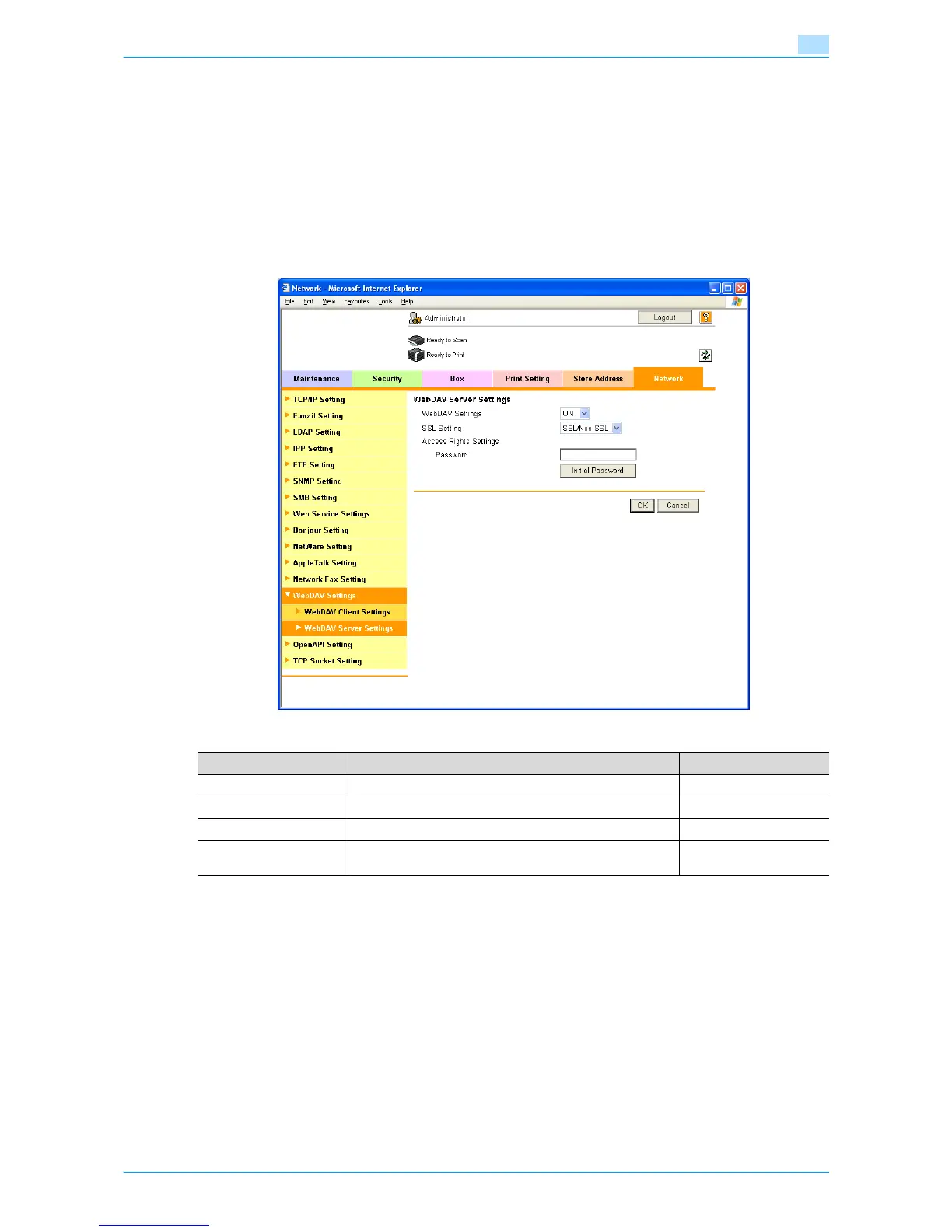
In Administrator mode of Web Connection, select the Network tab - "WebDAV Settings" - "WebDAV Server
Settings".
Specify the following settings.
!
Detail
To use SSL/TLS, install the certificate in advance. For details, refer to "Creating a certificate for this
machine for SSL-based communication" on page 1-7.
Item Description Prior confirmation
WebDAV Settings Select "ON".
SSL Setting To use SSL/TLS, select "SSL Only" or "SSL/Non-SSL". Use SSL/TLS?
Password Specify the password for connecting to the WebDAV server.
[Initial Password] The specified password can be initialized.
Default: sysadm











 To Next Page