ineo+ 353/253/203 1-15
Setup items by operation
1
2
Reminder
If the E-mail address to be registered does not match the E-mail address of the certificate, the
certificate cannot be registered. Confirm whether both E-mail addresses match, and then register the
certificate.
1.6.2 Automatically Obtain Certificates
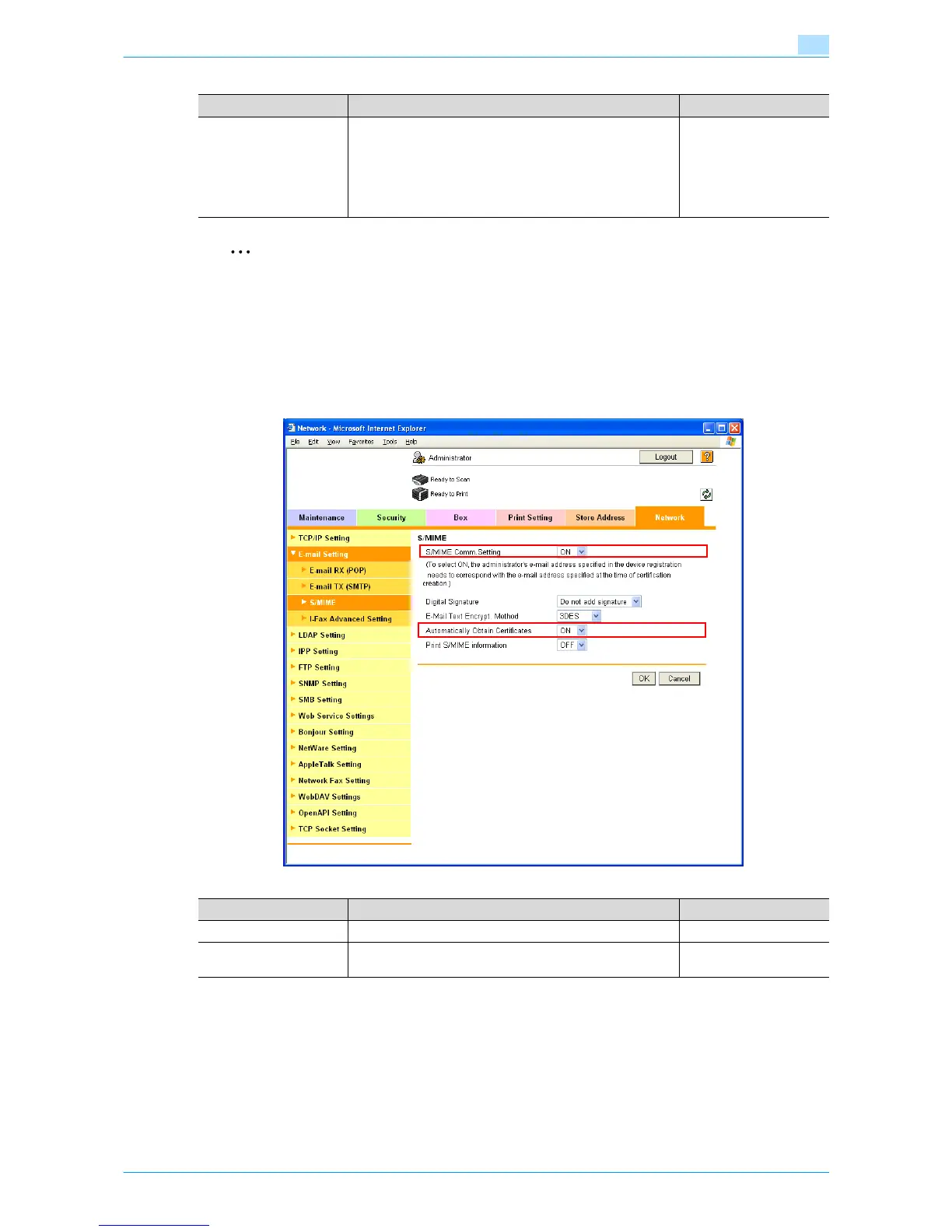
In Administrator mode of Web Connection, select the Network tab - "E-mail Setting" - "S/MIME".
Specify the following settings.
!
Detail
After specifying settings for "Automatically Obtain Certificates", register the E-mail address for which a
certificate is to be registered in Address Book. After registering the E-mail address, send the message
with a digital signature attached from the computer on the network to this machine. If the E-mail
address registered in this machine matches the E-mail address of the received certificate, the certificate
is automatically registered.
Item Definition Prior confirmation
Registration of Certifica-
tion Information
Select the "Registration of Certification Information" check
box. To specify a storage location of certification information
to be registered, click [Browse].
Only files in the DER (Distinguished Encoding Rules) format
are supported for certificate information.
To delete the certificate information, select "Deletion of Cer-
tification Information".
Certificate storage loca-
tion
Item Definition Prior confirmation
S/MIME Comm. Setting Select "ON".
Automatically Obtain
Certificates
Select "ON".











 To Next Page