ineo+ 353/253/203 1-148
Setup items by operation
1
!
Detail
If "Password Rules" is enabled, no password containing less than eight characters can be registered.
If you have already registered a user password containing less than eight characters, change it to one
using eight characters before enabling "Password Rules". For details on the password rules, refer to
the User’s Guide [Copy Operations].
1.46.3 Changing system box settings or deleting system boxes
Change the settings for created system boxes (bulletin board User box, relay user box, and annotation user
box) or delete the boxes.
!
Detail
If the optional FAX kit is installed, "Bulletin Board User Box" and "Relay User Box" are selectable.
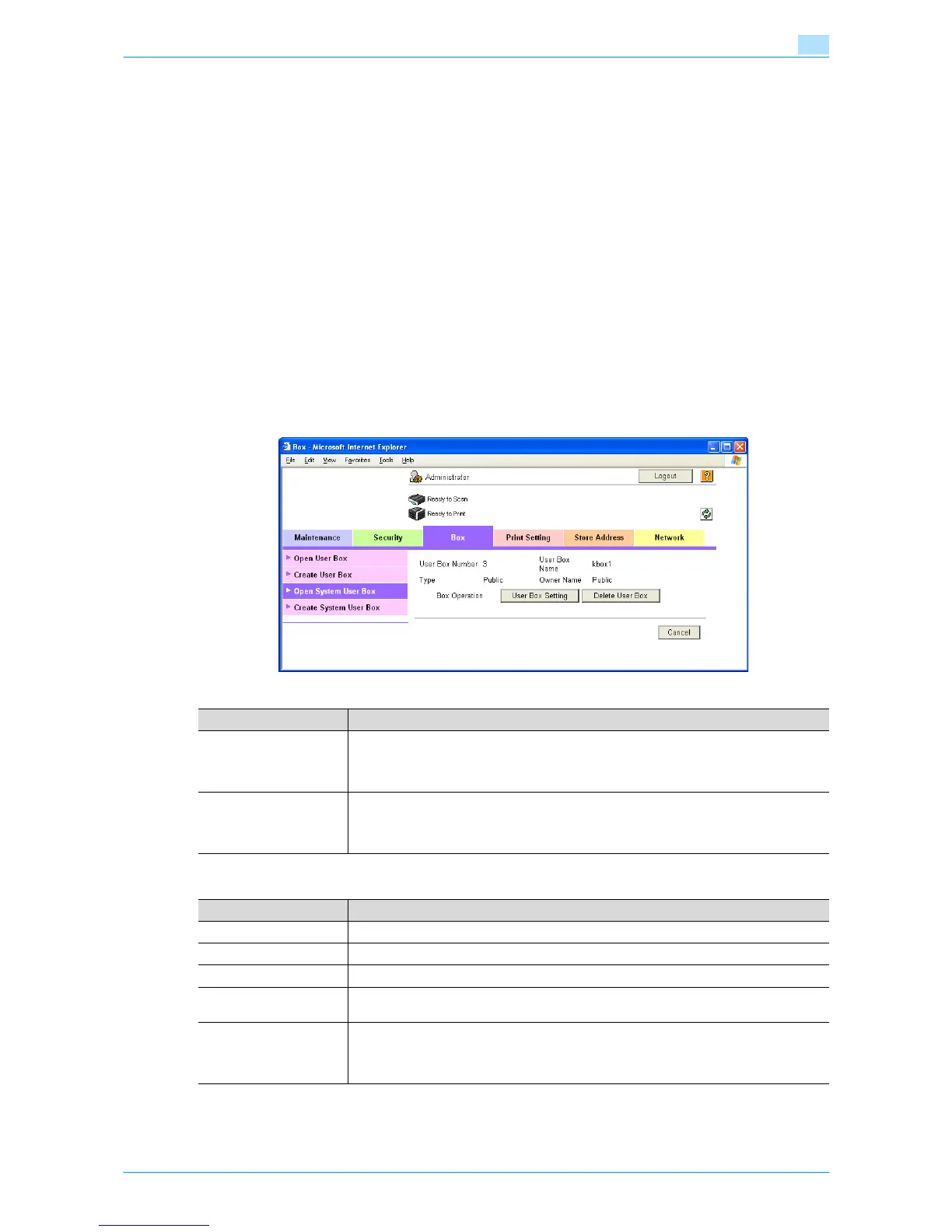
Open System User Box
In Administrator mode of Web Connection, select the Box tab - "Open System User Box".
Specify the following settings. (The screen when "Bulletin Board User Box" is selected)
"Bulletin Board User Box" settings
Item Definition
[User Box Setting] Changes the user box settings.
When authentication is performed with Authentication Manager and logged in to the Ad-
ministrator mode, and then the personal user box is selected, this menu item does not ap-
pear.
[Delete User Box] Deletes the user box.
When authentication is performed with Authentication Manager and logged in to the Ad-
ministrator mode, and then the personal user box is selected, this menu item does not ap-
pear.
Item Definition
User Box Number Displays the user box number.
User Box Name Specify the user box name (up to 20 characters).
Auto Delete Document Specify the period during which data in the user box is saved.
User Box Password is
changed.
Change the user box password (up to 8 characters).
User Box Owner is
changed.
To change the user box owner, select this check box, and then specify the box type.
When authentication is performed with Authentication Manager and logged in to the Ad-
ministrator mode, and then the public user box is selected, this menu item does not ap-
pear.











 To Next Page