ineo+ 353/253/203 1-25
Setup items by operation
1
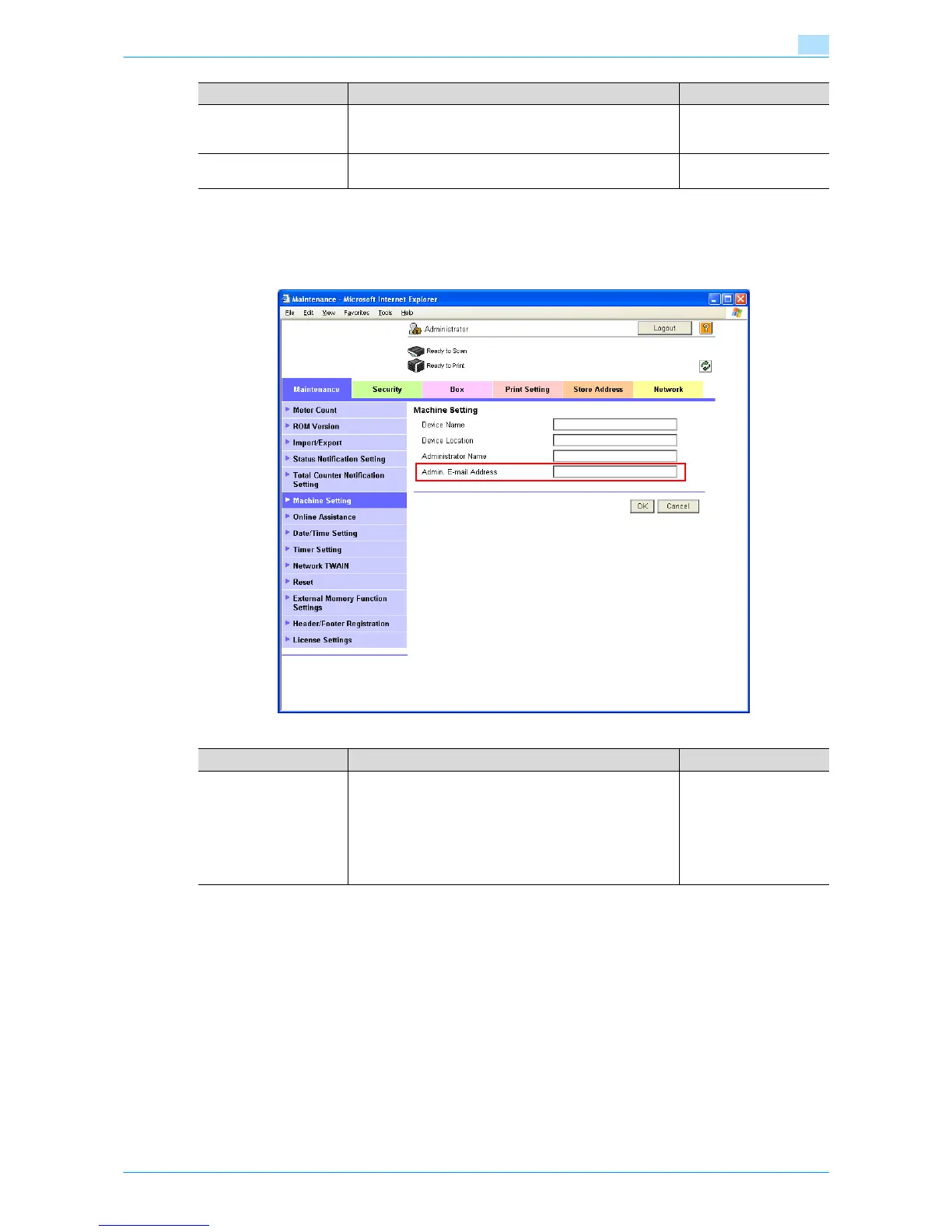
Admin. E-mail Address
In Administrator mode of Web Connection, select the Maintenance tab - "Machine Setting".
Specify the administrator address.
!
Detail
If "Change the From Address" is set to "Restrict", the From address cannot be changed when sending
an E-Mail message. For details, refer to the User’s Guide [Network Scan/Fax/Network Fax Operations].
Binary Division To divide an E-Mail, select the "Binary Division" check box.
If the mail software used for receiving mails does not have
the mail restore function, the mails may not be read.
Restore function of the
mail soft
Divided Mail Size To divide the mail, specify a divided mail size. Receiving limit of the
server
Item Definition Prior confirmation
Item Definition Prior confirmation
Admin. E-mail Address Specify the address for the administrator (up to 128 charac-
ters).
If the administrator address is not set, messages cannot be
sent.
The set address is displayed on the transmitter section of the
message. Before messages are sent, the address can be
changed to one other than the administrator address from
the control panel.
Address for the adminis-
trator











 To Next Page