ineo+ 353/253/203 1-3
Setup items by operation
1
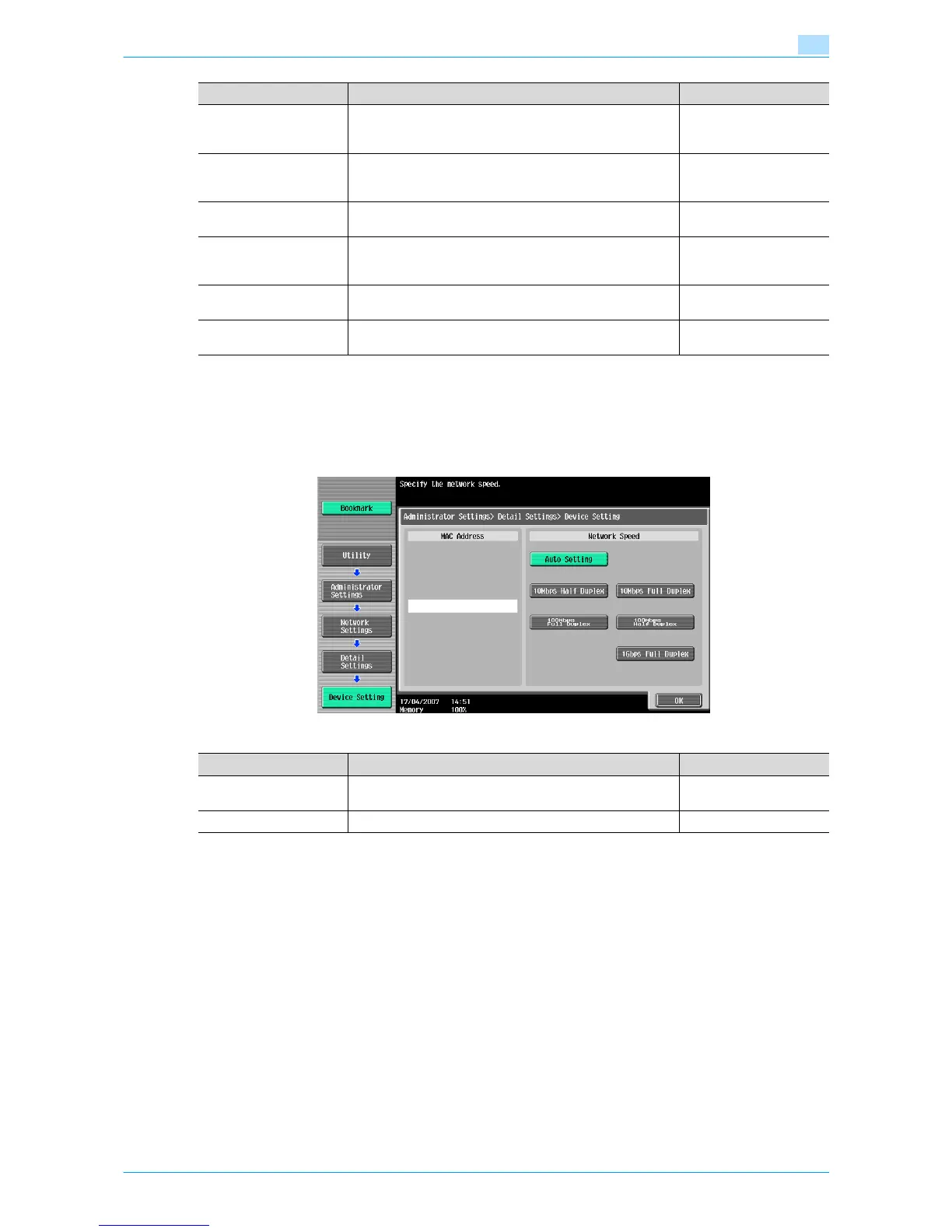
Device Setting
On the Administrator Settings screen of the control panel, select [Network Settings] - [5 Detail Settings] - [1
Device Setting].
Specify the following settings.
DNS Domain Name Auto
Retrieval
Select whether to automatically acquire the name of the DNS
domain.
This item is enabled when the DHCP is enabled.
Whether automatic ac-
quisition is available with
DHCP
Default DNS Domain
Name
If not acquiring the DNS domain name automatically, specify
the domain name to which this machine belongs (up to 255
characters including the host name).
Default Domain Name
DNS Search Domain
Name 1 to 3
Specify the DNS search domain name (up to 253 charac-
ters).
DNS Server Auto Obtain Specify whether to automatically acquire the DNS server ad-
dress.
This item is enabled when the DHCP is enabled.
Whether automatic ac-
quisition is available with
DHCP
Priority DNS Server If not automatically acquiring the DNS server address, spec-
ify the address of the priority DNS server.
Address of the server
Secondary DNS Server 1
and 2
Specify the address of an alternate DNS server. Address of the server
Item Definition Prior confirmation
Item Definition Prior confirmation
MAC Address Displays the MAC address of the network interface card for
this machine.
Network Speed Specify the network speed.











 To Next Page