Milling Quality Problems
72
Chapter 4 Troubleshooting
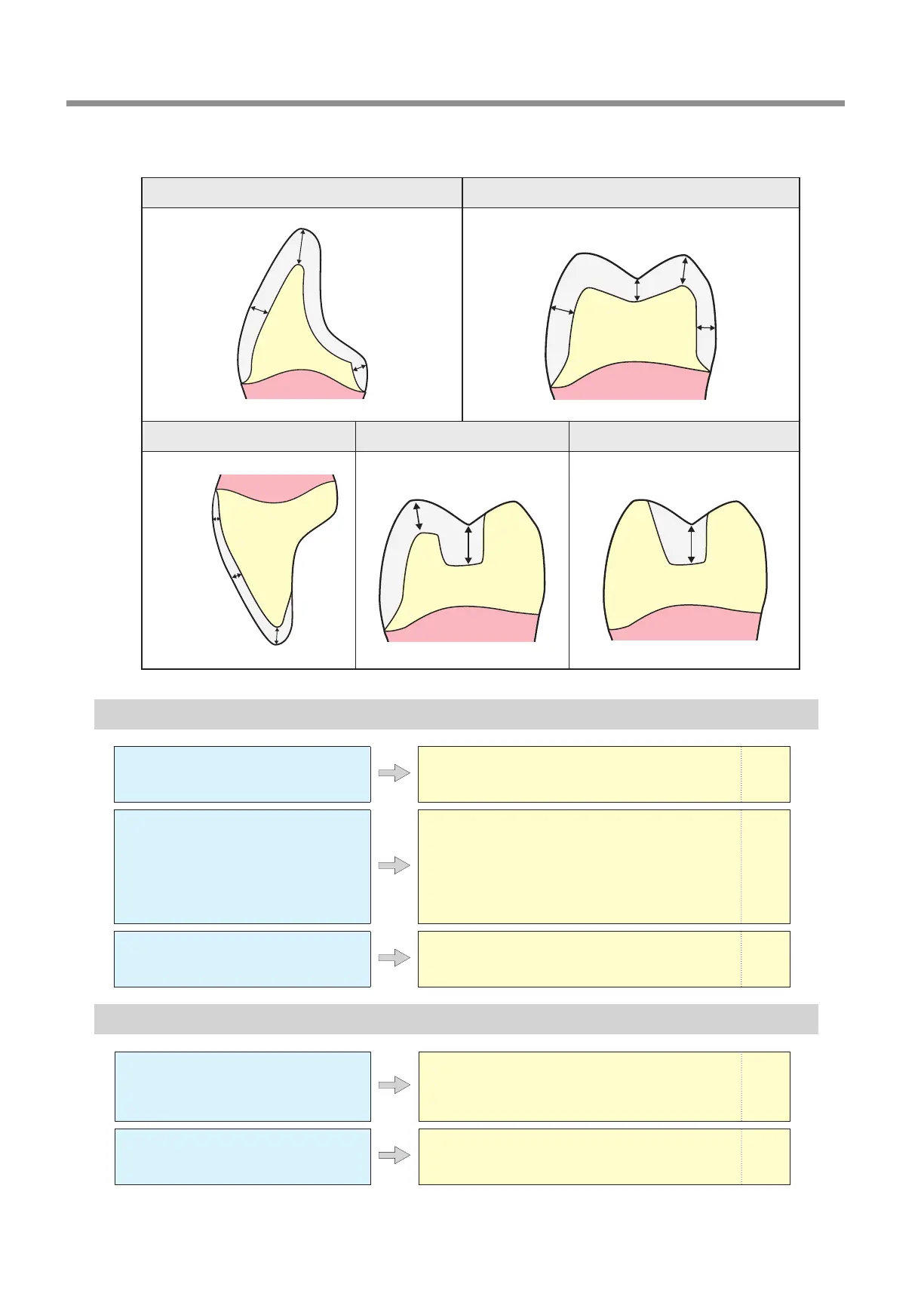
Recommended CAD data thickness values
Unit: mm
Front tooth crown Molar tooth crown
Veneer Onlay Inlay
A Hole Opens in the Milling Results
Do the milling bur diameter and
stocker number match the CAM
settings?
Check the CAM's milling bur settings. —
Is the machine out of correction?
The origin point may become out of position due to pro-
longed use or relocating the machine, which can aect
milling results. Perform automatic correction. If the ex-
pected results cannot be obtained even after perform-
ing automatic correction, perform manual correction.
With manual correction, changing the Z value in the +
direction in Origin point may improve the situation.
P.53
Are the milling conditions too
strict?
Strict milling conditions may aect milling results.
Review the CAM milling conditions.
—
The Dimensions of the Milling Results Do Not Match
Does the milling bur diameter match
the CAM settings? Is the CAM
shrinkage factor setting appropriate
for the workpiece?
Check the CAM settings. —
Do the settings of the sintering
program match the workpiece?
Check the sintering program settings to see if they
match the manufacturer’s workpiece being used.
—
1.0 to 1.2
1.5 or higher
0.8 or higher
0.5 to 1.5
0.4 or
higher
0.6 or higher
1.5 or higher
1.5 or higher
1.0 or higher
1.5 or higher
0.8 or higher
1.0 or higher
1.0 or higher



 To Next Page